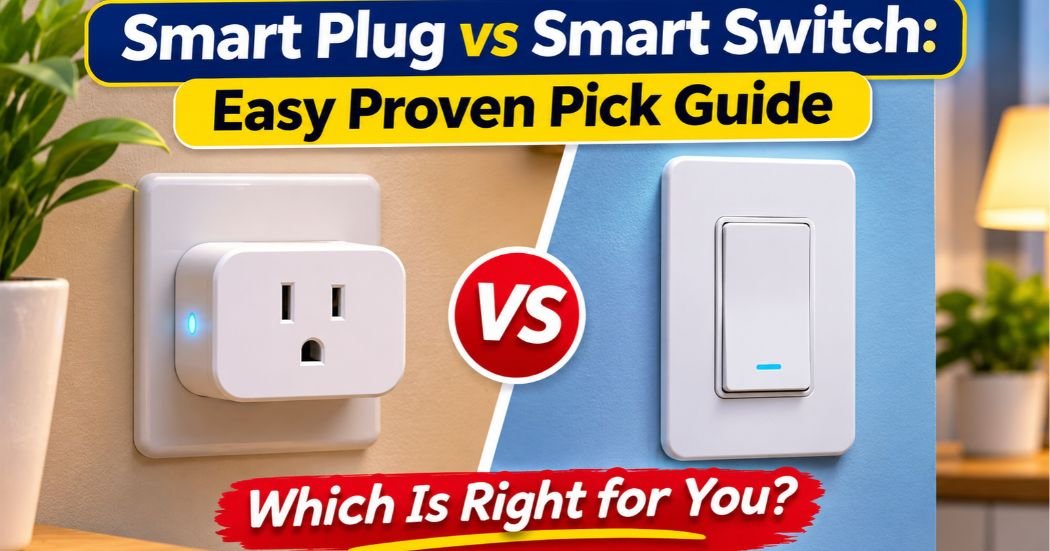
The smart plug vs smart switch choice depends on one thing: what you want to control. A smart plug goes into an outlet and controls whatever you plug into it, like a lamp or a fan. A smart switch replaces the light switch on your wall and controls the ceiling light or fan wired to it. Both let you use an app, a schedule, and your voice. This 2026 guide compares a popular plug and a popular switch, lists what each one can and cannot do, and helps you pick the right one for each room.
Quick answer: Get the GHome Smart Plug 4-pack if you want to control lamps, fans, or holiday lights with no tools and no wiring. Get the Kasa Smart Light Switch 3-pack if you want to control a ceiling light or ceiling fan, and your wall box has a neutral wire. Many homes end up using both.
Smart Plug vs Smart Switch at a Glance
- GHome Smart Plug WP3, 4-Pack (best for lamps and plug-in devices)
- Kasa Smart Light Switch HS200P3, 3-Pack (best for ceiling lights and fans)


Note: We have not tested these two products ourselves. This comparison uses the Amazon listings and TP-Link’s own spec pages. The GHome listing is a 4-pack. The Kasa listing is a 3-pack.
What Is the Difference Between a Smart Plug and a Smart Switch?
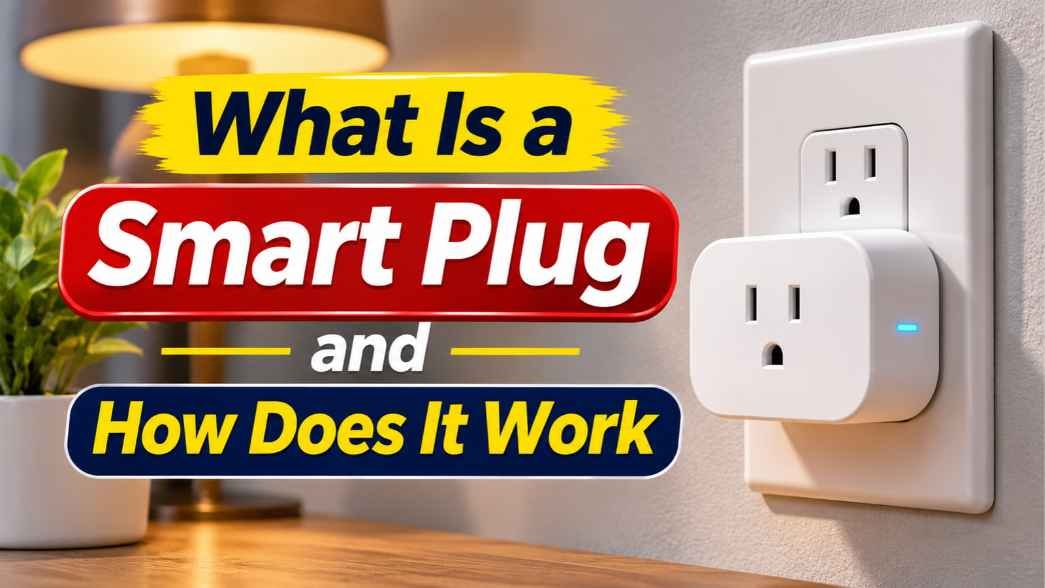
A smart plug is a small adapter. You push it into a wall outlet, then plug a device into it. The plug turns power to that device on and off. Setup takes a few minutes and needs no tools.
A smart switch goes inside the wall. You take out your old light switch and wire the smart switch in its place. It then controls the light or fan that the old switch controlled. The wall button still works, so guests can use it like a normal switch.
To choose, look at how the device gets power. If it plugs into an outlet, use a smart plug. If it is wired into the ceiling or wall, use a smart switch.
Smart Plug vs Smart Switch Specs Side by Side
These are the specs from the two listings. On a phone, swipe the table left to see both columns.
| Spec | GHome Smart Plug (WP3) | Kasa Smart Light Switch (HS200P3) |
|---|---|---|
| Type | Plug-in outlet adapter | In-wall light switch |
| Install | Plug into an outlet | Wire into the wall box |
| Wiring needed | None | Neutral wire required |
| Switch setup | Any 120V outlet | Single-pole only |
| Current rating | 10 A | 15 A |
| Max load in listing | 1200 watts | 600 watts (lighting) |
| Voltage | 120 V | 100 to 120 VAC |
| Wi-Fi | 2.4 GHz only (Bluetooth used for setup) | 2.4 GHz only |
| Hub needed | No | No |
| Voice control | Alexa, Google Assistant | Alexa, Google Assistant |
| Apps | GHome, Smart Life, Tuya | Kasa or Tapo |
| Schedules and timers | Yes, including random mode | Yes, plus Away Mode |
| Group control and sharing | Yes | Yes |
| Physical button | Push button on the plug | Rocker on the wall |
| Safety listing | ETL, FCC | UL |
| Use | Indoor only (IP40) | Indoor wall box |
| Size | 2.1 x 2.1 x 1.1 inches | 3.33 x 1.74 x 5.06 inches |
| Pack in listing | 4 plugs | 3 switches |
| Warranty listed | Not listed | 2 years |
Sources: the Amazon listings and the TP-Link Kasa HS200 product page.
Smart Plug vs Smart Switch: Key Differences Explained
1. What each one controls
The GHome plug controls anything with a normal plug. Think lamps, fans, humidifiers, coffee makers, and Christmas lights. The Kasa switch controls what is wired to the wall switch. That is usually a ceiling light, a porch light, or a ceiling fan. TP-Link says the HS200 can control anything a standard light switch controls.
2. Installation
This is the biggest gap. The plug takes about a minute. You plug it in, open the app, and connect it to Wi-Fi. The switch takes more work. You turn off the breaker, remove the old switch, and connect the line, load, neutral, and ground wires. The Kasa app walks you through each step, but TP-Link still suggests an electrician if you are new to wiring. Our guide on how to install a smart light switch covers the steps.
3. The neutral wire rule
The Kasa HS200 needs a neutral wire in the wall box. This is usually a white wire bundle tucked in the back of the box. Many older homes do not have one at the switch. TP-Link’s guide also says the wall box should be more than 2 inches deep. If your box fails either check, the switch will not work there. A smart plug has no such rule.
4. Single-pole vs 3-way
The Kasa HS200 is a single-pole switch. It works where one switch controls one light. It does not work in a 3-way setup, where two switches at both ends of a hallway or staircase control the same light. For those spots you need a 3-way smart switch kit, which is a different product.
5. Power limits
The GHome plug is rated 10 A and 1200 watts. That covers lamps, fans, and small appliances. Do not use it for a big space heater, a window AC, or anything that pulls more than 1200 watts. The Kasa switch is rated 15 A for general use and 600 watts for lighting. That is plenty for a room of LED bulbs.
6. Wi-Fi and setup
Both work on 2.4 GHz Wi-Fi only. If your router mixes 2.4 GHz and 5 GHz under one name, setup can fail. You may need to turn on a 2.4 GHz-only network for a few minutes during setup. The GHome plug can also connect through Bluetooth during setup, which helps it find your network.
7. Apps, voice, and schedules
Both work with Alexa and Google Assistant without a hub. Both let you set timers and schedules. The GHome plug can run schedules on a loop or at random times. The Kasa switch has an Away Mode that turns your lights on and off at random times so the house looks busy. Both let you group devices and share control with your family.
8. How it looks and how guests use it
A smart switch looks like a normal wall switch. Guests can press it without an app. A smart plug sits on the outlet and is mostly hidden behind furniture. The catch with a plug is the wall switch. If a lamp is on a switched outlet and someone flips that wall switch off, the plug loses power and stops responding.
9. Moving and renting
A smart plug moves with you. Unplug it and take it to your next home. That makes it the safe pick for renters, who often cannot change wiring. A smart switch stays in the wall, and most leases do not allow you to replace it without the landlord’s okay.
1. GHome Smart Plug: Best for Lamps and Plug-In Devices
Product type: Plug-in Wi-Fi smart outlet, sold as a 4-pack.
Best for: Renters, beginners, and anyone who wants to control lamps, fans, or seasonal lights in several rooms.
Key features
- Plugs into any standard 120V outlet with no tools.
- Rated 10 A and 1200 watts.
- 2.4 GHz Wi-Fi, with Bluetooth help during setup.
- Works with Alexa and Google Assistant after you set it up in the GHome app.
- Works with the GHome, Smart Life, and Tuya apps.
- Timers and schedules, on a loop or at random times.
- Group control for several plugs at once, plus sharing with family.
- Push button on the plug for manual on and off.
- ETL and FCC listed.
- Small 2.1 x 2.1 x 1.1 inch body.
What makes it good
You get four plugs in one box, so you can cover a living room lamp, a bedroom fan, a humidifier, and a string of holiday lights at once. Setup needs no electrician and no hub. The random schedule is handy when you travel, since your lamps can turn on at different times each night. Support for three apps also helps if you already use Smart Life or Tuya devices.
What it can and cannot do
- It can control any plug-in device that uses up to 1200 watts.
- It can run on a schedule, a timer, or your voice.
- It can be shared with others in your home through the app.
- It cannot control a hardwired ceiling light or ceiling fan.
- It cannot connect to 5 GHz Wi-Fi.
- It is not made for outdoor use (rated IP40).
- It cannot connect straight to Alexa or Google. You must add it to the GHome app first.
- The listing does not mention energy monitoring, so do not expect power use reports.
Pros
- Four plugs in one pack.
- No wiring or tools needed.
- Works with three apps.
- Random schedule for away times.
- Great for renters.
Cons
- 2.4 GHz Wi-Fi only.
- Indoor use only.
- 1200 watt limit rules out big heaters.
- Can block the second outlet on some walls.
- No warranty length in the listing.
2. Kasa Smart Light Switch: Best for Ceiling Lights and Fans
Product type: In-wall single-pole Wi-Fi light switch, sold as a 3-pack.
Best for: Homeowners who want to control ceiling lights, porch lights, or ceiling fans and have a neutral wire at the switch.
Key features
- Replaces a standard single-pole wall switch.
- Needs a neutral wire in the wall box.
- Rated 15 A general use, 600 watts lighting, 100 to 120 VAC.
- 2.4 GHz Wi-Fi, no hub needed.
- Works with Alexa and Google Assistant.
- Guided install inside the Kasa or Tapo app.
- Timers, countdowns, and schedules.
- Away Mode turns lights on and off at random.
- UL certified.
- 2-year manufacturer warranty.
What makes it good
Once it is in the wall, it acts like a normal switch that also listens to your phone and voice. Anyone can press the rocker, so the light always works, even for guests who do not have the app. Away Mode makes the house look lived in while you are out. The app gives step-by-step wiring help, and the 3-pack lets you do the porch, hallway, and kitchen in one go. The listing shows a 2-year warranty, which the plug listing does not.
What it can and cannot do
- It can control a ceiling light, porch light, or ceiling fan on a single-pole switch.
- It can run on a schedule, a countdown, or Away Mode.
- It can be used by hand like a normal switch.
- It cannot be used in a 3-way setup with two switches for one light.
- It cannot be installed without a neutral wire.
- It does not dim lights. It turns them on and off.
- It cannot connect to 5 GHz Wi-Fi.
- It cannot be taken with you when you move without rewiring.
Pros
- Controls hardwired lights and fans.
- Works by hand, so guests can use it.
- Away Mode for travel.
- UL certified with a 2-year warranty.
- Three switches in one pack.
Cons
- Needs a neutral wire.
- Single-pole only, no 3-way.
- Wiring work or an electrician needed.
- On and off only, no dimming.
- 2.4 GHz Wi-Fi only.
Smart Switch vs Smart Plug: Who Wins Each Round
| Category | Winner | Why |
|---|---|---|
| Easy install | Smart plug | Plug in, no wiring |
| Ceiling lights and fans | Smart switch | Controls hardwired fixtures |
| Lamps and small appliances | Smart plug | Works with anything that plugs in |
| Renters | Smart plug | No changes to the home |
| Guests and family | Smart switch | Wall button always works |
| Higher listed load | Smart plug | 1200 W vs 600 W lighting |
| Units per box | Smart plug | 4 vs 3 |
| Clean look | Smart switch | Looks like a normal switch |
| Warranty shown | Smart switch | 2 years listed |
| Wi-Fi bands | Tie | Both 2.4 GHz only |
| Voice control | Tie | Both Alexa and Google |
Which One Should You Buy?
| Your situation | Better pick |
|---|---|
| You rent your home | Smart plug |
| You want to control a floor or table lamp | Smart plug |
| You want to control a ceiling light | Smart switch |
| You want to control a ceiling fan on/off | Smart switch |
| Your wall box has no neutral wire | Smart plug |
| The light has two switches (3-way) | Neither of these two |
| You want holiday or Christmas lights on a timer | Smart plug |
| You want guests to use it without an app | Smart switch |
| You have never done electrical work | Smart plug, or hire an electrician for the switch |
Smart Plugs vs Smart Switches: Pros and Cons
Here are the general smart plugs vs smart switches pros and cons, beyond these two products.
Pros
- Smart plugs: cheap to start, no tools, easy to move, good for lamps and small appliances.
- Smart switches: control built-in lights and fans, look clean, work by hand for everyone in the home.
Cons
- Smart plugs: cannot control ceiling fixtures, stop working if a wall switch cuts the outlet, can be bulky on a shared outlet.
- Smart switches: need wiring and often a neutral wire, stay in the house when you move, and each model fits only certain switch setups.
Alexa Smart Plug vs Smart Switch
If Alexa is your main helper, both choices work well. The difference is in setup and in how you talk to them.
- For the GHome plug, set it up in the GHome app first, then link that app to Alexa. After that, say a command like “Alexa, turn on the lamp.”
- For the Kasa switch, set it up in the Kasa app, then link Kasa to Alexa. Name it after the room, like “kitchen light.”
- Both can join Alexa routines, so one phrase like “Alexa, good night” can turn off a plug lamp and a switch light together.
- Neither one needs an Echo with a built-in hub.
Tip: give each device a short, clear name. Alexa gets confused when two devices have similar names, like “bed lamp” and “bedroom lamp.” For more ideas, see our guide to setting up smart lighting.
Iris Indoor Wi-Fi Smart Plug vs Switch
Some people still search for the iris indoor wifi smart plug vs switch. Iris was the smart home system sold by Lowe’s. Lowe’s shut down the Iris platform on March 31, 2019. Its app and services stopped working, and Lowe’s offered credit only for devices that could not work on another platform.
If you still have Iris plugs or switches, check whether they can join another hub. If not, a Wi-Fi plug like the GHome or a Wi-Fi switch like the Kasa does the same job with no hub and a current app.
Do Smart Plugs and Smart Switches Use Power When Off?
Yes, a little. Both stay connected to Wi-Fi so they can hear your commands. That standby draw is small, but it is not zero. Our post on whether smart lights use more electricity has real standby numbers and yearly cost math.
Safety Tips Before You Buy
- Check the watts of the device you plan to plug in. Keep it under 1200 watts for the GHome plug.
- Do not plug space heaters or large appliances into a smart plug unless the plug is rated for them.
- Turn off the breaker before you touch any wall switch wiring.
- Look for the white neutral wire bundle in the wall box before you buy the Kasa switch.
- If a light has two wall switches, it is a 3-way circuit. The HS200 will not fit.
- Use the smart plug indoors only.
Safety note: A smart switch means working with house wiring. If you have never done electrical work, hire a licensed electrician.
Want more choices? See our list of the best smart outlet plug picks, the best smart plugs for Home Assistant, and our smart light switch vs smart bulb comparison.
Frequently Asked Questions
Which is better, a smart plug or a smart switch?
Neither is better for every room. A smart plug is better for lamps and plug-in devices. A smart switch is better for ceiling lights and fans that are wired to a wall switch.
Can a smart plug control a ceiling light?
No. A ceiling light is wired into the wall, not plugged into an outlet. You need a smart switch or a smart bulb for it.
Do I need a neutral wire for a smart switch?
For the Kasa HS200, yes. Some other smart switches work without one, but this model does not.
Can I install a smart switch myself?
Many people do, with the guided steps in the Kasa app. You must turn off the breaker first. If you are not sure about the wires, hire an electrician.
Does the Kasa HS200 work with 3-way switches?
No. It is a single-pole switch. It only works where one switch controls the light.
Do smart plugs and smart switches work with 5 GHz Wi-Fi?
These two do not. Both the GHome plug and the Kasa switch connect on 2.4 GHz only.
Do I need a hub for either one?
No. Both connect to your Wi-Fi and work with Alexa and Google Assistant without a hub.
Can I use a smart plug for a space heater?
Only if the heater uses less power than the plug’s rating. The GHome plug is rated 1200 watts. Many space heaters use 1500 watts, so check the label first.
Will the wall switch still work with a smart switch installed?
Yes. You can press the Kasa rocker by hand, use the app, or use your voice.
Is a smart plug good for renters?
Yes. It needs no wiring and you can take it with you when you move.
Final Verdict: Smart Plug vs Smart Switch
Pick the GHome Smart Plug 4-pack for lamps, fans, and anything else you can plug in. It is the easy choice for renters and beginners. Pick the Kasa Smart Light Switch 3-pack for ceiling lights and fans, as long as your wall box has a neutral wire and a single-pole switch. If your home has both kinds of lights, use a plug for the lamps and a switch for the ceiling.