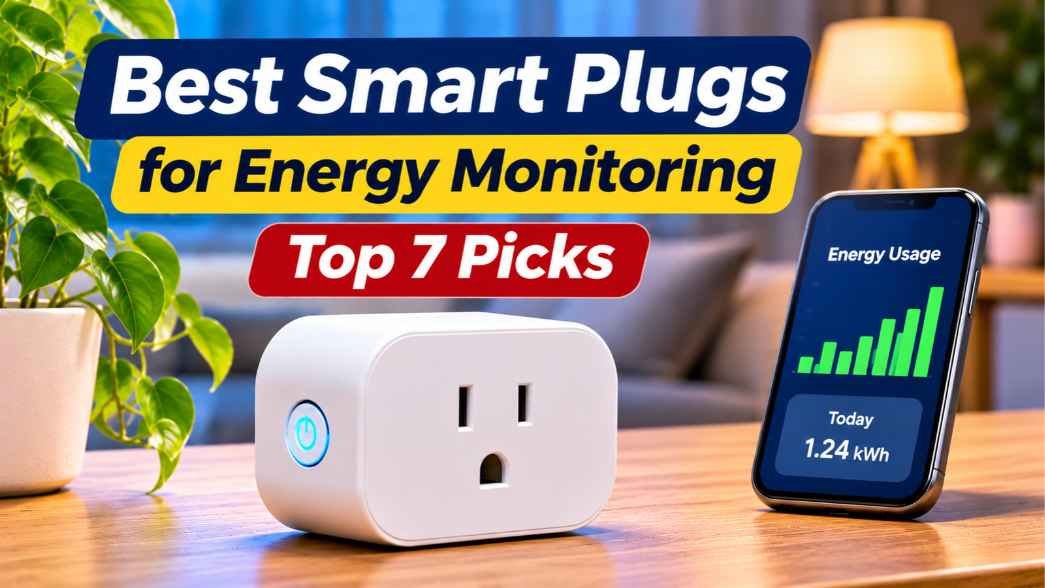
The best smart plugs for energy monitoring show you how much power a device uses while it runs. You plug the smart plug into the wall and plug a lamp, TV, fan or coffee maker into it. The app then shows live watts and a history of use, so you can spot the devices that cost you the most.
This 2026 guide covers 7 picks from Tapo, Kasa, Govee, EIGHTREE, THIRDREALITY and Emporia. Five use Wi-Fi and need no hub. Two use Zigbee and need a hub. For each plug you get specs, key features, what makes it a good pick, what it can and cannot do, and pros and cons. New to these devices? Start with our guide on what a smart plug is and how it works.
Quick answer: For most homes, the Tapo P110M 4-Pack is the best pick. It is rated 15 A, works with Matter, shows energy charts, and can estimate your bill. If you use Apple Home, get the Kasa KP125M 4-Pack. If your router runs on 5 GHz, pick the EIGHTREE ET15. If you run a Zigbee hub like Home Assistant, the THIRDREALITY Gen3 lists the most precise readings here, calibrated to plus or minus 1%.
Top 7 picks at a glance
- Tapo P110M Matter Smart Plug 4-Pack (best overall)
- Kasa Matter Smart Plug KP125MP4 4-Pack (best for Apple Home and local control)
- Govee Smart Plug H5086 4-Pack (best for long usage history)
- EIGHTREE 5GHz Smart Plug ET15 4-Pack (best for 5 GHz Wi-Fi)
- THIRDREALITY Smart Plug Gen3 4-Pack (best for precise readings)
- THIRDREALITY Zigbee Smart Plug 4-Pack (best for Zigbee hub owners)
- Emporia Energy Monitoring Smart Plug 4-Pack (best for small devices and standby power)


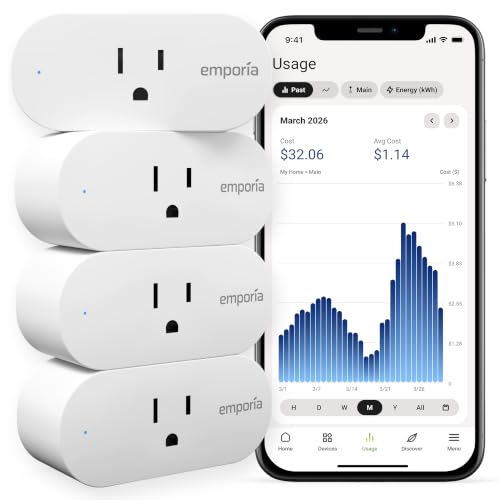


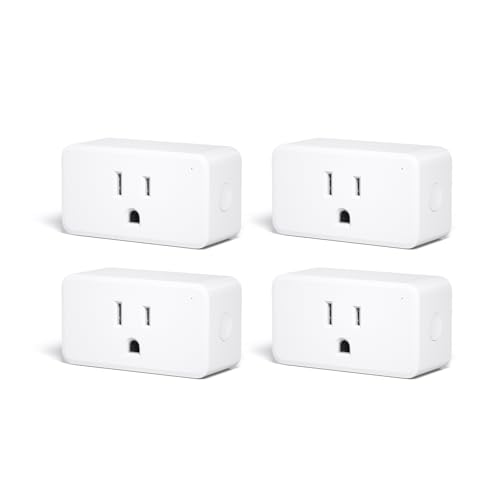
Note: We have not tested these plugs ourselves. The specs here come from each product’s Amazon listing. Pack sizes and listings can change, so check the model number and what is in the box before you buy.
Best smart plugs for energy monitoring: comparison table
Here are all 7 picks side by side. On a phone, swipe the table left to see every column.
| Pick | Connection | Max load | Hub needed | Energy data | Best for |
|---|---|---|---|---|---|
| Tapo P110M | 2.4 GHz Wi-Fi, Matter | 15 A, 1800 W | No | Tapo app, bill estimate | Most homes |
| Kasa KP125M | 2.4 GHz Wi-Fi, Matter | 15 A, 1800 W | No | Kasa or Tapo app | Apple Home, local control |
| Govee H5086 | 2.4 GHz Wi-Fi, Bluetooth | 15 A, 120 V | No | Govee Home app, up to 1 year | Usage history |
| EIGHTREE ET15 | 5 GHz and 2.4 GHz Wi-Fi | 15 A, 1500 W | No | Smart Life app | 5 GHz routers |
| THIRDREALITY Gen3 | Zigbee 3.0 | 15 A | Yes | Your Zigbee hub, ±1% | Precise readings |
| THIRDREALITY Zigbee | Zigbee 3.0 | 15 A, 1800 W | Yes | Your Zigbee hub | Zigbee hub owners |
| Emporia | 2.4 GHz Wi-Fi | 10 A, 1200 W | No | Emporia app | Small devices |
What does an energy monitoring smart plug do?
A normal smart plug turns a device on and off from your phone or by voice. An energy monitoring plug also measures the power going through it.
Most show live watts, which is how much power the device pulls right now. They also add that up over time in kilowatt-hours (kWh). That is the same unit your power company bills you in. Some plugs go further. The Govee H5086 shows current and voltage too. The Tapo P110M can turn the kWh into an estimated cost.
The best smart plugs for energy monitoring help you find hidden power users. A TV box, game console or old freezer may use more than you think. Once you see the numbers, you can set a schedule or unplug what you do not need.
How to choose the best smart plug for energy monitoring
1. Pick Wi-Fi or Zigbee
Wi-Fi plugs connect to your router and work with a phone app. No hub is needed. Zigbee plugs need a Zigbee hub, such as Home Assistant, SmartThings, Hubitat or an Echo with a Zigbee hub built in. Zigbee plugs also repeat the signal for other Zigbee devices. If you are building a Home Assistant setup, see our list of the best smart plugs for Home Assistant.
2. Check the amp rating
Most picks here are rated 15 A. That covers lamps, TVs, fans and many kitchen devices. The Emporia plug is rated 10 A for steady use, so keep it for lighter loads. The EIGHTREE lists 1500 W, which is a bit lower than the 1800 W of the Tapo, Kasa and THIRDREALITY Zigbee plug.
3. Know where the numbers show up
Wi-Fi plugs keep energy data in the maker’s app. Zigbee plugs send it to your hub. For the THIRDREALITY plugs, the listings name Home Assistant, SmartThings, Hubitat and THIRDREALITY hubs for power data. An Echo is not on that list, so an Echo alone may only give you on and off control.
4. Look at accuracy and history
Only the THIRDREALITY Gen3 lists an accuracy figure: plus or minus 1%. The Govee H5086 keeps data for up to 1 year in daily, weekly and monthly views. The Tapo P110M adds cost estimates.
5. Match your smart home system
The Tapo and Kasa plugs use Matter, a shared standard from the Connectivity Standards Alliance. You set them up once, and they can work in Alexa, Apple Home, Google Home and SmartThings. The other Wi-Fi picks link to Alexa and Google through their own apps.
1. Tapo P110M Matter Smart Plug 4-Pack: Best Overall
The Tapo P110M is a Matter smart plug from TP-Link, sold in a pack of four. It is the most complete energy pick in this list.
The Tapo app shows your energy use with stats and charts. It can also turn that use into a cost view, for single readings and over time. You can then schedule power-hungry devices to run during off-peak hours, when your rate is lower.
It has a safety feature the other Wi-Fi picks do not list. You can set a power limit and a time. If a device goes over that limit, the plug cuts the power. Tapo says this helps prevent overcharging and protects connected devices from overcurrent.
Because it is Matter certified, the plug can work with Alexa, Apple Home, Google Home and SmartThings. You can also use voice commands with Alexa and Google Assistant.
Specs
| Spec | Details |
|---|---|
| Model | Tapo P110M (4-Pack) |
| In the box | 4 smart plugs, quick installation guide |
| Max load | 15 A, 1800 W |
| Connection | 2.4 GHz Wi-Fi only, Matter |
| Works with | Alexa, Google Home, Apple Home, SmartThings |
| App | Tapo |
| Size | 1.5 x 1.5 x 2.6 inches |
| Safety | UL, FCC, RoHS |
| Maker | TP-Link |
Key features
- Energy stats with clear charts in the Tapo app.
- Cost estimate for single and periodic readings.
- Auto power cut-off when a device passes a limit you set.
- Schedules to run devices during off-peak hours.
- Matter support for Alexa, Apple Home, Google Home and SmartThings.
What makes it a good pick
Most energy plugs only show watts and kWh. This one also shows cost and can cut power on its own when use goes too high. That makes it useful for both saving money and protecting devices.
What it can and cannot do
It can track energy, estimate cost, run schedules and cut power past a limit. It can work in several smart home apps through Matter. It cannot join 5 GHz Wi-Fi. Using Matter in Apple Home or Google Home needs a Matter controller from that system.
Pros
- 15 A, 1800 W rating.
- Cost estimate in the app.
- Power limit cut-off for safety.
- Matter works across major systems.
- UL certified.
Cons
- 2.4 GHz Wi-Fi only.
- Matter setup in some systems needs a controller device.
- No Zigbee repeater function.
2. Kasa Matter Smart Plug KP125MP4 4-Pack: Best for Apple Home and Local Control
The Kasa KP125M is another TP-Link plug with Matter and energy monitoring. It is a strong pick if your home uses Apple Home or Siri.
Energy monitoring tracks use over time, so you can see patterns and decide how you use each device. Control comes from the free Kasa app or by voice with Siri, Alexa, Google Assistant or SmartThings.
Its standout point is local control. Kasa says Matter devices on your home network keep working even when your internet goes down. They talk to each other on the network, with no cloud needed after setup.
Kasa devices now also work in the Tapo app, so you can keep Tapo and Kasa plugs in one place. Need help with the first setup? Read our guide on how to set up a Kasa smart plug. If it acts up later, see how to reset a Kasa smart plug.
Specs
| Spec | Details |
|---|---|
| Model | KP125MP4 |
| In the box | 4 KP125M plugs, quick start guide |
| Max load | 15 A, 1800 W |
| Voltage | 120 V |
| Connection | 2.4 GHz Wi-Fi, Matter |
| Works with | Apple Home, Siri, Alexa, Google Home, SmartThings |
| App | Kasa, also Tapo |
| Size | 2.62 x 1.57 x 1.5 inches |
| Safety | UL, FCC, RoHS, flame retardant |
| Warranty | 2-year limited |
Key features
- Energy monitoring with use tracked over time.
- Matter support, including Apple Home.
- Local network control when the internet is down.
- Compact body that leaves the second outlet free.
- Works in both the Kasa and Tapo apps.
What makes it a good pick
Local control and a 2-year limited warranty make this a safe long-term buy. It also fits well in a mixed home where some people use Siri and others use Alexa.
What it can and cannot do
It can track energy, run on voice or app, and keep working on your network during an internet outage. It cannot join 5 GHz Wi-Fi. The listing does not mention cost estimates or a power limit cut-off like the Tapo P110M has.
Pros
- 15 A, 1800 W rating.
- Works with Apple Home through Matter.
- Local control without internet.
- 2-year limited warranty.
- Compact design.
Cons
- 2.4 GHz Wi-Fi only.
- No cost estimate listed.
- No power limit cut-off listed.
3. Govee Smart Plug H5086 4-Pack: Best for Long Usage History
The Govee H5086 tracks real-time power, current and voltage for each device. You see it all in the Govee Home app.
Its best feature is the history. You can look at data by day, week or month, and go back up to 1 year. That makes it easy to compare seasons, such as a fan in summer and a heater blanket in winter.
It connects by Wi-Fi and Bluetooth. Bluetooth helps when you are near the plug. Govee notes it does not support 5G Wi-Fi, meaning the 5 GHz band. Schedules can be set to the minute, and you can group plugs and share them with family.
The plug is rated 15 A at 120 V and made of fire-resistant materials. Govee says it is fine for higher-power devices such as a coffee maker.
Specs
| Spec | Details |
|---|---|
| Model | H5086 |
| In the box | 4 smart plugs, 1 user manual |
| Max load | 15 A, 120 V |
| Plug | Type B, 3 wires |
| Connection | 2.4 GHz Wi-Fi and Bluetooth |
| Works with | Alexa, Google Assistant |
| App | Govee Home |
| Hub | Not needed |
| Safety | ETL, FCC |
Key features
- Real-time power, current and voltage readings.
- Daily, weekly and monthly data for up to 1 year.
- Wi-Fi plus Bluetooth connection.
- Schedules set to the minute.
- Group control and family sharing.
What makes it a good pick
Few plugs show current and voltage along with power. The 1-year history lets you see real trends instead of a single day’s number.
What it can and cannot do
It can show detailed power data, keep a year of history and switch devices by voice, app or schedule. It cannot use 5 GHz Wi-Fi. The listing does not mention Matter or Apple Home.
Pros
- Shows power, current and voltage.
- Up to 1 year of history.
- Bluetooth backup link.
- 15 A rating.
- ETL and FCC certified.
Cons
- No 5 GHz Wi-Fi.
- No Matter or Apple Home listed.
- Wattage limit not listed in the spec table.
4. EIGHTREE 5GHz Smart Plug ET15 4-Pack: Best for 5 GHz Wi-Fi
Most smart plugs only join 2.4 GHz Wi-Fi. The EIGHTREE ET15 joins both 5 GHz and 2.4 GHz. If your router only gives you a 5 GHz network, this is the plug to get.
Setup uses the Smart Life app. You plug it in, connect your phone to Wi-Fi, turn on Bluetooth, and the app finds the plug. From there you can check energy use, set timers and make schedules.
It works with Alexa, Google Home, SmartThings and IFTTT. The body is small, so two plugs fit in one wall outlet at the same time.
Note the load. It is rated 15 A, but the listing gives 1500 W, lower than the 1800 W of some picks here. It also has an IP00 rating, which means no protection from dust or water, so keep it indoors in dry spots.
Specs
| Spec | Details |
|---|---|
| Model | ET15 |
| In the box | 4 smart plugs, user manual |
| Max load | 15 A, 1500 W |
| Voltage | 120 V |
| Connection | 5 GHz and 2.4 GHz Wi-Fi, Bluetooth |
| Works with | Alexa, Google Home, SmartThings, IFTTT |
| App | Smart Life |
| Size | 1.7 x 2.5 x 2.5 inches |
| Temperature | 14 °F to 122 °F |
| Safety | ETL, FCC |
| Support | 2-year customer service |
Key features
- Works on 5 GHz and 2.4 GHz Wi-Fi.
- Energy monitoring in the Smart Life app.
- Timers and schedules.
- Two plugs fit in one outlet.
- Works with Alexa, Google Home and SmartThings.
What makes it a good pick
Many routers and mesh systems only offer a 5 GHz network. This plug joins it, so you get energy monitoring with no router changes.
What it can and cannot do
It can join 5 GHz Wi-Fi, track energy and run on a schedule. It cannot handle loads above 1500 W. It is not made for outdoor or wet use. The listing does not mention Matter.
Pros
- 5 GHz and 2.4 GHz Wi-Fi.
- Small size, two fit in one outlet.
- Works with SmartThings and IFTTT.
- ETL and FCC certified.
- 2-year customer service.
Cons
- 1500 W, lower than some picks.
- IP00, indoor dry use only.
- No Matter listed.
5. THIRDREALITY Smart Plug Gen3 4-Pack: Best for Precise Readings
The THIRDREALITY Gen3 is a Zigbee 3.0 plug made for people who already run a Zigbee hub. Its power monitoring is calibrated to plus or minus 1% accuracy, the only accuracy figure listed in this guide.
It works with Zigbee hubs and Echo devices that have a Zigbee hub built in. The listing names Echo (4th Gen), Echo Plus, Echo Show 8 Gen3, Echo Show 10, Echo Studio, Eero 6, Home Assistant (ZHA and Z2M), SmartThings, Aeotec, Hubitat, Homey and THIRDREALITY hubs.
Power data is supported by Home Assistant, SmartThings, Hubitat, THIRDREALITY Smart Hub Gen 2 and Bridge MZ1. On Home Assistant, Hubitat and Third Reality, it also gets firmware updates over the air with no downtime.
Gen3 adds an upgraded Zigbee chip and a stronger RF module. As a Zigbee repeater, it can extend your Zigbee mesh to reach more devices. You can also choose what state the plug returns to after a power cut, on THIRDREALITY Hub Gen2 and Home Assistant.
One thing to check: the title says 4-Pack, but the listing also says one item and one plug in the box. Confirm the count on the product page before you order.
Specs
| Spec | Details |
|---|---|
| Part number | 3RSP02064Z |
| Pack | Listed as 4-Pack (confirm count) |
| Max load | 15 A |
| Voltage | 110 V |
| Connection | Zigbee 3.0 |
| Hub | Zigbee hub required |
| Power data | Home Assistant, SmartThings, Hubitat, THIRDREALITY Hub Gen 2, Bridge MZ1 |
| Accuracy | ±1% (calibrated) |
| Safety | FCC |
| Warranty | 1 year |
Key features
- Power readings calibrated to ±1%.
- Enhanced Zigbee repeater for a stronger mesh.
- Over-the-air updates on supported hubs.
- Custom power-on state after an outage.
- Compact body that does not block the second outlet.
What makes it a good pick
If you want numbers you can trust in Home Assistant dashboards, the stated ±1% accuracy sets it apart. It also makes your Zigbee network stronger.
What it can and cannot do
It can send precise power data to a supported hub and repeat Zigbee signals. It cannot work without a Zigbee hub. Echo is not on the list for power data, so an Echo-only home may get on and off control only.
Pros
- Only pick with a listed accuracy (±1%).
- Strong Zigbee repeater.
- Over-the-air updates.
- Works with many Zigbee hubs.
Cons
- Zigbee hub required.
- Pack count is unclear on the listing.
- Wattage limit not listed.
- Power data not listed for Echo.
6. THIRDREALITY Zigbee Smart Plug 4-Pack: Best for Zigbee Hub Owners
This is the earlier THIRDREALITY Zigbee plug. It also offers real-time energy monitoring and acts as a Zigbee repeater, but it does not list the ±1% calibration or the upgraded chip of the Gen3.
Hub support is the same broad list: Echo devices with a Zigbee hub built in, Eero 6, Home Assistant, SmartThings, Aeotec, Hubitat, Homey and THIRDREALITY hubs. Energy data is supported in Home Assistant, SmartThings, Hubitat and THIRDREALITY smart hub Gen2.
It is rated 15 A and 1800 W, and ETL certified. The space-saving shape leaves the second socket free. You can group plugs and control them all with one tap.
Setup with a compatible Echo is easy. Plug it in and say, “Alexa, discover my devices.” The Echo will find it.
Specs
| Spec | Details |
|---|---|
| Model | 3RSP02028BZ |
| In the box | Smart plugs (4 count) |
| Max load | 15 A, 1800 W |
| Voltage | 120 V |
| Connection | Zigbee 3.0 |
| Hub | Zigbee hub required |
| Power data | Home Assistant, SmartThings, Hubitat, THIRDREALITY hub Gen2 |
| Size | 2.7 x 1.3 x 1.13 inches |
| Max temperature | 40 °C (104 °F) |
| Safety | ETL, IP20 |
Key features
- Real-time energy monitoring on supported hubs.
- Zigbee repeater for your mesh network.
- Custom power-on state after an outage.
- Group control with one tap.
- Slim design that keeps the next outlet free.
What makes it a good pick
It lists a full 1800 W rating and ETL certification, and it works with the same wide set of hubs as the Gen3. It is a solid way to add energy tracking to an existing Zigbee setup.
What it can and cannot do
It can monitor energy on supported hubs, repeat Zigbee signals and restore its last state after power returns. It cannot work without a hub. It does not list an accuracy figure.
Pros
- 15 A, 1800 W rating.
- ETL certified.
- Zigbee repeater.
- Slim shape.
Cons
- Zigbee hub required.
- No accuracy figure listed.
- Power data not listed for Echo.
7. Emporia Energy Monitoring Smart Plug 4-Pack: Best for Small Devices and Standby Power
Emporia builds this plug around energy tracking. It is a good fit for lights, fans, lamps, humidifiers and other small devices.
The Emporia app shows the energy each device uses. Emporia points to cutting standby power, the power some devices use when they look off. You can check real-time status and switch a device on or off from anywhere.
Pay attention to the rating. It handles 10 A of steady load. It can take up to 15 A at peak, but only for up to 1 hour a day. The listed wattage is 1200 W. Keep it away from heaters, kettles and other big loads.
It needs 2.4 GHz Wi-Fi. Emporia states that 5 GHz networks are not supported.
Specs
| Spec | Details |
|---|---|
| Model | EMSO1-4 |
| In the box | 4 energy monitoring smart plugs |
| Max load | 10 A continuous, 15 A peak up to 1 hour a day |
| Wattage | 1200 W |
| Voltage | 120 V |
| Connection | 2.4 GHz Wi-Fi only |
| Works with | Alexa, Google Home |
| App | Emporia |
| Size | 1.97 x 3.31 x 1.5 inches |
| Temperature | 14 °F to 140 °F |
| Safety | ETL, FCC, IP20 |
| Warranty | 1 year |
Key features
- Energy tracking per device in the Emporia app.
- Helps find standby power waste.
- On and off schedules.
- Remote control from your phone.
- Works with Alexa and Google Home.
What makes it a good pick
If you mostly want to watch small devices and cut standby waste, this plug does that job. It also handles a wider heat range than most picks here, up to 140 °F.
What it can and cannot do
It can track energy, run schedules and switch devices from your phone or by voice. It cannot run large loads for long. It does not support 5 GHz Wi-Fi or Matter.
Pros
- Built around energy tracking.
- Good for standby power checks.
- Wide temperature range.
- ETL and FCC certified.
Cons
- 10 A steady load only.
- 2.4 GHz Wi-Fi only.
- Bigger body than most picks.
- 1-year warranty.
How to read your energy numbers
Your plug will show watts (W) and kilowatt-hours (kWh). Watts are the power used right now. kWh is the total over time. The U.S. Department of Energy gives a simple formula in its guide to estimating appliance energy use:
Watts × hours used per day ÷ 1,000 = kWh per day
Here is an example. A 60 W lamp that runs 5 hours a day uses 0.3 kWh a day. Over 30 days that is 9 kWh. Multiply that by the price per kWh on your power bill to get the monthly cost.
An energy monitoring plug does this math for you. It measures the real use, so you do not have to guess the hours or the watts.
| What you see | What it means | How to use it |
|---|---|---|
| Watts (W) | Power used right now | Spot devices that pull a lot when on |
| Standby watts | Power used while the device looks off | Find devices to unplug or schedule off |
| kWh | Total energy over time | Compare with your power bill |
| Cost (Tapo P110M) | Estimated money spent | Decide what to run off-peak |
Best smart plug for renters: energy monitor with no wiring
If you rent, the best smart plugs for energy monitoring are an easy way to track power use. There is no wiring, no tools and nothing to leave behind. You plug it in, and you take it with you when you move.
- Pick a Wi-Fi plug if you do not have a hub. The Tapo, Kasa, Govee, EIGHTREE and Emporia plugs all work with just an app.
- Shared building Wi-Fi only on 5 GHz? The EIGHTREE ET15 is the one that joins 5 GHz.
- Track the devices that matter on your bill, such as a window AC fan, a mini fridge or a TV setup.
- Keep the plug’s box and manual, so it is easy to reset and set up again in a new home.
Wondering if you should change a wall switch instead? Most renters cannot rewire. Our guide on smart plug vs smart switch explains the difference.
How to set up an energy monitoring smart plug
The steps are close for every Wi-Fi pick. Zigbee plugs pair with your hub instead.
- Plug the smart plug into an outlet near your router for the first setup.
- Install the app: Tapo, Kasa, Govee Home, Smart Life for EIGHTREE, or Emporia.
- Add the plug in the app and join your Wi-Fi. Use 2.4 GHz unless you have the EIGHTREE plug.
- Give it a clear name, like “TV stand” or “mini fridge.”
- Plug in the device you want to track and turn it on.
- Open the plug’s energy screen and check that watts show up.
- For voice control, link the app to Alexa or Google Home, or add a Tapo or Kasa plug through Matter.
For THIRDREALITY plugs, put your hub in pairing mode, then plug in the smart plug. On a compatible Echo, say “Alexa, discover my devices.” For more on voice setup, see our guide to the best smart plug to use with Alexa.
What you should not plug into a smart plug
A smart plug is safe when you stay inside its limits. Avoid these uses.
- Space heaters, especially on the Emporia plug. Many safety groups advise plugging heaters straight into the wall. The Electrical Safety Foundation (ESFI) shares home electrical safety tips.
- Anything above the plug’s rating. That is 1200 W for the Emporia, 1500 W for the EIGHTREE and 1800 W for the Tapo, Kasa and THIRDREALITY Zigbee plugs.
- Medical equipment that must never lose power.
- Devices with soft power buttons. Many TVs and air purifiers stay off when power comes back.
- Outdoor or wet spots. None of these 7 picks are sold as outdoor plugs.
What smart plugs for energy monitoring can and cannot do
| Can do | Cannot do |
|---|---|
| Show live watts and total kWh | Lower a device’s power use by themselves |
| Find standby power waste | Measure devices on 240 V outlets, like dryers |
| Turn devices off on a schedule | Turn on most devices with soft power buttons |
| Estimate cost (Tapo P110M) | Replace a whole-home energy monitor |
| Cut power past a limit (Tapo P110M) | Work outdoors (none of these picks) |
Savings come from what you do with the data. Turning off a device that wastes standby power, or running it at a cheaper hour, is where the money is. Our post on whether smart lights use more electricity shows how small standby loads add up.
Final pick
For most homes, the Tapo P110M 4-Pack is the best smart plug for energy monitoring. It shows energy charts, estimates cost and can cut power past a limit. Choose the Kasa KP125M for Apple Home and local control, or the Govee H5086 for a full year of history. The EIGHTREE ET15 is the pick for 5 GHz Wi-Fi. Zigbee users should look at the THIRDREALITY Gen3 for ±1% readings or the THIRDREALITY Zigbee plug for a full 1800 W rating. For lamps, fans and standby checks, the Emporia plug does the job.
Want more options? See our list of the best smart outlet plugs.
Frequently asked questions
What are the best smart plugs for energy monitoring in 2026?
Our top picks are the Tapo P110M, Kasa KP125M, Govee H5086, EIGHTREE ET15, THIRDREALITY Gen3, THIRDREALITY Zigbee plug and Emporia plug. The Tapo P110M is the best fit for most homes.
Which smart plug gives the most accurate energy readings?
The THIRDREALITY Gen3 lists power readings calibrated to plus or minus 1%. The other picks in this guide do not list an accuracy figure.
Do energy monitoring smart plugs need a hub?
The Tapo, Kasa, Govee, EIGHTREE and Emporia plugs use Wi-Fi and need no hub. The two THIRDREALITY plugs use Zigbee and need a Zigbee hub.
Can I see energy use in Alexa?
The listings describe energy data in each maker’s app, with Alexa used for voice control. For the THIRDREALITY plugs, the listings name Home Assistant, SmartThings, Hubitat and THIRDREALITY hubs for power data, not Echo.
Is there an energy monitoring smart plug for 5 GHz Wi-Fi?
Yes. The EIGHTREE ET15 joins both 5 GHz and 2.4 GHz Wi-Fi. The other Wi-Fi picks here use 2.4 GHz only.
What is the best smart plug for renters who want an energy monitor?
A Wi-Fi plug like the Tapo P110M or Kasa KP125M works well. There is no wiring, no hub, and you can take it with you when you move.
Can a smart plug lower my electric bill?
The plug shows where power goes. You save money when you act on that data, such as turning off standby devices or running them at off-peak hours.
Can I plug a space heater into an energy monitoring smart plug?
Safety groups advise plugging space heaters straight into a wall outlet. Check your heater’s manual, and never use a 10 A plug like the Emporia for heaters.