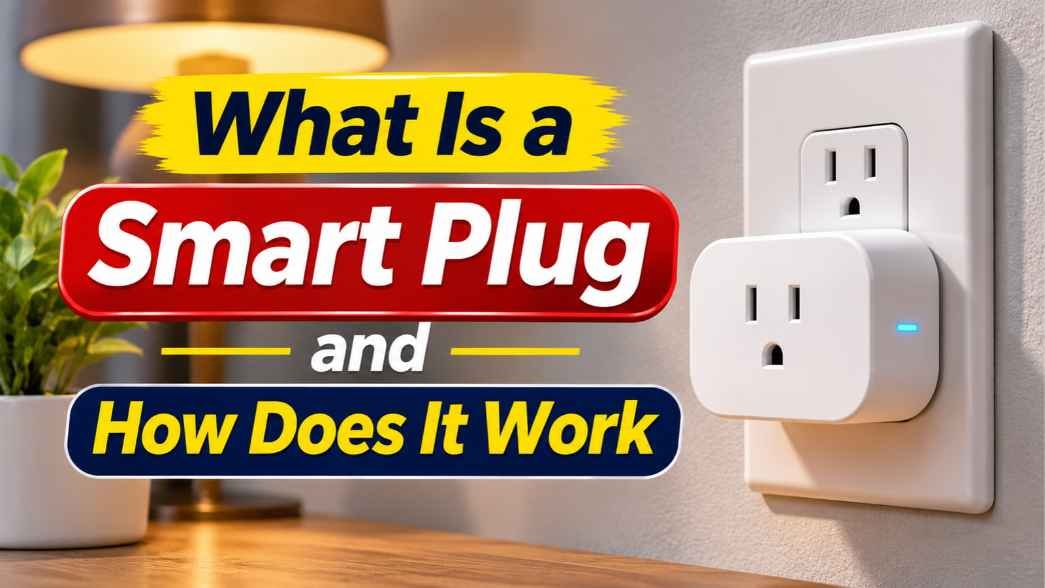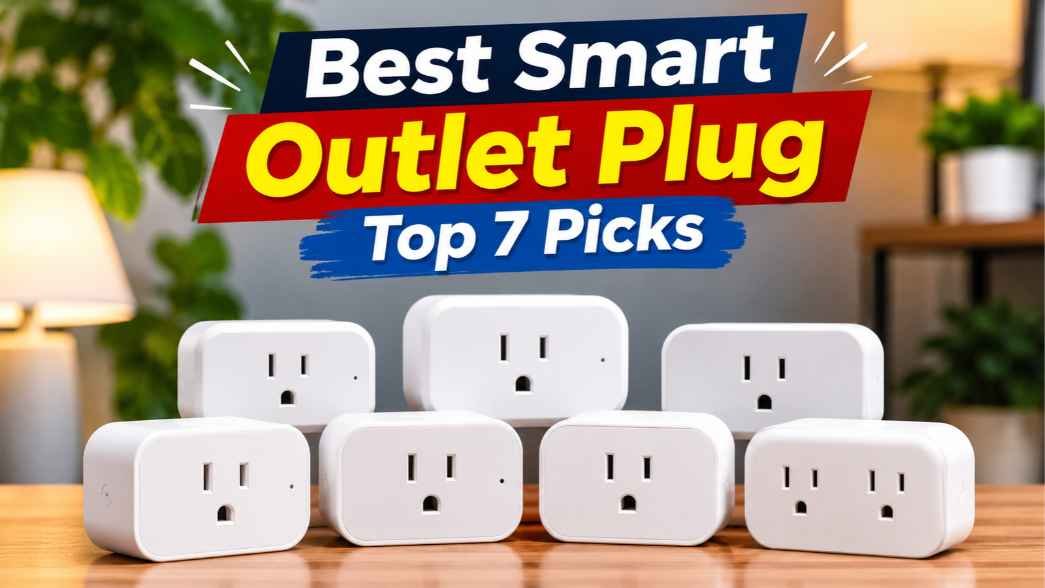
The best smart outlet plug lets you switch a lamp, fan, or coffee maker on and off from your phone or with your voice. It goes between the wall socket and the device. Once it is set up, you can also run that device on a schedule, even when you are away from home.
This 2026 guide covers 7 plugs from Kasa, Govee, GHome, Linkind, meross, and Lutron. Six are indoor mini plugs sold in 4-packs. One is an outdoor plug for yard lights and pumps. For each one you get the specs, key features, what it can and cannot do, and the pros and cons. After that we cover how to pick one, how to set it up with Alexa, and what you should never plug into it.
Quick answer: For most homes, the Kasa Smart Plug Mini EP25 4-pack is the best pick. It handles 15 amps, shows how much energy each device uses, and works with Alexa, Google, Apple HomeKit, and SmartThings. If your router mainly runs on 5 GHz, get the GHome 5G 15A plug. For an Apple home, look at the meross HomeKit plug. For patio lights, the Lutron Caseta Outdoor Plug is built for rain and cold, but it needs the Caseta Smart Hub.
Top 7 picks at a glance
- Kasa Smart Plug Mini EP25 4-Pack (best overall)
- Govee Smart Plug H5083 4-Pack (best smart outlet plug for Alexa and Google)
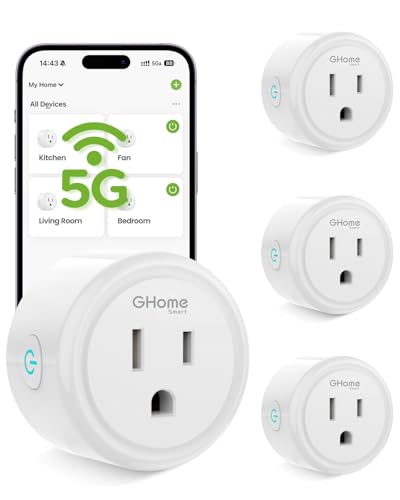
- GHome Smart 5G 15A Smart Plug 4-Pack (best for 5 GHz Wi-Fi)
- Linkind Matter Smart Plug 4-Pack (best for Matter)
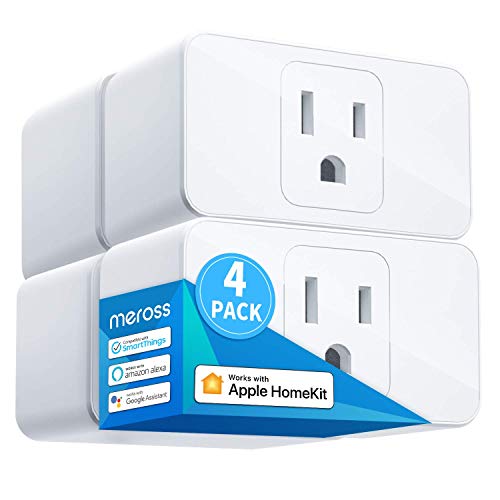
- meross Smart Plug 15A HomeKit 4-Pack (best for Apple HomeKit)
- GHome Smart Plug 4-Pack (best budget plug for lamps)
- Lutron Caseta Smart Outdoor Plug (best for outdoor use)



Note: We have not tested these plugs ourselves. The specs here come from each product’s Amazon listing and the maker’s product details. Listings and pack sizes change, so check the model number and what is in the box before you buy.
Best smart outlet plug comparison table
Here are all 7 picks side by side. On a phone, swipe the table left to see every column.
| Plug | In the box | Max load | Wi-Fi | Works with | Energy monitoring | Best for |
|---|---|---|---|---|---|---|
| Kasa EP25 | 4 plugs | 15 A, 1800 W | 2.4 GHz | Alexa, Google, Apple HomeKit, SmartThings | Yes | Most homes |
| Govee H5083 | 4 plugs | 10 A, 1200 W (per listing) | 2.4 GHz plus Bluetooth | Alexa, Google | No | Alexa and Google homes |
| GHome 5G 15A | 4 plugs | 15 A, 1800 W | 5 GHz and 2.4 GHz | Alexa, Google | No | 5 GHz routers |
| Linkind Matter | 4 plugs | 15 A, 1800 W | 2.4 GHz | Matter: Apple Home, Alexa, Google, SmartThings | No | Mixed smart homes |
| meross HomeKit | 4 plugs | 15 A, 1800 W | 2.4 GHz | Apple HomeKit, Alexa, Google, SmartThings | No | iPhone users |
| GHome Smart Plug | 4 plugs | 10 A, 1200 W | 2.4 GHz plus Bluetooth | Alexa, Google | No | Lamps on a budget |
| Lutron Caseta Outdoor | 1 plug | 15 A LED lights or 1/2 HP motors | No Wi-Fi, needs Caseta hub | Alexa, Google, Apple Home, Ring (with hub) | No | Yard and holiday lights |
What is a smart outlet plug?
A smart outlet plug is a small adapter with a radio and a relay inside. The radio talks to your Wi-Fi, Bluetooth, or a hub. The relay cuts or restores power to whatever is plugged into it.
The plug only controls power. It cannot change how the device works. So it suits things with a plain on switch, like lamps, fans, humidifiers, string lights, and drip coffee makers. Leave the device’s own switch in the on position, and it will start as soon as the plug sends power.
How to choose the best plug in smart outlet
These points decide whether a plug fits your home. Go through them before you buy.
1. Check your Wi-Fi band
Most smart plugs join 2.4 GHz Wi-Fi only. Five of the picks here are 2.4 GHz only. The GHome 5G 15A plug can join either 5 GHz or 2.4 GHz. The Lutron outdoor plug skips Wi-Fi and talks to the Caseta Smart Hub instead. If setup keeps failing, check that your phone and router are using the 2.4 GHz band.
2. Match your voice assistant
Every pick works with Alexa. Apple users have fewer choices. The Kasa EP25, meross, and Linkind plugs work with Apple Home, and the Lutron plug does too once you add its hub. The Govee and both GHome plugs do not list Apple support.
3. Look at the amp rating
A 15 amp plug can run up to 1800 watts at 120 volts. That covers a coffee maker or a toaster. The Govee H5083 and the cheaper GHome plug are listed at 10 amps and 1200 watts. They are fine for lamps, fans, and chargers. Do not use them for heating appliances.
4. Decide if you want energy monitoring
Energy monitoring shows how many watts a device draws now and over time. In this list, only the Kasa EP25 has it. If you want to find out which device runs up your bill, that feature is worth having.
5. Indoor or outdoor
Six picks are for dry indoor spots. The Lutron Caseta Outdoor Plug has an IP66 rating against dust and heavy rain. Never put an indoor plug outside, even under a roof.
1. Kasa Smart Plug Mini EP25: Best Overall
This is a mini Wi-Fi plug with energy monitoring, sold as a 4-pack. It suits anyone who wants one plug that works with every major voice assistant.
The EP25 handles 15 amps and 1800 watts. In the Kasa app you can see each device’s power use in real time, plus its history. That makes it easy to spot a TV or game console that draws power all night.
It works with Alexa, Google Assistant, Apple HomeKit, Siri, and Samsung SmartThings. It supports Amazon Frustration-Free Setup and Google Seamless Setup, so it can join those apps with fewer steps. For Apple Home control away from home, you need an iPad, HomePod, or Apple TV at home.
The app also has schedules, an auto-off timer, Away Mode, and group control. Away Mode turns lamps on and off so the house looks lived in while you travel.
Specs
| Spec | Details |
|---|---|
| Model | EP25 (pack: EP25P4) |
| In the box | 4 plugs, quick start guide |
| Max load | 15 A, 1800 W |
| Voltage | 120 V |
| Wi-Fi | 2.4 GHz, no hub needed |
| Works with | Alexa, Google Assistant, Apple HomeKit, Siri, SmartThings |
| App | Kasa Smart |
| Energy monitoring | Yes, real time and history |
| Size | 2.62 x 1.57 x 1.5 in |
| Safety | UL certified, flame retardant |
| Warranty | 2-year limited |
Key features
- Live and past energy use for each plug.
- Apple HomeKit support along with Alexa, Google, and SmartThings.
- Quick setup with Alexa Frustration-Free Setup and Google Seamless Setup.
- Schedules, auto-off timer, Away Mode, and group control.
- Small body that leaves the second wall socket free.
Why it stands out
Few mini plugs pair energy data with Apple HomeKit and a 15 amp rating. The EP25 does all of that, and Kasa backs it with a 2-year warranty. With four in a box, you can put one in each room.
What it can and cannot do
It can switch devices by app, voice, or schedule, and it can show how much power each one uses. It can run loads up to 1800 watts. It cannot connect to 5 GHz Wi-Fi. It is not made for outdoor use. Apple Home control from outside your house needs an Apple home hub.
Pros
- Energy monitoring on every plug.
- Works with Alexa, Google, Apple, and SmartThings.
- 15 A load rating.
- Four plugs per pack.
- 2-year limited warranty.
Cons
- 2.4 GHz Wi-Fi only.
- Apple remote control needs a home hub.
- Some buyers report Wi-Fi dropouts.
- Indoor use only.
2. Govee Smart Plug H5083: Best Smart Outlet Plug for Alexa
The Govee H5083 is a round mini plug that connects by Wi-Fi or Bluetooth. It is a good match for homes that use Alexa or Google and want lamps and fans on a schedule.
The Bluetooth link helps when your Wi-Fi is weak. You can still reach the plug from your phone when you are close to it. Govee also says the plug tries to reconnect by itself after a Wi-Fi drop or power cut.
You set it up in the Govee Home app by searching for H5083. From there you can make schedules, run a 24-hour timer, group several plugs, and share control with family members.
Check the load rating before you buy. The listing title says 15A, but the product details rate this model at 10 amps and 1200 watts. Treat it as a 10 amp plug and keep heaters and kettles off it.
Specs
| Spec | Details |
|---|---|
| Model | H5083 |
| In the box | 4 plugs, user manual |
| Max load | 10 A, 1200 W (per product details) |
| Voltage | 120 V |
| Connection | 2.4 GHz Wi-Fi and Bluetooth |
| Works with | Alexa, Google Assistant |
| App | Govee Home |
| Hub | Not needed |
| Safety | ETL and FCC certified, overload protection |
Key features
- Wi-Fi plus Bluetooth connection.
- Auto reconnect after an outage.
- Schedules, a 24-hour timer, and group control.
- Family sharing in the Govee Home app.
- Compact round body.
Why it stands out
It is one of the most bought smart plugs on Amazon, and Bluetooth gives it a backup path that plain Wi-Fi plugs lack. Setup in Alexa or Google is a short skill link after you add the plug in the Govee app.
What it can and cannot do
It can control lamps, fans, string lights, and chargers by voice, app, or schedule. It can be grouped with other Govee plugs. It cannot run high-wattage appliances over its 10 amp rating. It does not support 5 GHz Wi-Fi, Apple Home, or energy monitoring.
Pros
- Bluetooth backup when Wi-Fi is weak.
- Reconnects after outages.
- Easy group control.
- Works with Alexa and Google.
Cons
- Rated 10 A, not 15 A.
- No Apple Home support.
- No energy monitoring.
- 2.4 GHz Wi-Fi only.
3. GHome Smart 5G 15A Smart Plug: Best for 5 GHz Wi-Fi
Most smart plugs refuse to join a 5 GHz network. This GHome plug joins either 5 GHz or 2.4 GHz, so it suits homes with a mesh system or a router that merges both bands under one name.
GHome suggests 5 GHz when the plug sits near the router and 2.4 GHz when it is far away or behind walls. Setup starts over Bluetooth in the GHome app.
It is rated for 15 amps and 1800 watts, so it can handle a coffee maker. Inside the app you get schedules, sunrise and sunset scenes, a random timer for Away Mode, and group control. You can also turn the indicator light off, which helps in a bedroom.
One step trips people up. You must add the plug to the GHome app first. Only after that can you link it to Alexa or Google Home.
Specs
| Spec | Details |
|---|---|
| In the box | 4 mini plugs, user manual, voice assistant guide |
| Max load | 15 A, 1800 W |
| Voltage | 120 V |
| Wi-Fi | Dual band, 5 GHz and 2.4 GHz |
| Setup | Bluetooth, GHome app |
| Works with | Alexa, Google Home |
| Size | 2.1 x 2.1 x 1.1 in |
| Safety | ETL and FCC listed |
Key features
- Joins 5 GHz or 2.4 GHz Wi-Fi.
- 15 amp, 1800 watt rating.
- Sunrise and sunset scenes plus a random Away Mode timer.
- Indicator light you can switch off.
- Group control for many plugs at once.
Why it stands out
Dual-band support is still rare in plugs at this level. If other plugs have failed to pair because your router pushes phones onto 5 GHz, this one avoids that problem.
What it can and cannot do
It can run devices up to 1800 watts on either Wi-Fi band. It can follow sunrise and sunset times. It cannot link to Alexa or Google until it is set up in the GHome app. It does not list Apple Home support or energy monitoring. It is for indoor use.
Pros
- Works on 5 GHz and 2.4 GHz.
- 15 A load rating.
- Light can be turned off.
- Bluetooth setup.
Cons
- Needs the GHome app before Alexa.
- No Apple Home support listed.
- No energy monitoring.
- Indoor use only.
4. Linkind Matter Smart Plug: Best for Matter
The Linkind plug is Matter certified. Matter is a shared smart home standard, so one plug can join Apple Home, Alexa, Google Home, or SmartThings without a separate brand app.
To use it in those apps, you need a Matter controller at home, such as an Echo, HomePod, Nest speaker, or SmartThings hub. If you do not have one, you can run the plug from Linkind’s AiDot app instead.
Matter also allows local control. Once the plug is set up on your home network, it can keep working inside the house when the internet goes down.
It is rated 15 amps and 1800 watts, with short-circuit and overload protection. Linkind notes that it needs 2.4 GHz Wi-Fi and an IPv6 network. If pairing fails, hold the button for about 10 seconds until the red light stays on, then try again.
Specs
| Spec | Details |
|---|---|
| Standard | Matter certified |
| In the box | 4 plugs (1, 2, 6, and 12 packs also listed) |
| Max load | 15 A, 1800 W |
| Wi-Fi | 2.4 GHz only, IPv6 network needed |
| Works with | Apple Home, Siri, Alexa, Google Home, SmartThings, AiDot |
| Hub | Matter controller for Apple, Alexa, Google, SmartThings; none for AiDot |
| Offline use | Local control on your home network |
| Safety | ETL certified, fire-resistant shell, overload protection |
Key features
- Matter support for four big platforms.
- Local control when the internet is down.
- Schedules and auto-off timers.
- 15 amp rating with overload protection.
- Many pack sizes, up to 12 plugs.
Why it stands out
Matter means you are not stuck with one assistant. If your family has both iPhones and Android phones, the same plug can sit in Apple Home and Google Home at once.
What it can and cannot do
It can join several smart home apps through Matter and keep working locally during an internet outage. It can run loads up to 1800 watts. It cannot join those apps without a Matter controller. It has no energy monitoring and is for indoor use only.
Pros
- Matter certified.
- Works with Apple, Alexa, Google, and SmartThings.
- Local control without internet.
- 15 A load rating.
Cons
- Needs a Matter controller for most apps.
- Needs an IPv6 network.
- No energy monitoring.
- 2.4 GHz Wi-Fi only.
5. meross Smart Plug 15A HomeKit: Best for Apple HomeKit
This meross plug was built with Apple users in mind. You can add it to the Home app and control it with Siri, an Apple Watch, or CarPlay. It also works with Alexa, Google Assistant, and SmartThings.
meross lists local control, so commands at home do not have to go through the cloud. If your internet goes down, you can still switch the plugs in the meross app while your phone is on the home Wi-Fi.
For HomeKit control away from home, you need a HomePod, Apple TV, or iPad set up as a home hub. That device has to stay on and online.
Each plug takes one socket, so two fit in the same outlet. It is rated 15 amps and 1800 watts, and schedules can follow sunrise and sunset.
Specs
| Spec | Details |
|---|---|
| In the box | 4 plugs (2-pack also listed) |
| Max load | 15 A, 1800 W |
| Voltage | 120 V |
| Wi-Fi | 2.4 GHz |
| Works with | Apple HomeKit, Siri, Apple Watch, CarPlay, Alexa, Google, SmartThings |
| Offline use | Control in the meross app on home Wi-Fi |
| Material | Flame-retardant polycarbonate |
| Safety | ETL and FCC certified |
Key features
- Native Apple HomeKit support.
- Fast local control at home.
- Works during internet outages on home Wi-Fi.
- Sunrise and sunset schedules.
- Two plugs fit in one outlet.
Why it stands out
HomeKit owners get Siri, Apple Watch, and CarPlay control from one plug. The offline control is a real plus for anyone whose internet drops now and then. meross has since released a newer Matter version with energy monitoring, so compare both before you order.
What it can and cannot do
It can be controlled by Siri, Alexa, Google, and SmartThings. It can still switch on home Wi-Fi when the internet is out. It cannot be controlled remotely in Apple Home without a home hub. It has no energy monitoring on this model, and it is for indoor use only.
Pros
- Strong Apple HomeKit support.
- Local and offline control.
- 15 A load rating.
- Also works with Alexa and Google.
Cons
- HomeKit remote use needs a home hub.
- No energy monitoring.
- Some buyers report HomeKit pairing trouble.
- 2.4 GHz Wi-Fi only.
6. GHome Smart Plug: Best Budget Plug for Lamps
This is GHome’s basic plug. It is rated 10 amps and 1200 watts, which is plenty for lamps, fans, humidifiers, and holiday lights.
It has the most timer options in this list. You get schedules, a countdown timer, a random timer, and a cycle timer. The cycle timer switches a device on and off in a repeating pattern, which is handy for a fan or an aquarium pump.
The plug works with the GHome, Smart Life, and Tuya apps. Like the 5G model, it has to be set up in the app before you link it to Alexa or Google Assistant. It uses 2.4 GHz Wi-Fi only, with Bluetooth to help the first connection.
Specs
| Spec | Details |
|---|---|
| In the box | 4 plugs (1 and 2 packs also listed) |
| Max load | 10 A, 1200 W |
| Voltage | 120 V |
| Connection | 2.4 GHz Wi-Fi, Bluetooth |
| Apps | GHome, Smart Life, Tuya |
| Works with | Alexa, Google Assistant |
| Size | 2.1 x 2.1 x 1.1 in |
| Safety | ETL and FCC listed |
Key features
- Countdown, random, and cycle timers.
- Sunrise and sunset scenes.
- Works in GHome, Smart Life, or Tuya apps.
- Group control and family sharing.
Why it stands out
If you already use Smart Life or Tuya devices, this plug drops into the same app. The cycle timer is something most rivals skip. GHome now also sells a Matter version of this plug, which adds Apple Home and a 15 amp rating.
What it can and cannot do
It can run light loads on detailed timers and follow sunrise and sunset. It cannot handle heaters, kettles, or anything over 1200 watts. It does not work with 5 GHz Wi-Fi or Apple Home, and it has no energy monitoring.
Pros
- Many timer types, including cycle.
- Works with Smart Life and Tuya.
- Alexa and Google support.
- Small size.
Cons
- 10 A, 1200 W limit.
- Needs the app before Alexa.
- No Apple Home support.
- 2.4 GHz Wi-Fi only.
7. Lutron Caseta Smart Outdoor Plug: Best for Outdoor Use
The Lutron Caseta Outdoor Plug (PD-15OUT-BL) is made for patios, porches, and yards. It has an IP66 rating for dust and heavy rain, and a black polycarbonate body that resists UV. Lutron rates it for -4 to 122 F.
It is the only plug here that does not use Wi-Fi. It talks to the Lutron Caseta Smart Hub (L-BDG2-WH), which is sold separately. With the hub you get the Lutron app, schedules, geofencing, and control through Alexa, Google Assistant, Apple Home, and Ring. Lutron says to mount the plug within 30 feet of the hub.
The schedules follow sunrise and sunset through the year and adjust for Daylight Saving Time. That beats a mechanical timer that you have to reset each season. It can run up to 15 amps of LED lighting or a motor up to 1/2 horsepower, such as a small pond pump.
If you only want a button, a Lutron Pico remote (sold separately) can switch the plug without the hub. The plug switches on and off only. It does not dim.
Specs
| Spec | Details |
|---|---|
| Model | PD-15OUT-BL |
| In the box | 1 outdoor plug, instructions |
| Load | 15 A LED fixtures or 1/2 HP motors |
| Voltage | 120 V |
| Weather rating | IP66 |
| Operating temp | -4 to 122 F |
| Hub | Lutron Caseta Smart Hub required for app and voice (sold separately) |
| Works with (with hub) | Alexa, Google Assistant, Apple Home, Ring |
| Range | Mount within 30 ft of the hub |
| Color | Black |
Key features
- IP66 protection against heavy rain and dust.
- Schedules that track sunrise, sunset, and Daylight Saving Time.
- Runs LED string lights, landscape lights, and small pumps.
- Geofencing to turn lights on when you arrive.
- Pico remote option with no hub needed.
Why it stands out
Outdoor plugs fail from water and sun more than anything else. This one has a higher IP66 rating than many outdoor plugs and a UV-resistant shell. Because the Caseta system does not depend on Wi-Fi, a far corner of the yard with weak Wi-Fi is less of a problem, as long as the plug is within 30 feet of the hub.
What it can and cannot do
It can run outdoor lights and small motors on a year-round schedule. It can work with Alexa, Google, Apple Home, and Ring through the hub. It cannot connect to Wi-Fi or your phone without the Caseta hub. It cannot dim lights. It has one outlet, and the hub adds to the total cost.
Pros
- IP66 weather rating.
- Works from -4 to 122 F.
- Seasonal schedules adjust by themselves.
- Works with Alexa, Google, Apple, and Ring.
Cons
- Caseta Smart Hub required, sold separately.
- One outlet only.
- No dimming.
- Costs more than Wi-Fi plugs.
Best smart outlet plug for Alexa: how to set it up
All 7 picks work with Alexa. The steps below fit the Wi-Fi plugs. The Lutron plug pairs with its hub first, then you link the Lutron account in Alexa.
- Plug the smart plug into an outlet near your router for the first setup.
- Install the maker’s app: Kasa, Govee Home, GHome, meross, or AiDot.
- Add the plug in that app and connect it to your Wi-Fi. Use 2.4 GHz unless you have the GHome 5G model.
- Name it something clear, like “bedroom lamp.” Alexa uses this name.
- In the Alexa app, open Skills and link the maker’s account. For the Linkind Matter plug, you can scan its Matter code in the Alexa app with an Echo as the controller.
- Ask Alexa to discover devices. Then say, “Alexa, turn on bedroom lamp.”
Want lights that work in the same Alexa routines? See our guide to the best smart lighting for Alexa.
What about remote smart multi plug outlets with USB?
All 7 picks in this guide are plugs. None of them has USB ports. If you want to control several devices from one place, a 4-pack lets you put a smart plug on each one and group them in the app. Every 4-pack here supports group control.
If you need USB charging too, look at a smart power strip. Check three things before you buy one. First, see if each outlet can be switched on its own. Second, find out whether the USB ports are smart or always on. Most are always on. Third, check the total load, since all outlets on a strip share one 15 amp limit.
What you should not plug into a smart outlet
A smart plug is safe when you stay within its limits. Avoid these uses.
- Space heaters. Safety groups advise plugging them straight into the wall with no adapter or strip. The Electrical Safety Foundation (ESFI) has more home electrical safety tips.
- Anything above the plug’s rating. That is 1200 watts for the Govee H5083 and the basic GHome plug, and 1800 watts for the 15 amp picks.
- Medical or life-support equipment, which should never lose power by mistake.
- Devices with soft power buttons. Many TVs and air purifiers stay off when power returns, and a plug cannot press their button.
- Wet spots. Only the Lutron plug is rated for outdoor use. Outdoor outlets should also have GFCI protection.
Can a smart plug outlet save energy?
It can help a little. Many electronics draw power while they look switched off. The U.S. Department of Energy says this standby power accounts for 5 to 10 percent of home energy use. Its page of tips to reduce standby power loads explains where it comes from.
A smart plug can cut power to a TV stand or desk on a schedule. The Kasa EP25 goes further and shows you which device uses the most. The plug itself draws a small amount of power to stay online, so the savings depend on what you control.
For real standby numbers from smart devices, read our post on whether smart lights use more electricity.
What smart outlet plugs can and cannot do
They can turn plug-in devices on and off from your phone, by voice, or on a timer. They can make your home look occupied while you travel. With a hub or Matter, some keep working when the internet drops.
They cannot dim a lamp or press a device’s own power button. They also cannot control a hard-wired ceiling light. For that you need a smart switch, and our guide on how to install a smart light switch walks through the job.
Final pick
For most people, the Kasa Smart Plug Mini EP25 is the best smart outlet plug. It has a 15 amp rating, energy monitoring, and support for every major assistant. The Govee H5083 is an easy Alexa and Google choice for lamps and fans. Pick the GHome 5G 15A plug if your network runs on 5 GHz, and the Linkind Matter plug for a home that mixes Apple and Google devices. Apple users who want offline control should look at the meross HomeKit plug. The GHome Smart Plug covers light loads with lots of timer options. For the yard, the Lutron Caseta Outdoor Plug is the sturdy choice if you add the Caseta hub.
Planning more smart home gear? Our list of the best smart home control panels shows ways to run plugs, lights, and more from one screen.
Frequently asked questions
What is the best smart outlet plug in 2026?
For most homes, the Kasa Smart Plug Mini EP25 4-pack is the top pick. It handles 15 amps, tracks energy use, and works with Alexa, Google, Apple HomeKit, and SmartThings.
What is the best smart outlet plug for Alexa?
All 7 picks work with Alexa. The Kasa EP25 supports Alexa Frustration-Free Setup, and the Govee H5083 is a simple choice for lamps and fans. The Lutron outdoor plug needs the Caseta hub to work with Alexa.
Is there a smart plug that works on 5 GHz Wi-Fi?
Yes. The GHome Smart 5G 15A plug joins both 5 GHz and 2.4 GHz Wi-Fi. The other Wi-Fi plugs in this guide use 2.4 GHz only.
Which smart plug works with Apple HomeKit?
The Kasa EP25, meross Smart Plug 15A, and Linkind Matter plug work with Apple Home. The Lutron outdoor plug works with Apple Home through the Caseta hub. Remote control in Apple Home needs a HomePod, Apple TV, or iPad at home.
Can I use a smart plug outside?
Only use a plug made for outdoor use. In this list, that is the Lutron Caseta Outdoor Plug, which has an IP66 rating. The other six plugs are for indoor use only.
Do these smart plugs need a hub?
The Kasa, Govee, GHome, and meross plugs connect straight to Wi-Fi. The Linkind plug needs a Matter controller such as an Echo or HomePod for Apple, Alexa, Google, or SmartThings, but it works in the AiDot app without one. The Lutron plug needs the Caseta Smart Hub.
Which smart plug shows energy use?
In this guide, only the Kasa EP25 shows real-time and past energy use. You can view it in the Kasa Smart app.
Can I plug a space heater into a smart plug?
Safety groups advise plugging space heaters directly into a wall outlet. Check your heater’s manual, and never use a 10 amp plug like the Govee H5083 or basic GHome plug for heating appliances.