Do smart lights use more electricity? Yes, but only a tiny bit more. When the light is on, a smart bulb uses about the same power as a regular LED bulb of the same brightness. The extra cost comes when the light is off. A smart bulb stays awake so it can hear your app or voice command. That small draw is called standby power.
This guide shows the real numbers. You will see how many watts smart bulbs and smart switches use in standby. You will see the LIFX Mini numbers too. Then you will see what it costs per year, when smart lights save energy, and when they waste it.
Quick answer: A smart bulb uses the same power as a normal LED when it is lit. A 9 watt smart bulb and a 9 watt LED both use 9 watts. When it is off, a smart bulb still draws about 0.2 to 0.5 watts to stay connected. That adds about $0.32 to $0.80 a year per bulb at the 2026 U.S. average price. A smart switch draws a similar small amount. A smart bulb uses about 80 to 85 percent less power than an old 60 watt bulb. Schedules, dimming and auto-off can cancel out the standby cost.
Do Smart Lights Use More Electricity Than Regular Bulbs?
A smart bulb is an LED bulb with a small radio chip inside. The chip talks to Wi-Fi, Bluetooth, Zigbee or Thread. The LED part works the same way as in a plain LED bulb. So when both bulbs are on at the same brightness, they use close to the same power.
The gap shows up when you turn the light off from the app. The light goes dark, but the chip stays on. It waits for your next command. A regular LED bulb uses zero power when the wall switch is off. A smart bulb with the wall switch on uses a small amount all day and all night.
Here is how three common 800 lumen bulbs compare. They all give about the same light as an old 60 watt bulb.
| Bulb type | Power when on | Power when off | Light output |
|---|---|---|---|
| Old incandescent bulb | 60 watts | 0 watts | About 800 lumens |
| Regular LED bulb | About 8 to 10 watts | 0 watts | About 800 lumens |
| Smart LED bulb | About 8 to 10 watts | About 0.2 to 0.5 watts on most new models | About 800 lumens |
So the honest answer has two parts. Next to an old bulb, a smart bulb uses far less power. Next to a plain LED, it uses a little more because of standby.
What Is Standby Power in Smart Lights?
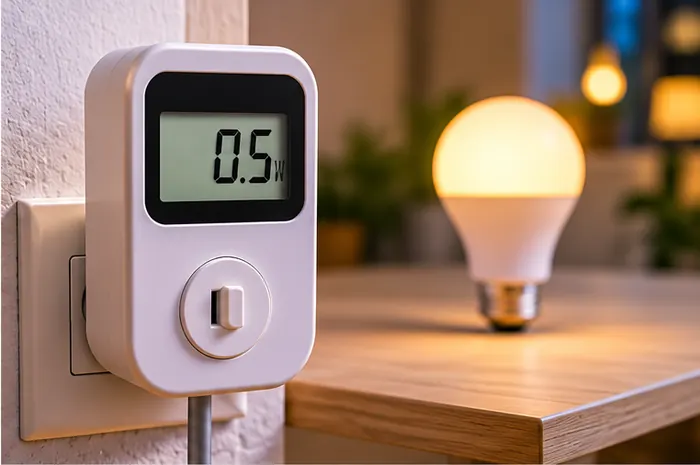
Standby power is the power a device uses while it waits. People also call it vampire power or phantom load. A smart light needs it to do these jobs while the light is off:
- Stay connected to your Wi-Fi, hub or Bluetooth.
- Listen for commands from the app, Alexa, Google or Siri.
- Run schedules, timers and sunrise or sunset rules.
- Pass messages along a Zigbee or Thread mesh network for other devices.
Standby only happens when the bulb still gets power. If you turn off the wall switch, a smart bulb uses nothing. But then it also stops being smart. The app and voice control will not work until the switch is back on.
Do Smart Light Bulbs Use More Electricity in Standby?
Do smart light bulbs use more electricity when they are off? Yes, a small amount. The best data comes from the IEA 4E Solid State Lighting report on smart lamp standby. It looked at 236 smart lamps and fixtures from 67 makers. Here is what it found:
- Standby power ranged from 0.08 watts to 3.5 watts.
- The average was 0.51 watts. The middle value was 0.39 watts.
- 72 percent of the products used 0.5 watts or less.
- Products over 1 watt were mostly sold where no standby rule exists, or they had extras like cameras or Wi-Fi boosters.
Rules now keep standby low. ENERGY STAR and the EU Ecodesign rules set a 0.5 watt limit. California set a stricter 0.2 watt limit in 2019. The same IEA report found that 81 percent of smart lights in the ENERGY STAR database use 0.2 watts or less.
Brands give their own numbers too. TP-Link says its Tapo bulbs use about 0.2 watts in standby. Philips Hue says most of its newer products use under 0.5 watts.
| Standby level | What it means | Where you see it |
|---|---|---|
| 0.2 watts or less | Very low. Meets the California rule. | Most smart bulbs in the ENERGY STAR list |
| 0.2 to 0.5 watts | Low. Meets ENERGY STAR and EU limits. | Most name-brand smart bulbs |
| 0.5 to 1 watt | Higher than today’s rules allow for new models | Some older smart bulbs |
| Over 1 watt | High. Worth replacing if you have many. | Unregulated bulbs, or bulbs with cameras, speakers or Wi-Fi boosters |
Does Wi-Fi, Zigbee or Bluetooth Change the Power Use?
The radio type does matter a little. Wi-Fi bulbs keep a direct link to your router. Zigbee and Thread bulbs talk to a hub using a low-power mesh. Bluetooth bulbs only talk to a nearby phone or speaker. The model matters more than the radio, though. A good Wi-Fi bulb can beat a poor Zigbee bulb. Always check the standby number on the box or spec sheet.
Hub bulbs add one more thing. The hub itself uses power all day. One hub can run dozens of bulbs, so the cost per bulb stays small. If you want to skip the hub, see our list of the best smart light bulbs without a hub.
Do Smart Light Switches Use More Electricity?
Do smart light switches use more electricity than a normal switch? Yes, a little. A normal switch is just a metal contact. It uses no power. A smart switch has a radio, a small power supply and often a relay or dimmer. All of that needs a small trickle of power, even when the light is off.
Smart switch makers rarely print standby numbers. Home users who measure them report a wide range. One tester measured an in-wall Z-Wave switch at about 0.19 watts. Owners of Inovelli Blue dimmers report about 0.5 to 0.6 watts. One owner measured a switch with a built-in mmWave presence sensor at about 1.5 watts. So a fair range is about 0.2 to 1.5 watts per switch, depending on the features.
Here is the key point. One smart switch can control a whole room of plain LED bulbs. Six bulbs on one switch means one standby draw instead of six. That can make a smart switch the lower-power choice for rooms with many lights.
Important: Do not put smart bulbs behind a smart switch that cuts the power. The bulbs will lose power and go offline. Use one or the other on a circuit, or use a smart switch made to work with smart bulbs. Some no-neutral switches also pass a tiny current through the bulb to power themselves, which can make some LEDs flicker. Check the switch’s bulb list before you buy. Our guide on how to install a smart light switch explains the wiring.
Do Smart Lights Use More Electricity? LIFX Mini Numbers
Do smart lights use more electricity with the LIFX Mini? The LIFX Mini is a small Wi-Fi bulb that needs no hub. Here are its main power numbers from seller spec sheets and public data.
| LIFX Mini spec | Value |
|---|---|
| Power at full brightness | 9 watts |
| Brightness | 800 lumens, like a 60 watt bulb |
| Connection | Wi-Fi, no hub needed |
| Rated standby power | 0.5 watts (listed for the Mini Colour) |
| Measured standby (community data, Mini White) | About 0.74 watts |
| Measured power range | About 0.83 to 9.16 watts, based on brightness |
| Rated life | 25,000 hours |
The measured standby number comes from the Powercalc profile library. Home Assistant users there tested a LIFX Mini White with a smart plug. Your own bulb may read a bit higher or lower. Firmware and the power meter can both change the reading.
Older LIFX bulbs used more. The LIFX power usage page lists the first LIFX bulb at about 1.7 watts in standby. The Color 650 is listed at about 1.5 watts. The White 800 and Color 1000 are about 0.7 watts. If you still run first-generation LIFX bulbs, a newer model will cut your standby use.
What does a LIFX Mini cost to run? At 3 hours a day at full brightness, it uses about 9.9 kWh a year. That is about $1.79. Standby for the other 21 hours adds about 3.8 kWh, or about $0.70 at 0.5 watts. The total is about $2.49 a year. Dimming the bulb lowers the on-time cost even more.
How Much Does Smart Light Standby Cost Per Year?
The math is simple. Multiply the watts by 8,760 hours in a year. Divide by 1,000 to get kWh. Then multiply by your power price. The table below uses 18.2 cents per kWh. That is the 2026 U.S. average home price from the EIA Short-Term Energy Outlook. Your local price may be higher or lower.
| Device in standby all year | Standby watts | Energy per year | Cost per year |
|---|---|---|---|
| One very efficient smart bulb | 0.2 W | 1.75 kWh | About $0.32 |
| One typical smart bulb | 0.5 W | 4.38 kWh | About $0.80 |
| One LIFX Mini White (measured) | 0.74 W | 6.48 kWh | About $1.18 |
| One smart switch with a presence sensor | 1.5 W | 13.14 kWh | About $2.39 |
| Ten efficient smart bulbs | 2 W total | 17.52 kWh | About $3.19 |
| Ten typical smart bulbs | 5 W total | 43.8 kWh | About $7.97 |
These numbers assume the light is off all year. In real life the bulb is on for part of the day, so standby is a little lower.
Full Yearly Cost: Smart Bulb vs Regular Bulbs
Here is the full cost for one 800 lumen bulb used 3 hours a day at full brightness. The smart bulb has 0.5 watts of standby for the other 21 hours.
| Bulb | Energy per year | Cost per year |
|---|---|---|
| 60 watt incandescent | 65.7 kWh | About $11.96 |
| 9 watt regular LED | 9.86 kWh | About $1.79 |
| 9 watt smart LED, 3 hours a day | 13.69 kWh | About $2.49 |
| 9 watt smart LED, cut to 2 hours a day by a schedule | 10.59 kWh | About $1.93 |
A smart bulb costs about 70 cents more a year than a plain LED if you use it the same way. If a schedule or motion rule trims just one hour a day, the gap almost disappears. Both are far cheaper than an old 60 watt bulb.
When Smart Lights Save Energy
Smart lights can win back their standby cost. They do it by cutting the time lights stay on and the power they use while on. Philips Hue studied over 1 million opted-in bulbs in Europe. Its connected energy study found its bulbs used up to 37 percent less energy than a manual reference group. Less than 40 percent of the on-time was at high power settings. Keep in mind this is the maker’s own study.
These features help you save:
- Schedules: Lights turn off at bedtime, even if you forget.
- Away control: You can turn off lights left on from your phone.
- Dimming: A bulb at half brightness uses much less than full power.
- Motion sensors: Hall and bathroom lights shut off when nobody is there.
- Auto-off timers: Porch and closet lights turn off after a set time.
Dimming has one catch. The IEA report notes that many smart lights lose some efficiency as they dim. They still use fewer watts when dimmed. They just make a bit less light per watt. If you like dim scenes, look at the best dimmable smart bulb picks.
When Smart Lights Waste Energy
Smart lights can also use more than they need. Watch for these cases:
- Cheap no-name bulbs with no standby rating. Some draw over 1 watt.
- Smart bulbs in rooms you almost never use, like a storage room. They sit in standby for months.
- Bulbs or fixtures with extras like speakers, cameras or Wi-Fi boosters.
- Many smart bulbs in one fixture when one smart switch could run them all.
- Old first-generation smart bulbs with standby near 1.5 watts or more.
- Color scenes run at full brightness for hours.
Smart Bulbs vs Smart Switches: Which Uses Less Power?
The answer depends on how many bulbs share one switch. Use this table to choose.
| Setup | Standby draws | Best for |
|---|---|---|
| One smart bulb in a lamp | One bulb | Lamps, bedside lights and single fixtures |
| Six smart bulbs in a ceiling fixture | Six bulbs | Rooms where you want color or tunable white in every bulb |
| One smart switch with six plain LEDs | One switch | Kitchens, halls and rooms with many lights |
| Smart switch made for smart bulbs | Switch plus bulbs | Homes that want both wall buttons and color bulbs |
For color or white tuning, you need smart bulbs. For simple on, off and dimming, a smart switch with plain LEDs often uses less standby power.
What You Can and Cannot Do About Standby Power
| You can | You cannot |
|---|---|
| Pick bulbs rated 0.2 watts or less in standby | Get a smart bulb to use zero standby while it stays smart |
| Turn off the wall switch for lights you will not use for days | Keep app and voice control while the wall switch is off |
| Use one smart switch for rooms with many bulbs | Use a power-cutting smart switch with smart bulbs on the same circuit |
| Measure your own bulb with a plug-in power meter, for plug-in lamps | Measure a ceiling bulb with a plug-in meter |
| Use schedules and motion rules to cut on-time | Change a bulb’s built-in standby number with settings |
| Replace old first-generation bulbs with newer models | Fix a high standby draw with a firmware update, unless the maker offers one |
How to Check a Smart Bulb’s Standby Power Before You Buy
- Read the box or spec sheet. Look for “standby power” or “networked standby.”
- In the UK and EU, the rules require this number on the pack, in watts to two decimals.
- Look for the ENERGY STAR label in the U.S. Certified smart bulbs must stay at or under 0.5 watts.
- Compare the numbers, not the brand. A 0.1 watt bulb and a 0.5 watt bulb look the same but cost different amounts every night.
- Check the watts at full brightness and the lumens. More lumens per watt means a more efficient bulb.
Want low-cost options to start with? See our best budget smart light bulbs and best smart Wi-Fi light bulbs guides.
Easy Tips to Cut Smart Light Power Use
- Set a bedtime schedule that turns every light off.
- Add motion sensors in halls, closets and bathrooms.
- Use 60 to 80 percent brightness for daily scenes. Most rooms still look bright.
- Use smart bulbs only where you want color or remote control.
- Use one smart switch for big fixtures with many bulbs.
- Turn off the wall switch for guest rooms when no guests are coming.
- Keep bulbs clean so you do not turn brightness up to beat dust. See how to clean a smart light bulb.
- Keep the app and firmware up to date.
Pros and Cons of Smart Lights for Energy Use
| Pros | Cons |
|---|---|
| Use about the same power as a regular LED when on | Draw a small standby load when off |
| Use about 80 to 85 percent less power than old 60 watt bulbs | Standby adds up in homes with dozens of bulbs |
| Schedules and sensors cut wasted on-time | Some cheap or old bulbs draw over 1 watt in standby |
| Dimming lowers power use | Efficiency per watt can drop at low brightness |
| Newer bulbs often use 0.2 watts or less in standby | Turning off the wall switch stops all smart features |
| You can turn off forgotten lights from anywhere | Hubs and smart switches add their own small draw |
Related Smart Lighting Guides
New to smart lights? Start with our guide on how to set up smart lighting. If you want warm light at night and cool light by day, read about the best tunable white smart bulb options.
FAQs: Do Smart Lights Use More Electricity?
Do smart lights use electricity when turned off?
Yes, if you turn them off from the app or by voice. The bulb stays connected and draws about 0.2 to 0.5 watts on most new models. If you turn off the wall switch, the bulb uses no power at all.
Will smart bulbs raise my electric bill?
Only by a small amount. One smart bulb’s standby costs about $0.32 to $0.80 a year at the 2026 U.S. average price. If you switch from old 60 watt bulbs, your bill will go down, not up.
Do smart light bulbs use more electricity than LED bulbs?
When both are on at the same brightness, they use about the same power. The smart bulb uses a little more over a full day because of standby. That is about 70 cents a year for a 9 watt bulb used 3 hours a day.
Do smart light switches use more electricity than regular switches?
Yes. A regular switch uses no power. A smart switch draws about 0.2 to 1.5 watts based on reports from people who measured them. Switches with presence sensors sit at the high end. One smart switch can control many plain bulbs, so it can still be the lower-power choice.
How much power does a LIFX Mini use?
It uses about 9 watts at full brightness and gives 800 lumens. Its rated standby is 0.5 watts. Community testing of a Mini White measured about 0.74 watts. That is roughly $0.80 to $1.18 a year in standby.
Do Wi-Fi smart bulbs use more power than Zigbee bulbs?
Wi-Fi can use a bit more, but the exact model matters more than the radio. Zigbee bulbs also need a hub that draws its own power. Compare the standby number on each box.
Should I turn off the wall switch to save power?
Only for lights you will not use for a long time, like a guest room. For daily lights, the savings are tiny and you lose app control, schedules and voice control.
Do dimmed smart bulbs save electricity?
Yes. A dimmed bulb draws fewer watts. The LIFX Mini, for example, has a measured range from under 1 watt to about 9 watts. Efficiency per watt can drop a little at low levels, but total power use still goes down.
Do Smart Lights Use More Electricity? Final Verdict
Smart lights use a little more power than plain LEDs, and far less than old bulbs. The extra cost is standby, usually under $1 per bulb each year. Pick bulbs with 0.2 watt standby. Use a smart switch for rooms with many bulbs. Set schedules and motion rules. With those steps, a smart lighting setup can cost the same as plain LEDs, or even less.
Sources and Further Reading
- IEA 4E SSL Annex: Standby of Smart Lamps, Second Report
- U.S. EIA: Short-Term Energy Outlook, residential electricity prices
- Philips Hue: Connected Energy Consumption Study
- LIFX Support: How much power do LIFX bulbs use?
- Powercalc profile library: LIFX Mini White measurements
- Selectra: smart bulb standby rules and costs in the UK