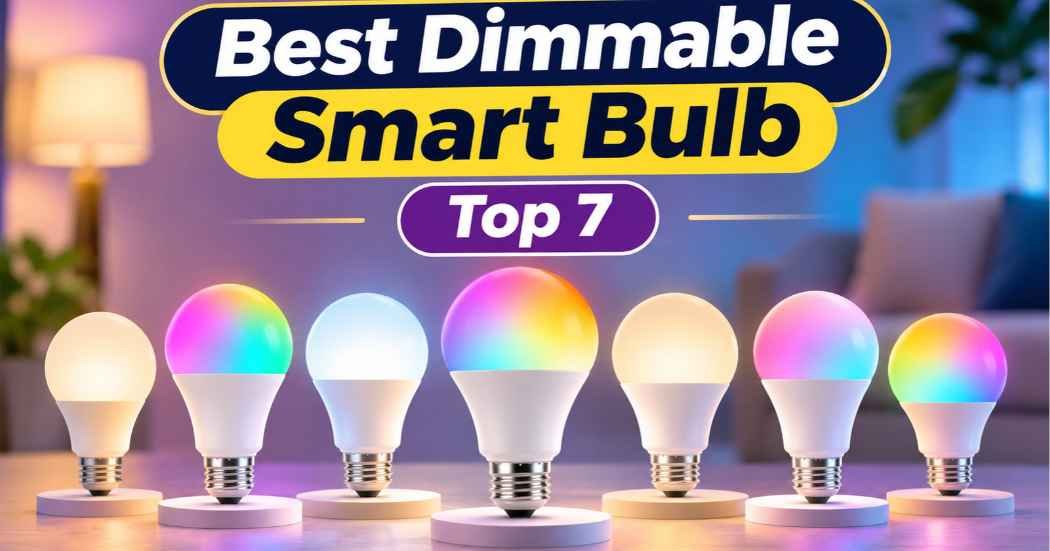
The best dimmable smart bulb lets you go from full brightness to a soft night glow with a tap, a voice command, or a schedule. You do not need a dimmer switch or an electrician. In this 2026 guide, we compare 7 picks from Philips Hue, Tapo, Govee, Linkind, Feit Electric, and Kasa. Each one gets key features, pros, cons, and clear notes on what it can and cannot do. We also explain dimming range, lumens, smart home support, and how to avoid flicker during setup.
Quick answer: For most homes, pick the Philips Hue Essential 4-pack. It dims down to 2% and works with Alexa, Google Assistant, and Apple Home. For the brightest light and Matter support, pick the Tapo L535E at 1100 lumens. For color on a tight budget, pick the Linkind color 4-pack. If you only want warm-to-cool white light, pick the Linkind tunable white 4-pack.
Top 7 Picks at a Glance: Best Dimmable Smart Bulb
Here are the 7 picks in the order we cover them. Each has a “best for” label, so you can jump straight to the one that fits your room.
- Philips Hue Essential Smart A19 Bulb, 4 Pack (best overall and smoothest dimming)
- Tapo L535E Matter Smart Bulbs, 1100 Lumens, 2 Pack (brightest and best for Matter)
- Govee Smart Light Bulbs H6008, 4 Pack (best for scenes and music sync)
- Linkind Color Smart Light Bulbs, 4 Pack (best value color pack)
- Feit Electric Smart RGBW Bulbs, 3 Pack (best budget pick for enclosed fixtures)
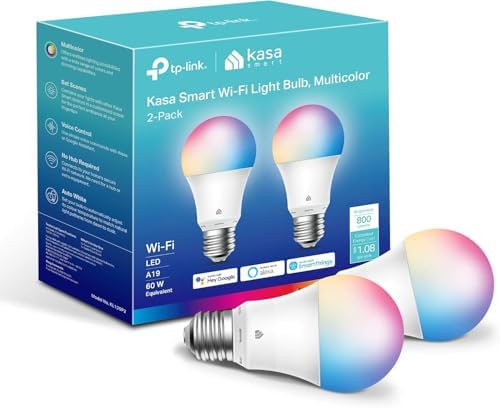
- Kasa KL125 Multicolor Smart Bulbs, 2 Pack (best for energy monitoring)
- Linkind Tunable White Smart Bulbs, 4 Pack (best white-only dimmable bulb)



Note: We have not tested these bulbs ourselves. This guide uses the details in each Amazon listing and on brand help pages. Listings can change, so check the pack size and specs before you buy.
Best Dimmable Smart Bulbs: Quick Comparison Table
Use this table to compare all 7 picks side by side. On a phone, swipe the table left to see every column.
| Bulb | Brightness | Dimming | White range | Color | Connection | Voice and smart home | Warranty | Best for |
|---|---|---|---|---|---|---|---|---|
| Philips Hue Essential 4-pack | 800 lumens | Down to 2% | 2200K to 6500K | Yes | Bluetooth (Bridge optional) | Alexa, Google, Apple Home | Not listed | Best overall |
| Tapo L535E 2-pack | 1100 lumens | 1% to 100% | 2500K to 6500K | Yes | 2.4 GHz Wi-Fi, Matter | Matter, Apple Home, Alexa, Google, SmartThings | 2 years | Brightest |
| Govee H6008 4-pack | 800 lumens | Yes, in app | 2700K to 6500K | Yes | 2.4 GHz Wi-Fi + Bluetooth | Matter, Alexa, Google, Apple HomeKit | 1 year | Scenes, music |
| Linkind color 4-pack | 800 lumens | Yes, in app | 1800K to 6500K | Yes | 2.4 GHz Wi-Fi + Bluetooth | Alexa, Google | 1 year | Value color |
| Feit Electric 3-pack | 800 lumens | Yes, in app | 2700K to 6500K | Yes | 2.4 GHz Wi-Fi | Alexa, Google | 1 year | Enclosed fixtures |
| Kasa KL125 2-pack | 800 lumens | Yes, in app | 2500K to 6500K | Yes | 2.4 GHz Wi-Fi | Alexa, Google | 2 years | Energy monitoring |
| Linkind white 4-pack | 800 lumens | 1% to 100% | 2700K to 6500K | No (white only) | 2.4 GHz Wi-Fi + Bluetooth | Alexa, Google | Not listed | White only |
How to Choose the Best Smart Dimmable Light Bulbs
Every bulb in this list dims. The differences are in how low it goes, how bright it gets, and which apps and speakers it works with. Check these points before you buy.
1. Know how smart dimming works
A smart bulb dims itself. You leave the wall switch on and change the brightness in an app, by voice, or with a schedule. That means you do not need a dimmer switch. In fact, most smart bulbs should not go on an old dimmer switch, because it can cause flicker or buzzing. Our guide on smart light switch vs smart bulb explains when a switch makes more sense.
2. Check the dimming range
The low end matters most at night. Philips Hue says its Essential bulb dims down to 2%. Tapo and the Linkind white bulb list a 1% to 100% range. A low floor gives you a soft glow for a nursery, a hallway, or a late trip to the kitchen.
3. Compare brightness in lumens
Lumens tell you how much light a bulb gives. The U.S. Department of Energy says about 800 lumens replaces a 60W bulb and about 1100 lumens replaces a 75W bulb. You can read more on its lumens and Lighting Facts page. Six bulbs here give 800 lumens. The Tapo L535E gives 1100, which helps in a large room.
4. Pick white only or color
A tunable white bulb moves from warm yellow light to cool daylight. A color bulb does that and also adds millions of colors. If you only want reading light and bedtime light, a white bulb keeps things simple. If you want party colors too, see our list of the best LED color changing light bulbs.
5. Match your smart home
All seven bulbs work with Alexa and Google Assistant. For Apple Home, look at the Philips Hue Essential or the Tapo L535E. Tapo is Matter certified. Govee supports Matter too, and its spec table lists Apple HomeKit and SmartThings. The two Linkind packs, Feit, and Kasa do not list Apple Home. If you use Alexa most, our guide to smart light bulbs to use with Alexa has more picks.
6. Check Wi-Fi and hub needs
None of these bulbs needs a separate hub to start. The Wi-Fi bulbs need a 2.4 GHz network, not 5 GHz. Philips Hue Essential bulbs connect over Bluetooth to the Hue app. Philips explains this on its guide to using Hue without a Bridge. You can add a Hue Bridge later for more features. For more hub-free choices, see our smart light bulbs without a hub list.
1. Philips Hue Essential A19 4 Pack: Best Overall Dimmable Smart Bulb
Product type: A19 white and color smart bulbs with an E26 base, 4 per pack. 1 and 2 packs are also offered.
Best for: Living rooms, bedrooms, and anyone who wants the widest smart home support, including Apple Home.
Each Hue Essential bulb gives 800 lumens and tunes white light from 2200K, which is close to candlelight, up to 6500K daylight. It also shows millions of colors. Dimming runs from full brightness down to 2% in the Hue app. You screw it in, open the app, and start. Voice control works with Alexa, Google Assistant, and Apple Home.
Specs from the listing
| Spec | Details from the listing |
|---|---|
| Model number | 592592 (Hue Essential 60W WCA A19, 4 pack) |
| Brightness | 800 lumens, 60W equivalent |
| Power | 8.8 watts in the spec table (7.2W in the title) |
| White range | 2200K to 6500K |
| Color rendering (CRI) | 80 |
| Base and shape | E26, A19 |
| Voltage | 130 volts rated |
| Control | Hue app, voice; Hue Bridge optional |
| Use | Indoor |
| Size | 2.36 in wide x 4.29 in tall |
| In the box | 4 bulbs |
| Warranty | Not stated on the listing; ask customer service |
Key features
- Dims from full brightness down to 2%.
- 800 lumens per bulb, E26 base.
- White range from 2200K warm to 6500K cool.
- Millions of colors plus preset scenes from Hue’s lighting library.
- Works with Alexa, Google Assistant, and Apple Home.
- Add a Hue Bridge later for more features, such as syncing with music, movies, and games.
What makes it good
The 2200K low end is warmer than most bulbs in this list, which start at 2500K or 2700K. Paired with dimming down to 2%, that gives a very soft evening light. Hue also has a large range of matching lamps, switches, and accessories, so you can grow the system room by room.
What it can and cannot do
It can dim, change color, and respond to voice commands. It works without a Bridge for basic control. Some features, such as home security options and content syncing, need a Hue Bridge, which is sold separately. Like any smart bulb, it should not go on an old dimmer switch. The 4-pack gives the best per-bulb value. The single bulb costs more per unit.
Pros
- Dims down to 2%.
- Warm 2200K low end.
- Alexa, Google, and Apple Home.
- Large Hue system to grow into.
Cons
- Some features need a Hue Bridge.
- CRI 80 in the spec table.
- Costs more than Wi-Fi brands.
2. Tapo L535E Matter 2 Pack: Brightest Dimmable Smart Bulb
Product type: A19 Matter-certified color smart bulbs, 2 per pack. 1 and 4 packs are also offered.
Best for: Large rooms, kitchens, and Matter or Apple Home setups.
The Tapo L535E is the brightest bulb in this list. It gives 1100 lumens, which Tapo rates as a 75W equal. That is about 300 lumens more than a standard 800 lumen smart bulb. It dims from 1% to 100% in the Tapo app. It is Matter certified, so it works with Apple Home, Alexa, Google Home, and SmartThings. Tapo says Matter devices on your home network keep working even if your internet goes down.
Specs from the listing
| Spec | Details from the listing |
|---|---|
| Model number | Tapo L535E (2-Pack) |
| Brightness | 1100 lumens, 75W equivalent |
| Power | 9.5 watts |
| White range | 2500K to 6500K |
| Color rendering (CRI) | 90+ |
| Beam angle | 220 degrees |
| Base and shape | E26, A19 |
| Voltage | 120 volts |
| Connection | 2.4 GHz Wi-Fi, Matter |
| Control | Tapo app, voice, remote |
| Use | Indoor |
| Weight | 125 g |
| In the box | 2 bulbs, Matter QR code card, user manual |
| Warranty | 2 years from the manufacturer |
Key features
- 1100 lumens, a 75W equivalent.
- Dims from 1% to 100%.
- CRI above 90 for more natural colors.
- Millions of colors plus 2500K to 6500K tunable white.
- Matter certified with Multi-Admin sharing.
- Schedules, timers, Away Mode, and energy monitoring.
- 220 degree light spread and a 25,000 hour rated life.
What makes it good
Most color smart bulbs stop at 800 lumens. At 1100, this one can be the main light in a bigger room and still dim to a soft glow at night. Matter support means you are not locked into one app or speaker brand. Local control keeps the bulbs working during an internet outage, which many Wi-Fi bulbs cannot do.
What it can and cannot do
It can light a large room, dim very low, change color, and run on a schedule. It cannot join a 5 GHz network. The base pack has only 2 bulbs, so pick the 4-pack for a full room. The Amazon review summary mentions mixed reports on reliability and connection, so keep the bulbs close to your router during setup.
Pros
- Brightest bulb in this list.
- Matter certified.
- Works during internet outages.
- CRI above 90.
Cons
- 2.4 GHz Wi-Fi only.
- Base pack is 2 bulbs.
- Mixed connection reports.
3. Govee H6008 4 Pack: Best Dimmable Smart Bulb for Scenes and Music
Product type: A19 RGBWW smart bulbs with Wi-Fi and Bluetooth, 4 per pack. 1, 2, 6, and 8 packs are also offered.
Best for: Bedrooms, game rooms, and anyone who wants lots of scenes and music sync.
This Govee bulb gives 800 lumens with millions of colors, 54 preset scenes, and a music mode that changes color and brightness with sound picked up by your phone mic. It tunes white from 2700K to 6500K and dims in the Govee Home app. Voice control works with Alexa and Google Assistant, and the listing also names Matter.
Specs from the listing
| Spec | Details from the listing |
|---|---|
| Model number | H6008 |
| Brightness | 800 lumens |
| Power | 9 watts |
| White range | 2700K to 6500K |
| Color rendering (CRI) | 80 |
| Base and shape | E26, A19 |
| Voltage | AC 120V working voltage in the listing bullets |
| Connection | 2.4 GHz Wi-Fi + Bluetooth |
| Works with | Alexa, Google Assistant, Matter; spec table also lists Apple HomeKit and SmartThings |
| Use | Indoor |
| Size | 2.36 in wide x 4.84 in tall |
| Weight | 113 g |
| Warranty | 1 year |
Key features
- 800 lumens per bulb, 9 watts.
- Millions of colors and 54 scene modes.
- 2700K to 6500K tunable white.
- Music sync through your phone microphone.
- Wi-Fi plus Bluetooth for setup and control.
- Works with Matter, Alexa, and Google Assistant.
- Sunrise and Sunset timers and group control.
What makes it good
This is the most popular bulb on our list by number of Amazon ratings. Customers in the review summary praise the colors and say setup takes about 5 minutes. The Sunrise mode slowly brightens the room in the morning and dims it at night, which is a simple way to use dimming every day.
What it can and cannot do
It can dim, change color, follow music, and run sunrise and sunset schedules. Govee says this A19 bulb cannot be used with smart switches. It needs 2.4 GHz Wi-Fi, not 5 GHz. Music sync only works when no other app is using your phone mic. Govee also sells a newer 1000 lumen version if you need more light.
Pros
- 54 scenes and music sync.
- Matter, Alexa, and Google.
- Sunrise and Sunset modes.
- Many pack sizes.
Cons
- Not for smart switches.
- 2.4 GHz Wi-Fi only.
- Music sync needs your phone mic.
4. Linkind Color 4 Pack: Best Value Dimmable Smart Bulbs
Product type: A19 RGBTW smart bulbs with Wi-Fi and Bluetooth, 4 per pack. Packs from 1 to 16 bulbs are offered.
Best for: Filling a whole home with color bulbs on a smaller budget.
The Linkind color pack gives you a lot of features at a low cost per bulb. Each bulb gives 800 lumens, millions of colors, and the widest white range in this list, from 1800K to 6500K. You get 104 preset scenes, music sync, and a light show tool in the AiDot app. Voice control works with Alexa and Google Home after you link the AiDot app.
Specs from the listing
| Spec | Details from the listing |
|---|---|
| Model number | LS01017116 |
| Brightness | 800 lumens, 60W equivalent |
| Power | 9 watts |
| White range | 1800K to 6500K |
| Color rendering (CRI) | 90 |
| Base and shape | E26, A19 |
| Voltage | 120 volts only |
| Connection | 2.4 GHz Wi-Fi + Bluetooth |
| Material | Aluminum and plastic |
| Use | Indoor |
| Size | 2.36 in wide x 3.94 in tall |
| Weight | 8.16 oz for the pack |
| In the box | 4 bulbs, user manual |
| Warranty | Listed as 1 (year) |
| Rated life | 25,000 hours |
Key features
- 800 lumens per bulb, 9 watts.
- Millions of colors plus 1800K to 6500K white.
- 104 preset scenes and 4 music sync modes.
- Dotis AI chat that builds a light scene from a text request.
- Wi-Fi plus Bluetooth backup when Wi-Fi drops.
- Schedules, timers, and group control.
- 25,000 hour rated life.
What makes it good
The 1800K low end is the warmest white in this group. Combined with dimming, it gives a deep amber glow for bedtime. The Bluetooth backup lets you control the bulbs nearby even when your Wi-Fi is down. Larger packs bring the cost per bulb down further, so it is easy to cover every room.
What it can and cannot do
It can dim, change color, sync to music, and follow schedules. Linkind says it does not work with traditional dimmer switches, so dim it in the app or by voice. It needs 2.4 GHz Wi-Fi and 120V power. Linkind’s own comparison chart shows no Apple Home or SmartThings support for this model. Some buyers report Alexa pairing trouble, so follow the AiDot linking steps in order.
Pros
- Low cost per bulb.
- Warmest white at 1800K.
- Bluetooth backup control.
- 104 scenes and music sync.
Cons
- No Apple Home support.
- Not for dimmer switches.
- Needs the AiDot app.
5. Feit Electric RGBW 3 Pack: Best Budget Dimmable Smart Bulb for Enclosed Fixtures
Product type: A19 RGBW Wi-Fi smart bulbs, 3 per pack. 1 and 6 packs are also offered.
Best for: Ceiling fixtures and closed lamps in bedrooms, living rooms, and kitchens.
Each Feit Electric bulb gives 800 lumens from 9 watts and dims in the Feit Electric app. It shows millions of colors and tunes white from 2700K to 6500K with a CRI of 90+. Feit’s own product chart says the 3-pack is rated for enclosed fixtures, which many smart bulbs do not mention.
Specs from the listing
| Spec | Details from the listing |
|---|---|
| Model number | OM60/RGBW/CA/AG/3 |
| Brightness | 800 lumens, 60W equivalent |
| Power | 9 watts |
| White range | 2700K to 6500K |
| Color rendering (CRI) | 90 |
| Base | E26 medium |
| Voltage | 120 volts |
| Connection | 2.4 GHz Wi-Fi, no hub |
| Works with | Alexa, Google Assistant, Vera |
| Use | Indoor |
| Size | 2.4 in wide x 4.3 in tall |
| Rated life | 25,000 hours (22.8 years) |
| Warranty | 1 year; Feit support at 1-866-326-BULB |
Key features
- 800 lumens from 9 watts, a 60W equal.
- Millions of colors plus 2700K to 6500K white.
- CRI of 90+ for true colors.
- Connects straight to 2.4 GHz Wi-Fi, no hub.
- Rooms, groups, and schedules in the Feit Electric app.
- Works with Alexa and Google Assistant.
- 25,000 hour rated life.
What makes it good
The enclosed fixture rating matters if your ceiling light has a closed glass dome. Heat builds up in those fixtures, and not every LED bulb is made for it. The high CRI also makes food and skin look natural in white mode. A 3-pack is a good fit for a typical bedroom or kitchen ceiling fixture.
What it can and cannot do
It can dim, change color, and turn on and off on a schedule. Feit says each bulb should be within about 30 feet of your router. It does not work on 5 GHz Wi-Fi and does not list Apple Home or Matter. The review summary mentions some reports of bulbs dropping off Wi-Fi or failing after a few months, so keep your receipt and check the warranty page.
Pros
- Rated for enclosed fixtures.
- CRI 90+ white light.
- No hub needed.
- 3 bulbs per pack.
Cons
- No Apple Home or Matter.
- Best within 30 ft of router.
- Mixed durability reports.
6. Kasa KL125 2 Pack: Best Dimmable Smart Bulb for Energy Monitoring
Product type: A19 multicolor Wi-Fi smart bulbs, 2 per pack. 1, 4, and 8 counts are also offered.
Best for: People who want to track power use, and homes that already use Kasa plugs or switches.
The Kasa KL125 from TP-Link dims, shows millions of colors, and tunes white from 2500K to 6500K. Its stand-out extra is real-time energy monitoring in the Kasa app. It also has an Auto White mode that shifts color temperature through the day to follow natural light. It has the most Amazon ratings of the two-pack bulbs here, with over 22,000.
Specs from the listing
| Spec | Details from the listing |
|---|---|
| Model number | KL125P2 |
| Brightness | 800 lumens, 60W equivalent |
| Power | 9 watts |
| White range | 2500K to 6500K |
| Color rendering (CRI) | 90 |
| Base and shape | E26, A19 |
| Voltage | 120 volts |
| Connection | 2.4 GHz Wi-Fi (Bluetooth for setup) |
| Works with | Alexa, Google Assistant, Vera |
| Use | Indoor |
| Size | 2.36 in wide x 4.52 in tall |
| In the box | 2 bulbs, quick install guide |
| Warranty | 2 years |
Key features
- 800 lumens from 9 watts, a 60W equal.
- Millions of colors plus 2500K to 6500K white.
- CRI of 90 in the spec table.
- Real-time energy monitoring.
- Auto White mode that follows natural light from dawn to dusk.
- Schedules, timers, and sunrise offset.
- Works with Alexa and Google Assistant.
- UL certified, no hub needed.
What makes it good
Energy monitoring lets you see how much power each bulb uses, which helps if you leave lamps on for long hours. Auto White is a hands-off way to get bright, cool light by day and warmer, dimmer light by evening. If you already have Kasa plugs or switches, everything sits in one app.
What it can and cannot do
It can dim, change color, track energy, and run schedules. It needs 2.4 GHz Wi-Fi. It does not list Apple Home or Matter. Amazon shows the Tapo L535E as the newer model of this bulb, so pick that one if you want Matter and more brightness. The review summary mentions some disconnection reports with Alexa.
Pros
- Real-time energy monitoring.
- Auto White daylight mode.
- Huge number of ratings.
- Works with other Kasa devices.
Cons
- No Apple Home or Matter.
- 2.4 GHz Wi-Fi only.
- Newer Tapo model exists.
7. Linkind Tunable White 4 Pack: Best White-Only Dimmable Smart Bulb
Product type: A19 tunable white smart bulbs with Wi-Fi and Bluetooth, 4 per pack. Matter-enabled packs and 6, 8, and 12 packs are also offered.
Best for: Bedrooms, offices, and nurseries where you want good white light and no color.
Not everyone wants color. This Linkind pack focuses on white light. It tunes from 2700K warm white to 6500K daylight and dims from 1% to 100%. Each bulb gives 800 lumens from just 8.5 watts and has a CRI above 90. Linkind says one bulb can replace separate soft white and daylight bulbs.
Specs from the listing
| Spec | Details from the listing |
|---|---|
| Model number | LS1000182 |
| Brightness | 800 lumens, 60W equivalent |
| Power | 8.5 watts |
| White range | 2700K to 6500K, white only |
| Color rendering (CRI) | 90+ |
| Base and shape | E26, A19 |
| Voltage | 120 volts only |
| Connection | 2.4 GHz Wi-Fi + Bluetooth |
| Works with | Alexa, Google Home (through the AiDot app) |
| Material | Aluminum and plastic |
| Weight | 8.48 oz for the pack |
| Rated life | 25,000 hours |
| Warranty | Not stated in the spec table |
Key features
- Dims from 1% to 100%.
- 2700K to 6500K tunable white, no color.
- 800 lumens from 8.5 watts.
- CRI above 90.
- Bluetooth local control after setup, even without Wi-Fi.
- Schedules, timers, groups, and preset scenes like Reading.
- 25,000 hour rated life.
What makes it good
It is the lowest-wattage bulb in this list. The high CRI makes it a good fit for makeup, reading, and photos of food or crafts. Local Bluetooth control means you can still dim the lights from your phone when your internet is down. It is also one of the lowest cost-per-bulb options in larger packs.
What it can and cannot do
It can dim, shift between warm and cool white, and follow schedules. It cannot show colors. You must set it up in the AiDot app first, then link AiDot to Alexa or Google Home. This non-Matter pack does not work with Apple Home, SmartThings, Tuya, or Smart Life. It needs 120V power and should not go on a traditional dimmer switch. Pick the Matter-enabled pack if you use Apple Home.
Pros
- Lowest wattage here at 8.5W.
- CRI above 90.
- Works without Wi-Fi after setup.
- Simple white-only control.
Cons
- No color.
- Needs AiDot app first.
- No Apple Home in this pack.
Dimmable Smart Bulb vs Dimmer Switch: Which Should You Use?
A dimmer switch changes the power going to a regular dimmable bulb. A smart bulb gets steady power and dims itself inside. If you put a smart bulb on a dimmer switch, the two fight each other, and you may get flicker, buzzing, or a bulb that drops off Wi-Fi.
Use smart bulbs when you want color, schedules, or control per lamp. Use a smart dimmer switch when you want to keep regular bulbs and control a whole room from the wall. Our guide on how to install a smart light switch covers the switch route step by step.
Best Dimmable Smart Bulb for Each Room
- Living room: Philips Hue Essential for smooth dimming and wide smart home support.
- Large room or kitchen: Tapo L535E for 1100 lumens.
- Bedroom: Linkind color 4-pack for warm 1800K light at night.
- Game room or kids’ room: Govee H6008 for scenes and music sync.
- Closed ceiling fixture: Feit Electric 3-pack, which Feit rates for enclosed fixtures.
- Home office: Linkind tunable white for cool, high CRI white light.
- Lamps you leave on a lot: Kasa KL125 to track energy use.
If your rooms use recessed cans, a standard A19 bulb may not be the right shape. See our list of smart bulbs for recessed lighting for BR30 options.
Setup Tips and Common Problems
- If a bulb will not connect, switch your phone to the 2.4 GHz Wi-Fi band and stand near the router during setup. Our guide on how to set up smart lighting walks through the first steps.
- If you see flicker or hear buzzing, take the bulb off any dimmer switch. Leave the wall switch fully on and dim in the app.
- If a voice command does nothing, link the brand app to Alexa or Google first. Then give each bulb a short, simple name.
- If a Hue bulb is hard to find, keep your phone close, since Bluetooth range is shorter than Wi-Fi.
- If the light seems too dim, check the lumens. An 800 lumen bulb matches a 60W bulb, so a big room may need two bulbs or the 1100 lumen Tapo.
- If bulbs turn off at random, someone may be flipping the wall switch. A smart bulb needs power to stay online.
What Dimmable Smart Bulbs Can and Cannot Do
They can dim from bright to a soft glow, change white tone, turn on and off on a schedule, and respond to your voice. Most can also be grouped by room, and the color models can set party or holiday scenes. Some, like Tapo and Kasa, can show how much energy they use.
They cannot work on 5 GHz Wi-Fi. Most should not be used on a traditional dimmer switch. They cannot respond to the app if the wall switch is off. Colors always look dimmer than full white light. All seven listings mark these bulbs for indoor use, so do not put them in wet outdoor sockets.
Final Pick
For most homes, the Philips Hue Essential 4-pack is the best dimmable smart bulb. It dims to 2%, goes as warm as 2200K, and works with Alexa, Google Assistant, and Apple Home. Pick the Tapo L535E if you need more brightness or Matter. Pick the Linkind color 4-pack for color on a budget, or the Linkind tunable white pack if you only want white light. For more ways to save, see our guide to the best budget smart light bulbs.
Frequently Asked Questions
What is the best dimmable smart bulb?
For most homes, the Philips Hue Essential A19 is the best pick. It dims down to 2%, tunes white from 2200K to 6500K, and works with Alexa, Google Assistant, and Apple Home. For more brightness, pick the Tapo L535E at 1100 lumens.
Can I put a smart bulb on a dimmer switch?
It is not a good idea. Smart bulbs dim themselves, and a dimmer switch can cause flicker, buzzing, or dropped connections. Leave the wall switch on and dim the bulb in the app or by voice.
How low can smart bulbs dim?
It depends on the brand. Philips Hue says its Essential bulb dims down to 2%. Tapo and the Linkind white bulb list a range of 1% to 100%.
Do dimmable smart bulbs need a hub?
None of the bulbs in this list needs a hub to start. The Wi-Fi bulbs connect to your router. Philips Hue Essential uses Bluetooth, and a Hue Bridge adds more features if you want them later.
Which dimmable smart bulbs work with Apple Home?
In this list, the Philips Hue Essential and the Tapo L535E name Apple Home. Tapo works through Matter. The Govee H6008 supports Matter, and its spec table lists Apple HomeKit. The Linkind, Feit, and Kasa packs in this list do not support Apple Home.
Are dimmable smart bulbs bright enough for a main light?
Yes, for most rooms. An 800 lumen bulb matches an old 60W bulb. For a larger room, the Tapo L535E gives 1100 lumens, close to a 75W bulb.
Do smart bulbs work on 5 GHz Wi-Fi?
No. The Wi-Fi bulbs here need the 2.4 GHz band. Most routers send both bands, so pick the 2.4 GHz network during setup.
Do smart bulbs use power when they are off?
Yes, a small amount. They stay connected so they can respond to the app. Tapo says the L535E uses less standby power than many competitors, and Kasa lets you watch energy use in its app.
Which dimmable smart bulbs have the longest warranty?
The Tapo L535E and the Kasa KL125 both list a 2 year warranty. Govee, Feit Electric, and the Linkind color pack list 1 year. The Philips Hue and Linkind white listings do not state a warranty in the spec table.
How long do dimmable smart bulbs last?
Tapo, Feit, and both Linkind listings give a 25,000 hour rated life. Real life depends on heat, power quality, and how many hours a day you use them.