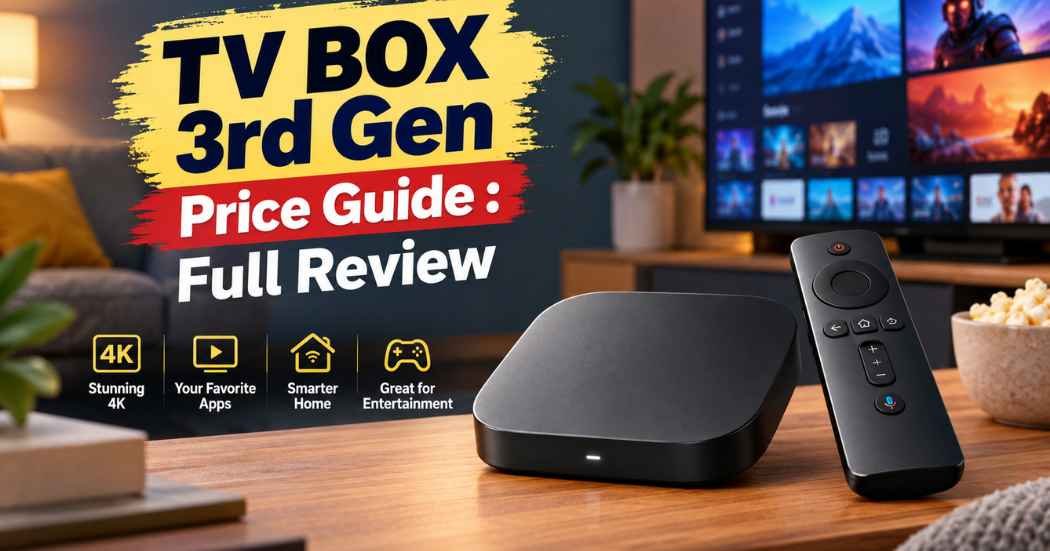
Shopping for a streaming box shouldn’t feel like homework. If you’ve been searching for the xiaomi tv box s 3rd gen price, you’re probably trying to figure out if it’s worth it compared to the Fire Stick or a Roku. This guide walks through what the Xiaomi TV Box S 3rd Gen offers, how it stacks up against four other popular streaming devices, and who each one actually fits.
Xiaomi TV Box S 3rd Gen: The Main Pick

The Xiaomi TV Box S 3rd Gen is a small, black streaming box that plugs into your TV’s HDMI port and runs on Google TV. It’s built for people who want smooth 4K playback without paying for a full smart TV upgrade.
Here’s what stands out about it:
Sharp picture, real sound. It handles 4K resolution at 3840 x 2160, up to 60 frames per second. It also supports Dolby Vision and HDR10+, which means brighter highlights and richer color on shows and movies that support those formats. For audio, it works with Dolby Audio and DTS:X, so a soundbar or home theater setup can pull real surround sound out of it.
Enough power for everyday streaming. Inside, there’s a quad-core CPU that runs up to 2.5GHz, paired with an ARM G310 V2 GPU. That combination is aimed at keeping menus and app switching quick, not at heavy gaming. It comes with 2GB of RAM and 32GB of storage, which is enough room to install a good number of streaming apps without constantly deleting things.
Google TV instead of a generic interface. Since it runs Google TV, you get one home screen that pulls in content from Netflix, YouTube, Disney+, and other apps you’ve installed, plus Google Assistant voice control through the remote. If you already use Google TV or Android on your phone, the layout will feel familiar right away.
Wi-Fi 6 and solid ports. It has dual-band Wi-Fi (2.4GHz and 5GHz), Bluetooth 5.2, HDMI 2.1, and a USB 2.0 port. It also supports Google Cast, so you can throw a video from your phone straight to the TV screen.
Small enough to hide. At about 95mm x 95mm x 17mm, it’s roughly the size of a coaster. It tucks behind a TV easily and doesn’t block other HDMI ports the way some sticks can.
The box ships with the remote, a power adapter, an HDMI cable, and a manual, so there’s nothing extra to buy just to get it running.
On Amazon, it currently holds a 4.4 out of 5 rating from 4,544 customer reviews, and it ranks #36 in Streaming Media Players. As of this writing, no fixed price is listed here, so the honest answer to “what’s the xiaomi tv box s 3rd gen price?” is: check the listing directly, since Amazon prices shift often.
The Alternatives: How the Other Four Compare
Google TV Streamer 4K

This is Google’s own hardware, built specifically to run the Google TV interface without any middleman. It’s a small box (not a stick) in a “Hazel” color, and it needs its own HDMI 2.1 cable, which isn’t included in the box.
Key features: 4GB of RAM, 32GB of storage, Ethernet plus Wi-Fi, and support for Dolby Vision HDR. It also functions as a smart home hub, which the Xiaomi box doesn’t advertise.
Main benefits: More RAM than the Xiaomi box means smoother multitasking between apps. Wired Ethernet is an option here, which helps in homes with spotty Wi-Fi. It also gives access to over 800 free live channels through apps like Pluto TV and Tubi.
Limitations: You need to buy your own HDMI 2.1 cable, which is an extra step most streaming sticks skip.
Who it’s for: People who want the cleanest, most “official” Google TV experience, or who plan to use it as a smart home hub too. It’s rated 4.3 out of 5 from 4,169 reviews and ranks #13 in Streaming Media Players, a stronger rank than the Xiaomi box.
Amazon Fire TV Stick 4K Plus

This is Amazon’s higher-end 2026 stick, redesigned with a focus on speed and AI-assisted search through Alexa+.
Key features: Wi-Fi 6, 4K streaming with Dolby Vision, HDR10+, and Dolby Atmos audio. It also supports Xbox Game Pass cloud gaming, letting you stream games like Call of Duty: Black Ops 7 without a console.
Main benefits: The Alexa+ voice remote lets you describe what you want to watch in plain language instead of typing a search. It also doubles as a smart home remote for compatible cameras and lights.
Limitations: No storage or RAM figures were listed in the product details we reviewed, so we can’t compare those directly to the Xiaomi box.
Who it’s for: Amazon Prime households, people who already use Alexa, and anyone curious about casual cloud gaming on their TV.
Amazon Fire TV Stick HD
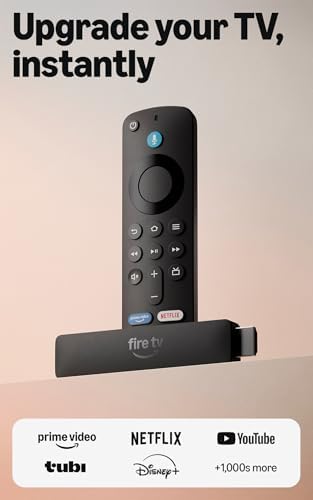
This is the budget option in Amazon’s 2026 lineup, built for Full HD (not 4K) televisions.
Key features: Wi-Fi 6, Alexa Voice Remote, and “Direct Power,” which means it draws power from the TV’s USB port through a included USB-C cable instead of needing a wall adapter.
Main benefits: It’s Amazon’s most portable stick, thin enough to travel with, and setup takes just a couple of steps since there’s no separate power brick to plug in.
Limitations: It tops out at HD resolution, so it’s not a fit if your TV supports 4K and you want to use that resolution.
Who it’s for: Anyone with an HD television, a guest bedroom, or a travel setup where 4K isn’t necessary.
Roku Streaming Stick 4K

This is Roku’s compact 4K stick, built around Roku’s own operating system instead of Google TV or Fire OS.
Key features: 4K playback with Dolby Vision and HDR10+, a long-range Wi-Fi receiver for streaming in rooms far from the router, and a voice remote with TV power and volume controls.
Main benefits: Roku’s interface pulls in free live news and sports channels, and the stick’s small stick-shaped body won’t block a neighboring HDMI port. It also works well for travel since you don’t need to log into someone else’s Roku account to use it.
Limitations: It has less storage than the Xiaomi box, at 16GB versus 32GB, and 1GB of RAM.
Who it’s for: People who want the simplest interface with the least clutter, or who already prefer Roku’s channel store over Google TV or Fire OS. It has the strongest rating of the group: 4.7 out of 5 from 99,093 reviews, and it ranks #3 in Streaming Media Players.
Comparison Table
Product | Key Feature | Resolution | Storage | RAM | Connectivity | Best For |
Xiaomi TV Box S 3rd Gen | Dolby Vision + HDR10+, Google TV | 4K (60fps) | 32GB | 2GB | Wi-Fi (dual-band), Bluetooth 5.2, HDMI 2.1 | Budget-minded Google TV fans |
Google TV Streamer 4K | Official Google TV hardware, smart home hub | 4K | 32GB | 4GB | Wi-Fi, Ethernet | Households wanting the pure Google TV setup |
Fire TV Stick 4K Plus | Alexa+ AI search, Xbox cloud gaming | 4K | Not specified | Not specified | Wi-Fi 6 | Amazon/Alexa households, casual gamers |
Fire TV Stick HD | Direct Power (no adapter needed) | Full HD | Not specified | Not specified | Wi-Fi 6 | HD TVs, travel, guest rooms |
Roku Streaming Stick 4K | Long-range Wi-Fi, simple interface | 4K | 16GB | 1GB | Wi-Fi (long-range) | Roku loyalists, free live TV fans |
Pros and Cons
Xiaomi TV Box S 3rd Gen
Pros:
- Dolby Vision and HDR10+ on a device in this class
- 32GB of storage, more than the Roku stick
- HDMI 2.1 and Wi-Fi 6-level dual-band Wi-Fi
- Compact box that tucks out of sight
- 4.4-star rating across thousands of reviews
Cons:
- Only 2GB of RAM, less than the Google TV Streamer’s 4GB
- Ranks lower on Amazon’s bestseller list than the Roku stick or Google’s own streamer
- No listed price here, so budget shoppers need to check the current Amazon listing
Quick take on the alternatives:
- Google TV Streamer 4K: more RAM and an Ethernet port, but you need to buy your own HDMI 2.1 cable.
- Fire TV Stick 4K Plus: strong for Alexa users and casual cloud gaming, but its RAM and storage aren’t listed.
- Fire TV Stick HD: easiest setup of the group, but capped at HD, not 4K.
- Roku Streaming Stick 4K: the highest-rated device here, but the least storage and RAM.
Buying Guide: What to Look for in a Streaming Device
Performance. A quad-core processor, like the one in the Xiaomi box, is usually enough for smooth app switching and menu browsing. If you plan to stream games through a cloud service, look for a device that specifically supports it, like the Fire TV Stick 4K Plus.
Picture quality. For a modern TV, look for 4K support along with Dolby Vision or HDR10+. These two formats adjust brightness and color scene by scene, so dark scenes and bright scenes both look more natural. Four of the five devices in this guide support 4K; only the Fire TV Stick HD is limited to Full HD.
Connectivity. Dual-band Wi-Fi helps avoid interference from other devices on your network. If your router is far from the TV, a long-range Wi-Fi antenna, like Roku’s, can matter more than the brand name. An Ethernet port, like the one on the Google TV Streamer, is the most reliable option if you have the cable run for it.
Storage. More onboard storage means you can install more apps before running low on space. 32GB, like on the Xiaomi box and the Google TV Streamer, gives more breathing room than 16GB.
Ease of use. Setup speed varies. The Fire TV Stick HD’s Direct Power feature skips the power adapter entirely, which is genuinely convenient if you’re setting up in a room with limited outlets.
Compatibility. Check what your TV actually needs. A 4K device won’t show extra detail on an HD screen, and an HD stick won’t take advantage of a 4K panel.
Remote control. All five devices here include a voice remote. Google TV and Fire TV both lean on their own voice assistants (Google Assistant and Alexa+), while Roku’s remote focuses on simpler TV controls like power and volume.
Price and value. None of the prices are listed here, since they change often on Amazon. The better approach is to compare the features that matter to you, then check the live price before deciding.
FAQ
What is the Xiaomi TV Box S 3rd Gen price on Amazon?
Amazon prices change regularly, so no fixed number is listed in this guide. Check the Amazon listing directly for the current price.
Is the Xiaomi TV Box S 3rd Gen better than a Fire TV Stick?
It depends on what you value. The Xiaomi box runs Google TV and includes more storage than the standard Fire TV Stick HD, while the Fire TV Stick 4K Plus offers Alexa+ voice search and Xbox cloud gaming, which the Xiaomi box doesn’t mention.
Does the Xiaomi TV Box S 3rd Gen support 4K?
Yes. It supports 4K resolution at 3840 x 2160 up to 60 frames per second, along with Dolby Vision and HDR10+.
How much storage does the Xiaomi TV Box S 3rd Gen have?
It comes with 32GB of internal storage and 2GB of RAM.
Is the Google TV Streamer 4K a better choice than the Xiaomi box?
The Google TV Streamer has more RAM (4GB versus 2GB) and an Ethernet port, but it requires a separately purchased HDMI 2.1 cable. Both run Google TV, so the interface itself will feel the same.
Which streaming device has the highest customer rating?
Among the five devices in this guide, the Roku Streaming Stick 4K has the highest rating, at 4.7 out of 5 stars from 99,093 reviews.
Does the Xiaomi TV Box S 3rd Gen come with a remote?
Yes. The package includes a voice remote control, a power adapter, an HDMI cable, and a user manual.
Is the Fire TV Stick HD a 4K device?
No. The Fire TV Stick HD is built for Full HD televisions, not 4K.
Final Thoughts
The Xiaomi TV Box S 3rd Gen is a solid pick if you want Google TV, 4K with Dolby Vision, and 32GB of storage in a small box, without needing to research the xiaomi tv box s 3rd gen price history to catch a specific deal. It compares closely with the Google TV Streamer 4K, which adds more RAM and Ethernet at the cost of an extra cable purchase.
If gaming or Alexa+ voice search matters more to you, the Fire TV Stick 4K Plus is worth a look. If your TV only supports HD, the Fire TV Stick HD is the simpler, cheaper-feeling option. And if you’d rather have the highest-rated device in this group with the least on-screen clutter, the Roku Streaming Stick 4K stands out on customer reviews alone.
Whichever one fits your setup, the right move is the same: compare the specs against what your TV and Wi-Fi can actually support, then check current pricing before you buy.