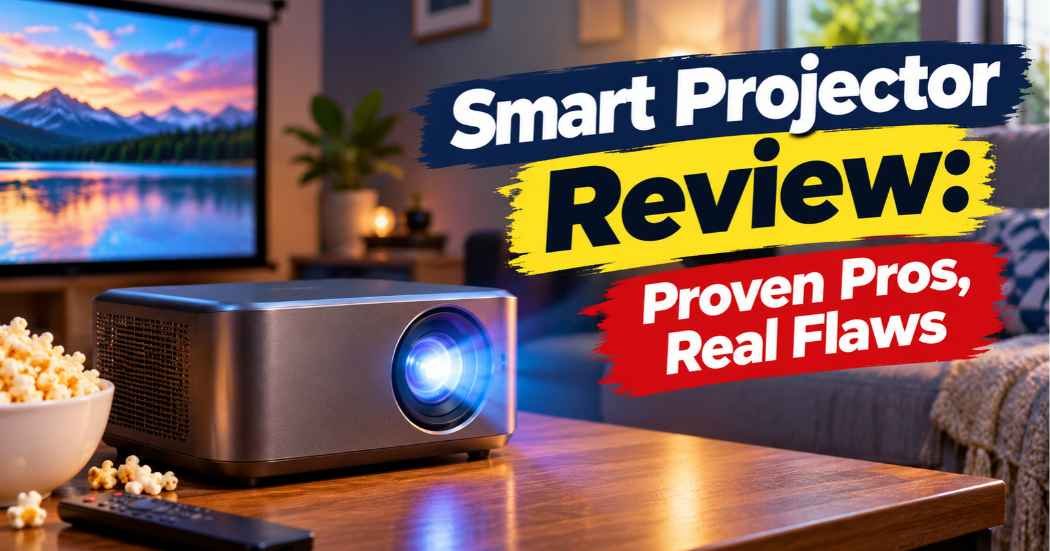
Aurzen Roku projector review for 2026: the Aurzen Roku TV E1R (model EAZZE E1R) is a small mini projector with Roku TV built in. You plug it into the wall, join Wi-Fi, and open Netflix, YouTube, Prime Video, and more from the Roku home screen. No streaming stick. No input switching. This guide covers every spec, what the projector can and cannot do, and who should buy it.
Quick answer: The Aurzen Roku TV E1R is a good first projector for a bedroom, dorm, or ceiling movie night. Roku is easy to use, the 180° stand makes ceiling viewing simple, and the sound base is louder than most mini projectors. The trade-offs are real: it has a 720p native picture, low brightness that needs a dark room, and no battery. If you want a sharper 1080p image, look at the Aurzen D1R Cube instead.
Aurzen Roku TV E1R at a Glance

- Best for: Bedrooms, dorms, small rooms, and ceiling viewing.
- Smart system: Roku TV, built in.
- Picture: 1280 x 720 native, 20 to 120 inches.
- Sound: Larger sound chamber in the base with Dolby Audio.
- Power: Wall outlet only. No battery. No USB-C power.
Note: We have not tested this projector ourselves. This review uses the Amazon listing, Aurzen’s launch details, and published third-party reviews. We point out where sources disagree.
Aurzen Roku TV E1R Specs
Here are the full specs from the Amazon listing. On a phone, swipe the table left to see every column.
| Spec | Aurzen Roku TV E1R |
|---|---|
| Model | EAZZE E1R (A04A11) |
| Smart system | Roku TV, built in |
| Display type | LCD |
| Native resolution | 1280 x 720 (720p) |
| Brightness | 160 lumens on the Amazon listing (see the brightness section) |
| Image size | 20 to 120 inches (40 to 120 inches suggested) |
| Throw ratio | 1.12:1 |
| Throw distance | 1.6 to 9.6 feet |
| Picture modes | 6 (Roku Smart Picture, Movie, Sports, Vivid, Standard, Low Power) |
| Focus | Manual focus wheel on top |
| Keystone | Auto vertical keystone |
| Stand | Built-in stand that rotates 180° |
| Audio | Sound base with Dolby Audio, 3x larger sound chamber |
| Wi-Fi | Dual band, 2.4 GHz and 5 GHz |
| Bluetooth | Bluetooth 5.2, two-way (send and receive audio) |
| Casting | Apple AirPlay |
| Ports | HDMI, USB |
| Power | Included DC power cable and wall outlet. No battery |
| Wattage | 45 watts |
| Light source life | 30,000 hours |
| Size | 3.43 x 3.43 x 6.86 inches |
| Weight | 0.44 kg (just under 1 lb) |
| Color | White |
| In the box | Projector with stand, remote (needs 2 AAA batteries), power cord, dust cleaning kit, user manual |
| Warranty | 1 year from the maker |
Aurzen Roku Projector Review: Key Features Explained
Specs only tell part of the story. Here is what each feature means when you sit down to watch.
1. Roku TV built in
This is the main reason to buy the E1R. Roku runs right on the projector. You get the same home screen as a Roku TV. Netflix, Prime Video, Hulu, YouTube, Apple TV, and The Roku Channel are all there. Roku also has free movies, shows, and live TV channels.
Many cheap projectors use a little-known app store, and big apps can be missing. Roku avoids that problem. Aurzen’s launch announcement says the E1R also works with the Roku mobile app for control.
You need a free Roku account and an internet connection to activate it. Paid apps like Netflix still need their own subscriptions.
2. 180° rotating stand
The stand is part of the projector. It tilts the lens up to 180°. You can aim at a wall from a nightstand, or point it straight up at the ceiling and watch from bed. You do not need books or a separate mount to prop it up.
Ceiling safety tip from Aurzen: When you point it at the ceiling, do not twist or rotate the power plug. Tuck the cable into the opening on the left side of the base.
3. Short throw for small rooms
The throw ratio is 1.12:1. That means you get a big picture from a short distance. This helps in bedrooms and dorms where you cannot sit far back. The table below uses that ratio to estimate distance for common screen sizes.
| Screen size (16:9) | About how far away | Good for |
|---|---|---|
| 40 inches | 3.3 feet | Nightstand to nearby wall |
| 60 inches | 4.9 feet | Small bedroom or dorm |
| 80 inches | 6.5 feet | Bedroom wall or ceiling |
| 100 inches | 8.1 feet | Living room, dark room only |
| 120 inches | About 9.6 feet (listed max) | Very dark room, short sessions |
These are estimates from the throw ratio. Your real distance may change a little with the stand angle and keystone.
4. Sound base with Dolby Audio
Small projectors often sound thin. Aurzen says the E1R base has a sound chamber three times larger than before, with up to twice the volume. AndroidGuys found dialogue clear and said the sound can fill a medium room without extra speakers.
It is still a small speaker. Do not expect deep bass like a soundbar. If you want more, use Bluetooth to send the sound to a speaker. Our Sonos Era 100 vs Era 100 SL guide covers two speakers that work well for this.
5. Two-way Bluetooth 5.2
Bluetooth works both ways. You can send the projector’s sound out to headphones or a speaker. You can also play music from your phone through the projector, like a Bluetooth speaker. Headphones are handy for late-night watching when others are asleep.
6. Apple AirPlay casting
iPhone and iPad users can use AirPlay to send videos, photos, and music to the big screen. You do not need an extra app. This is great for sharing vacation photos or a game clip with friends.
7. Six picture modes
Roku Smart Picture can set the picture for you based on what you watch. You can also pick Movie, Sports, Vivid, Standard, or Low Power. Movie mode is a good start for films at night. Vivid can help a bit when the room is not fully dark.
8. Focus and keystone
Auto vertical keystone squares up the picture when the projector is tilted. Focus is manual, with a wheel on top. Per AndroidGuys, horizontal keystone and zoom are set by hand with the remote. So if you move the projector a lot, plan on a few seconds of fine-tuning each time.
9. HDMI and USB ports
You are not stuck with Roku apps. The HDMI port lets you plug in a game console, laptop, or another streaming box. The USB port is listed too. AndroidGuys also notes a headphone jack and a reset button on the back.
10. Light and easy to carry
At just under 1 lb and about 7 inches tall, it is easy to move from room to room. A built-in strap helps you carry it. Keep in mind that “portable” here means light, not wireless. It always needs a wall outlet.
11. Dust cleaning kit
Dust inside the lens can cause black spots on the picture. Aurzen includes a cleaning kit and a video guide. The maker says to check the lens every 3 months and use the projector in a low-dust space.
Picture Quality: What 720p Really Means
The E1R has a native 1280 x 720 panel. It can play 1080p content, but it shows it at 720p. On a 50 to 80 inch picture from a few feet away, 720p looks fine for TV shows, cartoons, and casual movies. At 100 inches or more, you will see a softer image, and small text can look fuzzy.
It does not play 4K or HDR. If sharp detail matters to you, a native 1080p projector like the Aurzen D1R Cube is the better pick.
Brightness: Plan for a Dark Room
The Amazon listing lists brightness as 160 lumens. AndroidGuys lists 300 ANSI lumens in its review. The two numbers may come from different ways of measuring. Either way, the advice is the same: this is a dark-room projector.
- Night with lights off: Best results. Colors look their best.
- Day with blinds closed: Watchable at smaller sizes.
- Bright room or sunny patio: The picture will look washed out.
A smaller picture looks brighter than a big one. If the room has some light, try 60 to 80 inches instead of 120.
How to Set Up the Aurzen Roku TV E1R
- Put 2 AAA batteries in the remote.
- Place the projector on a flat surface and plug the DC cable into a wall outlet.
- Turn the stand to aim at your wall, screen, or ceiling.
- Turn the focus wheel on top until the text looks sharp.
- Connect to your Wi-Fi (2.4 GHz or 5 GHz).
- Sign in or create a free Roku account to activate it.
- Add your apps, pick a picture mode, and start watching.
Need help with Roku accounts or apps? Roku Support has step-by-step help.
What the Aurzen Roku TV E1R Can and Cannot Do
| It can | It cannot |
|---|---|
| Stream Netflix, YouTube, Prime Video, Hulu and more with no stick | Run on a battery or a USB-C power bank |
| Project on the ceiling with its own stand | Show native 1080p, 4K, or HDR |
| Fill a 40 to 120 inch picture from a short distance | Look bright in a sunny room |
| Send sound to Bluetooth headphones or speakers | Auto focus (focus is a manual wheel) |
| Play your phone’s music over Bluetooth | Work outdoors without a nearby outlet |
| Cast from iPhone and iPad with AirPlay | Activate without a Roku account and internet |
| Connect a console or laptop by HDMI | Replace a full home theater sound system |
Aurzen Roku TV Projector Review: Pros and Cons
Pros
- Roku TV built in, with all major apps.
- 180° stand makes ceiling viewing easy.
- Louder, fuller sound than most mini projectors.
- Short 1.12:1 throw suits small rooms.
- Two-way Bluetooth 5.2 and AirPlay.
- Dual-band Wi-Fi and an HDMI port.
- Under 1 lb with a carry strap.
- Cleaning kit included.
Cons
- Native 720p only.
- Low brightness needs a dark room.
- No battery, so it needs a wall outlet.
- Uses a DC adapter, not USB-C power.
- Focus is manual.
- Lens needs a dust check every few months.
Who Should Buy It
- First-time projector buyers who want something simple.
- People who already use Roku and like its home screen.
- Anyone who wants to watch movies on the bedroom ceiling.
- Students in dorms or small apartments.
- Families who want an easy kids’ movie night setup.
- iPhone users who want to cast with AirPlay.
Who Should Skip It
- You want a sharp 1080p or 4K home theater picture.
- You mostly watch in a bright room.
- You need a battery for camping or the park.
- You want auto focus that fixes itself every time you move it.
- You prefer Google TV over Roku.
Aurzen Roku TV Smart Projector D1R Cube Review: How the E1R Compares
Many people read an Aurzen Roku TV smart projector D1R Cube review before they decide. The D1R Cube was the first projector with Roku TV built in. The newer D1R air is a portable 1080p model. Here is how they line up with the E1R, using published specs.
| Feature | EAZZE E1R | EAZZE D1R Cube | EAZZE D1R air |
|---|---|---|---|
| Smart system | Roku TV | Roku TV | Roku TV |
| Native resolution | 720p | 1080p | 1080p |
| Brightness | 160 lm (Amazon listing) | About 300 to 330 ANSI lumens | 300 ANSI lumens |
| Max image | 120 inches | 150 inches | Not listed here |
| Focus | Manual | Auto focus | Not listed here |
| Keystone | Auto vertical | Auto | Not listed here |
| Stand | 180° built-in stand | Not listed here | 180° gimbal stand |
| Power | Wall outlet only | Not listed here | USB-C power bank support |
| Best for | First projector, bedroom, ceiling | Sharper picture, bigger screen | 1080p on the go |
Sources: ETCentric on the D1R Cube, Android Authority on the D1R air, and the E1R Amazon listing.
The simple rule: pick the E1R if ease and a small size matter most. Pick the D1R Cube if picture sharpness matters most. Pick the D1R air if you need to run it from a power bank.
What Aurzen Roku TV Smart Projector Reviews Say
Published Aurzen Roku TV smart projector reviews of the E1R agree on a few points. AndroidGuys gave it a 3.8 score and a Smart Pick award. It praised the fast setup, the Roku interface, the rotating stand, and the sound. Its main complaints were the 720p panel, the need for a dark room, and the power adapter. The reviewer wished it used a USB-C input.
On Amazon, the E1R ranks high in the video projector category. For the newest buyer feedback, read the reviews on the Amazon listing before you buy.
Tips to Get the Best Picture and Sound
- Use a white or light gray wall, or a projector screen.
- Close the blinds and turn off lamps behind you.
- Start at 60 to 80 inches. Go bigger only in a dark room.
- Use Movie mode for films and Sports mode for games.
- Use 5 GHz Wi-Fi if the router is close. It is often faster.
- Pair a Bluetooth speaker for bigger sound at parties.
- Check the lens for dust every 3 months.
Want to add a different streamer through HDMI? See our picks for the best streaming device for projector setups and the best Roku streaming device. For more gear ideas, read our best budget streaming devices and best TV accessories guides.
Frequently Asked Questions
Is the Aurzen Roku TV E1R projector good?
Yes, for the right buyer. It is easy to use, has Roku built in, and works well on a bedroom wall or ceiling. It is not a good pick for bright rooms or for people who want a sharp 1080p picture.
Does the Aurzen E1R need a Roku stick?
No. Roku TV is built into the projector. You only need Wi-Fi and a free Roku account to activate it.
Is the Aurzen Roku projector 1080p?
The E1R has a native 720p (1280 x 720) panel. It can play 1080p content but shows it at 720p. The Aurzen D1R Cube and D1R air are native 1080p.
Does the Aurzen E1R have a battery?
No. It has no built-in battery and does not take USB-C power. It runs from a wall outlet with the included DC power cable.
Can I use the Aurzen E1R on the ceiling?
Yes. The built-in stand rotates 180°, so you can aim it straight up. Do not twist the power plug, and tuck the cable into the left-side opening of the base.
Can I connect Bluetooth headphones or a speaker?
Yes. It has two-way Bluetooth 5.2. You can send sound out to headphones or speakers, or play music from your phone through the projector.
Does it work with an iPhone?
Yes. It supports Apple AirPlay, so you can cast videos, photos, and music from an iPhone or iPad.
Can I plug in a game console or laptop?
Yes. There is an HDMI port. Keep in mind the picture is still 720p native.
How big can the picture get?
Up to 120 inches. Aurzen suggests 40 to 120 inches. A smaller picture looks brighter and sharper.
Can I use it outside?
Yes, after dark and near an outlet or power station. It has no battery, and it is too dim for daylight.
What is the difference between the E1R and the D1R Cube?
The D1R Cube has a native 1080p picture, higher brightness, auto focus, and a screen size up to 150 inches. The E1R is smaller and lighter, with a 180° stand and a 720p picture.
Final Verdict: Aurzen Roku Projector Review 2026
The Aurzen Roku TV E1R is a simple, friendly mini projector. Roku makes streaming easy. The 180° stand makes ceiling movie nights easy too. The sound base is a real step up for this size. Its weak spots are the 720p picture, low brightness, and the need for a wall outlet. Buy it for a dark bedroom, dorm, or kids’ room. Skip it if you want a sharp, bright home theater. Then the D1R Cube is the better Aurzen Roku pick.
Specs and product details can change. Always confirm them on the product page before you buy.