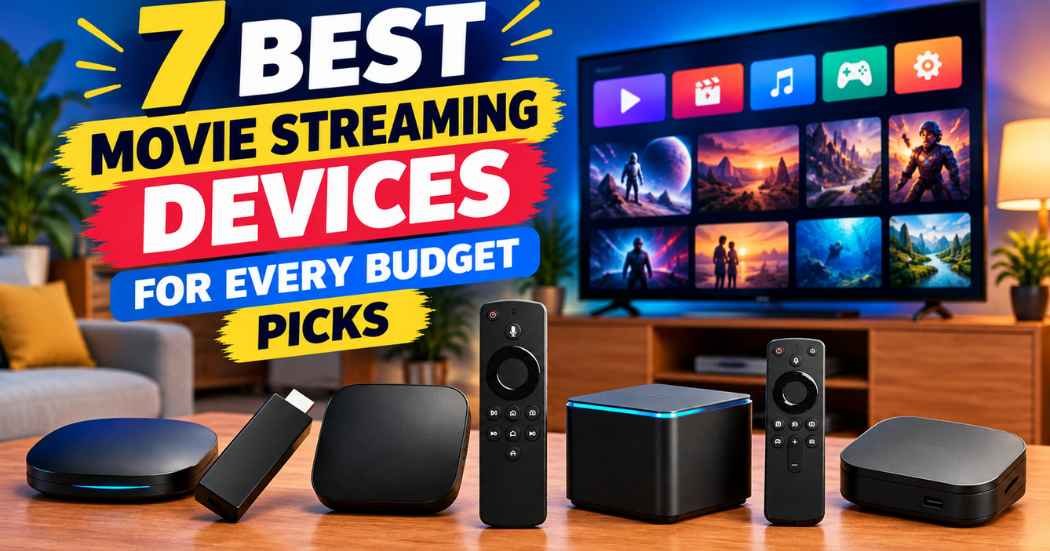
The best movie streaming devices vary based on your need for power versus space. Some offer massive storage and extra ports for gear, while others focus on being small and simple to hide behind your screen.
Best overall: Roku Ultra, because it combines a fast interface with a simple remote that features hands-free voice controls and a lost-remote finder, making it the most user-friendly choice for everyone. Best performance: NVIDIA Shield TV Pro, as it offers the most power for demanding users who want AI upscaling, expandable storage via USB ports, and a built-in Plex Media Server. Best for simplicity: Roku Streaming Stick 4K, which is the ideal choice for someone who wants to hide the device behind their TV while still getting full 4K and Dolby Vision support.
This guide is for anyone looking to upgrade their home entertainment setup without needing to be a tech expert.
How We Picked
To earn a spot, each product had to provide clear, verified specifications regarding memory, processor speed, and supported display standards like 4K HDR.
We focused on devices that offer consistent performance and useful features like voice control or expandable storage.
If you value raw speed, look for devices featuring Wi-Fi 6E or octa-core processors. If you need a simple, portable setup, choose compact sticks over dedicated hubs.
Comparison Table
1. NVIDIA Shield Android TV Pro

Best for: Power users and home theater enthusiasts.
This device is built for people who want the most control over their media. It uses the NVIDIA Tegra X1+ chip to upscale HD content to 4K in real-time, which helps older shows look sharper on modern screens. The inclusion of two USB 3.0 ports means you can add extra storage or connect peripherals like keyboards and game controllers.
The built-in Plex Media Server is a major plus for those who host their own digital movie libraries. It also comes with a remote that features motion-activated backlit buttons, making it much easier to use in a dim room. This model is designed for users who want advanced features like expandable storage and Plex Media Server.
If you prioritize raw performance and local media hosting, the 3GB of RAM and Gigabit Ethernet make this the correct choice. However, if you only need basic streaming apps, these advanced features may be unnecessary.
Pros
- Powerful AI 4K upscaling.
- Two USB 3.0 ports for storage expansion.
- Built-in Plex Media Server.
- Advanced remote with locator.
Cons
- Larger physical footprint.
- Advanced features require setup.
2. Roku Ultra

Best for: Families who want a fast, simple interface.
The Roku Ultra is designed to be quick and responsive, launching apps 30% faster than other Roku players. It supports 4K, HDR10+, and Dolby Vision, ensuring your movies look great. The remote is a standout feature, offering backlit buttons so you can see what you’re pressing in the dark, plus a rechargeable battery that lasts for months.
You can control the device using hands-free voice commands. Simply say “Hey Roku” from across the couch to manage playback without needing the remote. This is ideal if you have snacks in your hands or can’t find the controller. The simple home screen makes it easy for anyone in the house to find their favorite apps without getting lost in complex menus.
If you require deep customization or specialized media server software, this device isn’t for you. The system is intentionally locked down to keep the experience streamlined. Use this player if you prioritize a setup that takes only minutes and offers instant access to a vast library of free live TV, sports, and movies.
Pros
- Lightning-fast app loading.
- Rechargeable voice remote.
- Hands-free voice control.
Cons
- Lacks advanced media server tools.
- Software is highly restricted.
3. onn 4K Pro Streaming Device

Best for: Users who want a premium Google TV experience.
This device brings Google TV to your screen with a focus on smooth performance. With 3GB of RAM, it handles multitasking and app switching without much lag.
It supports both Wi-Fi 6 and an optional Ethernet port. If you notice buffering during high-bitrate 4K playback, switch to the Ethernet connection for the most reliable results.
The 32GB of storage is double what many other sticks offer. This capacity allows you to download more apps and games without hitting storage limits. It also includes a remote with a “find my remote” feature and a backlight.
This device isn’t for users who prefer the Roku interface. Google TV relies heavily on personalized recommendations that some people may find distracting. If you prefer a static list of apps over a curated feed, the clutter may frustrate you.
Pros
- Large 32GB internal storage.
- Fast Wi-Fi 6 connectivity.
- Smooth Google TV interface.
Cons
- Recommendations can feel cluttered.
- No internal battery for remote.
4. Amazon Fire TV Stick 4K Max (newest model)

Best for: Those already invested in the Amazon ecosystem.
This stick is a way to get 4K streaming while keeping your devices connected through Alexa. It features 16GB of storage, which is double the capacity of the Fire TV Stick 4K Plus. The integration with the Fire TV Ambient Experience turns your television into a digital picture frame, displaying over 2,000 pieces of museum-quality art when you aren’t watching a movie.
The AI-powered search helps you find content across all your apps by just talking to the remote. It supports Wi-Fi 6E for a fast and reliable wireless connection in most homes. If you want to game without a console, you can stream titles like Call of Duty: Black Ops 7 or Hogwarts Legacy using Xbox Game Pass or Luna. Note that these gaming services require a separate subscription and a compatible controller.
The interface is designed to promote Amazon-owned content and personalized shopping recommendations. If you prefer a neutral home screen, this heavy focus on Amazon services may prove distracting.
Pros
- Wi-Fi 6E support.
- Large 16GB storage capacity.
- Integrated smart home controls.
Cons
- Heavy focus on Amazon content.
- Requires constant internet connection.
5. Amazon Fire TV Cube

Best for: People who want a hands-free smart home hub.
The Fire TV Cube is the most powerful option in the Fire TV line, featuring an octa-core processor that makes everything feel snappy. Because it has built-in microphones and speakers, you can control your TV, soundbar, and other smart devices using only your voice from across the room. The Fire TV Cube features Wi-Fi 6E support for fast wireless streaming.
You can even connect other devices like a cable box or a webcam to the unit, allowing you to switch between them easily. It’s a powerful centerpiece for a living room, but it isn’t for those who prefer a small, hidden device. The size and the need to place it where the microphones can hear you mean it will always be visible on your shelf.
If you prioritize speed, this device is twice as powerful as the Fire TV Stick 4K Max. Use the 2026 interface update to pin your favorite apps and reduce scrolling time. If you only need basic streaming, this hardware is likely overkill. Choose this model only if you intend to use the hands-free Alexa+ features or manage multiple external inputs.
Pros
- True hands-free voice control.
- Extremely fast octa-core processor.
- Connects to external devices.
Cons
- Large, visible design.
- Overkill for basic streaming.
6. Roku Streaming Stick 4K with Voice Remote

Best for: Travelers and small living spaces.
This device hides behind your TV, keeping your entertainment center free of extra cables. Despite its small size, it supports 4K, HDR10+, and Dolby Vision. You don’t have to sacrifice picture quality for a smaller footprint. The long-range Wi-Fi receiver is specifically designed to work well even if your TV is in a room far from your router.
It’s also very portable, making it easy to take with you when you travel. You can plug it into any HDMI port and be ready to watch in minutes. You don’t need to log into someone else’s device when you travel.
The sleek design ensures you won’t block neighboring HDMI ports. This allows you to switch from streaming to gaming with ease. However, this device isn’t for users who need wired Ethernet ports or extra USB connectivity for external storage drives. If you require a wired connection for consistent high-speed data, you should look for a larger streaming box instead.
Pros
- Very compact and portable.
- Good long-range Wi-Fi.
- Simple to set up.
Cons
- No wired Ethernet port.
- Limited to one HDMI connection.
7. Xiaomi TV Box S 3rd Gen

Best for: International users needing specific app compatibility.
The third-generation Xiaomi TV Box S offers a solid balance of hardware and software. It includes 32GB of storage and 2GB of RAM, which is enough to run the Google TV platform smoothly for most users. With HDMI 2.1 and Bluetooth 5.2, it’s well-equipped to handle modern high-speed connections and wireless audio devices.
The compact design—measuring just 95.25 x 95.25 x 16.7 mm—allows it to sit discreetly on a shelf. It comes with all the cables you need to get started. It supports high-quality audio formats like DTS:X and Dolby Audio, which is a nice touch for movie fans.
This device isn’t for those who want a simple, “it just works” experience. It may require more manual configuration of settings to get the best picture and sound. If you prioritize raw specifications like 4K at 60FPS and HDR10+ support over plug-and-play simplicity, this box is a strong contender.
Pros
- Generous 32GB storage space.
- Modern HDMI 2.1 support.
- Includes all necessary cables.
Cons
- May need manual configuration.
- Less brand support in the US.
Choosing the Best Movie Streaming Devices in Sixty Seconds
Which streaming standard matters most?
For the best experience, look for a device that supports Dolby Vision and HDR10+. These standards ensure that your TV shows the correct brightness and color for every scene, making the image look much more lifelike. Most modern 4K devices include these, but you should also confirm your television supports them. High-quality video requires a stable network. If your internet is slow, a device with an Ethernet port, like the NVIDIA Shield TV Pro or the onn 4K Pro, is always a better choice than a wireless-only stick. If you must use Wi-Fi, prioritize devices with Wi-Fi 6 or 6E support to handle high-speed data without buffering.
Should I prioritize storage space?
If you only watch a few streaming apps, 16GB of storage is plenty. However, if you like to download games, keep a large library of apps, or use a streaming device as a media server, you should look for at least 32GB of storage. Devices like the onn 4K Pro, Xiaomi TV Box S, and Google TV Streamer 4K offer this extra room. This prevents you from having to delete apps to make space for updates. Always check if the device supports USB expansion, like the 2x USB 3.0 ports on the NVIDIA Shield TV Pro, as this can be a lifesaver if you decide to add more content later.
Does the remote control really matter?
A good remote can change how much you enjoy your device. Backlit buttons are essential if you watch movies in a dark room, as they help you find the right controls without needing to turn on the lights. Features like “find my remote” are also very helpful if you have kids or pets. If you want to keep things simple, look for a device with a dedicated voice button, which lets you search for shows by speaking. A remote that uses rechargeable batteries, like the Roku Voice Remote Pro, is also more convenient than one that requires you to hunt for replacements.
The Roku Ultra remains our top pick for its combination of speed and user-friendly features, while the NVIDIA Shield TV Pro is the clear choice for those who need maximum power and customization. If you’re ready to upgrade, start by checking the back of your television to see if you have enough HDMI room and a nearby power outlet. Whether you want a simple stick or a high-performance box, picking a device that matches your specific streaming habits will make your daily entertainment experience much smoother and more enjoyable.
Related guides
- 7 Best Streaming Devices for Side Loading: Our Top Picks in 2026
- 6 Best Streaming Devices for Side Loading: Our Top Picks in 2026
- 7 Best Streaming Devices for Side Loading Apps Compared in 2026
Frequently Asked Questions
What does a streaming device need to work well?
A reliable streaming device requires a stable internet connection and a television with an HDMI port. Most devices use Wi-Fi, though models like the NVIDIA Shield TV Pro offer Ethernet for more stable 4K streaming. Ensure your TV’s HDMI port supports your device’s resolution to enjoy the full picture quality.
What does owning a streaming device ask of the buyer?
Owning a streaming device requires keeping the software updated and managing your app subscriptions. Most devices, such as the Roku Ultra or Amazon Fire TV Cube, handle updates automatically in the background, but you should check the settings menu occasionally.
What goes wrong first on these devices?
The most common issue is a loss of connectivity or a remote control that stops responding. If the remote is the problem, check the battery levels or use the remote locator feature if your device, like the Roku Ultra, includes one. The listing doesn’t mention hardware failure or ventilation.
Is the simplest device on the list enough?
A basic device like the Roku Streaming Stick 4K is sufficient for most daily streaming needs. It supports 4K, Dolby Vision, and all major apps with easy setup. You only need complex options like the NVIDIA Shield TV Pro if you require gaming, external storage, or hands-free voice control.
Movie streaming, in short
Whatever you choose, take a moment to clear some space near your television before you start setting things up. You’ll find that a tidy setup makes everything run more smoothly. Once you’ve got your new remote in hand, you’re ready to sit back, relax, and enjoy your favorite shows in high definition.