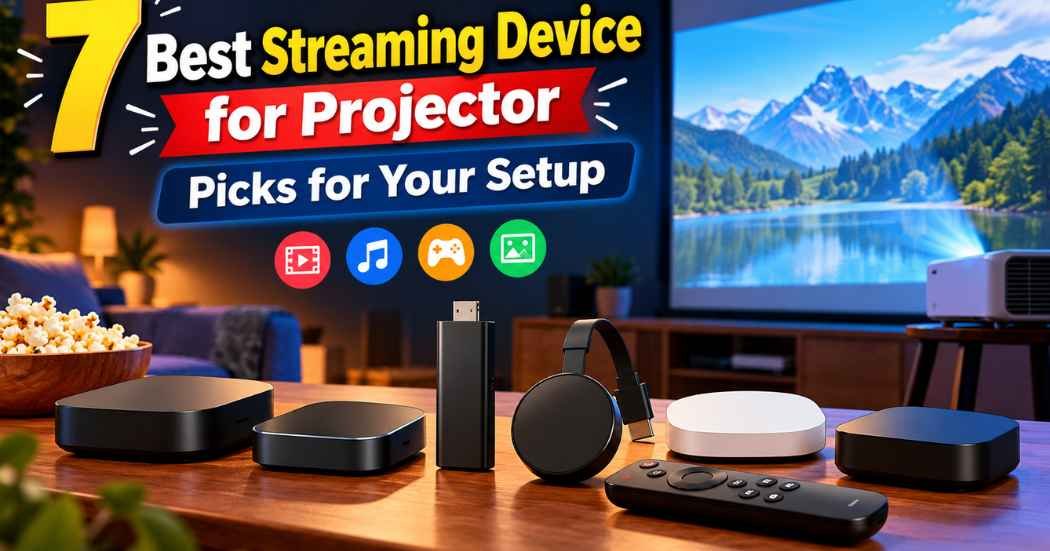
There’s no single best streaming device for projector setups because every home theater uses a different room and setup. Your pick depends on your Wi-Fi signal distance, the room where the projector sits, and whether you want a stick hidden behind the lens or a tabletop box. Some devices plug straight into an HDMI port with zero fuss, while larger media hubs add local storage and wired ports. If you want a small stick that tucks away easily, look at the Amazon Fire TV Stick 4K; if you want hands-free voice controls and heavy processing power across the room, look at the Amazon Fire TV Cube.
1. Amazon Fire TV Stick 4K Max (newest model)

Best for: Someone wanting a compact, capable media stick plugged straight into their projector.
The Amazon Fire TV Stick 4K packs modern streaming standards into a small dongle form. It supports 4K Ultra HD along with Dolby Vision, HDR10+, and Dolby Atmos audio to match high-end home theater video standards. The updated 2026 Fire TV interface lets you pin favorite apps, while Alexa+ uses AI-powered voice search to find movies without endless typing on a screen. Because it stays small and light, you can easily plug it into an overhead projector port without needing an extra equipment shelf.
The stick includes 16GB of internal storage for apps and games. It also features cloud gaming through Xbox Game Pass and Luna, so you can play titles like Hogwarts Legacy directly if you buy a compatible controller and game subscription. That added gaming focus requires strong internet, but the built-in Wi-Fi 6E support helps handle the required data flow. However, this small stick doesn’t include an onboard Ethernet port, so you must rely entirely on your wireless network.
Good if:
- You need a slim stick that plugs right into a ceiling-mounted projector port.
- You want cloud gaming through Xbox Game Pass without buying a dedicated console.
- You stream Dolby Vision and HDR10+ content over a modern Wi-Fi 6E network.
Skip it if:
- You prefer an integrated wired Ethernet connection without buying extra accessories.
- You dislike voice-first menu navigation powered by Alexa.
2. onn 4K Pro Streaming Device

Best for: Buyers who need large app storage and reliable wired networking options.
The onn 4K Pro is a standalone streaming box. It runs Google TV with Gemini and offers 32GB of internal storage alongside 3GB of system RAM. That 3GB RAM allotment gives it 50% more memory than the older 4K Plus model, keeping menu navigation smooth when jumping between demanding apps. If your projector sits far from your home router where wireless signals get spotty, its built-in Ethernet port ensures smooth, buffer-free playback.
Picture and sound capabilities cover the main cinema bases with 4K Ultra HD, Dolby Vision, and multidimensional Dolby Atmos audio. It also features modern Wi-Fi 6 connectivity alongside the physical network jack, letting you pick whatever connection works best in your media room. To help with dark home theater rooms, the package includes a backlit remote with a built-in finder function. Because it’s a tabletop box rather than a slim plug-in stick, you must have a flat surface or a sturdy shelf near your projector to set it down.
Good if:
- You want an integrated Ethernet jack for rock-solid video streaming.
- You keep lots of media apps installed and need 32GB of onboard storage.
- You watch movies in dark rooms and need a backlit remote with a lost-remote finder.
Skip it if:
- You need a tiny stick that hides completely behind a hanging projector.
- You prefer Amazon’s Fire OS ecosystem over Google TV.
3. Google TV Streamer 4K

Best for: Viewers who want personalized recommendations and deep smart home control.
The Google TV Streamer 4K centers your entertainment around clean organization and shared family profiles. It gathers your shows from different services onto one main screen and builds tailored viewing suggestions based on past habits. With 32GB of internal storage, you have plenty of room to download streaming apps or save offline content. It also gives you access to over 800 free live channels through Tubi and Pluto TV right out of the box, without needing separate subscriptions.
Visuals reach up to 4K HDR with Dolby Vision support, and the system can pass Dolby Atmos audio to compatible external speakers. You can build your unified watchlist from your phone, web searches, or the television screen itself. A major trade-off to keep in mind is that an HDMI 2.1 cable is required for operation but is sold separately, so you can’t plug it into your projector straight from the box without buying an extra cord. This unit is built for a media table, making it a poor fit for tight ceiling mounts.
Good if:
- You want personalized show suggestions and shared watchlists across Google services.
- You watch free streaming television channels alongside paid streaming apps.
- You need 32GB of space to install apps without running out of room quickly.
Skip it if:
- You don’t want to purchase a separate HDMI 2.1 cable just to get started.
- You want a tiny form factor that hangs unsupported from an HDMI socket.
4. Roku Streaming Stick 4K

Best for: People mounting projectors far away from their main home internet router.
The listing doesn’t mention hiding the device behind a display. The Roku Streaming Stick 4K features long-range Wi-Fi that is up to 2x faster. The setup process is quick: plug the stick into the HDMI socket, connect power, and the simple home screen appears. Its voice remote controls projector power and volume levels directly, which saves you from juggling multiple remotes in the dark.
For home theater visuals, the stick outputs 4K video with HDR10+ and Dolby Vision compatibility. The Roku platform provides access to major services like Disney+, Netflix, and Prime Video, along with over 200 free live TV channels on The Roku Channel. It also works with Apple Siri, Amazon Alexa, and Google Assistant, so you can integrate it into almost any existing smart home setup. However, it doesn’t include expandable local storage or an Ethernet port on the device itself.
Good if:
- You want an uncluttered, simple grid of apps without aggressive menu ads.
- You prefer controlling the system with Apple Siri, Alexa, or Google Assistant.
Skip it if:
- You need a wired Ethernet connection for zero-latency streaming.
- You want large onboard storage for massive game files and offline downloads.
5. Amazon Fire TV Cube

Best for: Dedicated home theater owners wanting completely hands-free voice operation.
The Amazon Fire TV Cube is Amazon’s fastest media player, powered by an octa-core processor. It uses built-in far-field microphones and an integrated speaker so you can speak to Alexa from across the room without holding a remote. You can tell the Cube to switch inputs, dim compatible smart lights, or launch apps entirely hands-free. It supports Wi-Fi 6E for smooth data transfers alongside 4K Ultra HD, Dolby Vision, HDR, and Dolby Atmos audio.
Beyond streaming, the Cube features an HDMI input that lets you connect a gaming console, cable box, or webcam through one hub. You can seamlessly switch between these inputs with simple voice commands, making it a central control point for your projector setup. The trade-off is its physical footprint: the Cube must sit upright on a flat shelf with clear line-of-sight for its microphones, meaning it can’t hang behind a suspended ceiling mount.
Good if:
- You want to control your projector and sound system without touching a remote.
- You want to plug in a gaming console or cable box through a single passthrough hub.
- You want lightning-fast app launching backed by a powerful octa-core processor.
Skip it if:
- Your projector is mounted on a bare ceiling with no shelf nearby.
- You prefer using a simple handheld remote over room-wide voice microphones.
6. Xiaomi TV Box S 3rd Gen

Best for: Anyone wanting a slim desktop media hub with an included connection cable.
The Xiaomi TV Box S 3rd Gen provides a compact square design that measures just 95.25 x 95.25 x 16.7 mm, letting it sit discreetly on tiny shelves. Inside, it runs Google TV on a quad-core processor reaching up to 2.5GHz, paired with an ARM G310 V2 GPU. It provides 2GB of RAM and 32GB of internal storage, leaving plenty of room for streaming apps. It supports 4K resolution at 60 frames per second, handling Dolby Vision, HDR10+, Dolby Audio, and DTS:X surround sound formats.
Unlike many standalone media hubs, this package includes a power adapter, voice remote, and an HDMI cable in the box, saving you an extra trip to the store. Connectivity covers dual-band Wi-Fi, Bluetooth 5.2, an HDMI 2.1 port, and a USB 2.0 port for connecting external drives. While the 2GB of RAM handles everyday streaming easily, it has less system memory than the 3GB found in rival desktop units like the onn 4K Pro, which could affect heavy multitasking between demanding apps.
Good if:
- You want an all-in-one package that includes the HDMI cable and power adapter.
- You need a USB 2.0 port to play personal media files from an external drive.
- You want full audio decoding support for both Dolby Audio and DTS:X formats.
Skip it if:
- You want 3GB of RAM or higher for heavy background app performance.
- You need a dedicated RJ45 Ethernet port built directly into the housing.
7. Roku Ultra

Best for: Movie lovers who watch in dark rooms and want a rechargeable remote.
The Roku Ultra serves as the brand’s flagship home theater box, running 30% faster than any other Roku player. It delivers quick app launches and supports pristine 4K video, HDR10+, Dolby Vision, and immersive Dolby Atmos audio. Its interface remains straightforward and clean, letting you reach your favorite services or free streaming channels within seconds. Setting it up takes just a few minutes, making it an approachable choice for someone who wants theater-grade audio and video without dealing with complicated operating systems.
The standout inclusion is the Roku Voice Remote Pro, which solves the annoyance of lost controllers in dark viewing rooms. The remote features backlit buttons that light up when lifted, hands-free “Hey Roku” voice commands, and an audible lost-remote finder. Furthermore, the remote is rechargeable via USB, so you never have to search for fresh AA batteries in the middle of a film. The Ultra is a larger tabletop unit, so it requires its own flat space near your projector or audio receiver.
Good if:
- You watch movies in pitch-black rooms and need backlit buttons to see controls.
- You hate replacing disposable batteries and want a rechargeable voice remote.
- You want the fastest navigation speeds available in the Roku lineup.
Skip it if:
- You need a lightweight stick that stays hidden behind a mounted projector.
- You prefer deep smart home customization options over a basic media grid.
Where These Overlap
All seven of these streaming players support 4K Ultra HD playback alongside Dolby Vision and Dolby Atmos processing. That means any one of them can send a sharp, cinematic image to a modern 4K projector if your equipment and content support those formats. They all offer access to primary platforms like Netflix, Prime Video, and Disney+, alongside free ad-supported television channels. Voice navigation comes standard across the entire group, whether through Alexa, Google Assistant, or Roku voice control.
These desktop units take up physical space on a stand, but they reward you with larger internal storage, extra physical ports, or high-performance processors.
Still Not Sure?
How will your projector be mounted in the room?
You would need to run long HDMI wires or secure a small table beneath the ceiling. For clean, floating setups, a compact stick like the Roku Streaming Stick 4K plugs straight into the projector’s back panel and stays invisible.
Do you prefer Google TV, Fire OS, or the Roku interface?
Every streaming platform presents your content differently. Fire OS pushes Amazon content and smart Alexa tools, while Roku uses a clean, basic grid of channel squares with zero clutter. If you prefer personalized watchlists and Google ecosystem integration, the Google TV Streamer 4K gathers your subscribed services onto one unified home screen.
Will you be watching in a pitch-black home theater?
Projectors look best in dark environments, but finding tiny black plastic remotes in the dark is frustrating. Standard remotes force you to turn on room lights or squint at identical plastic buttons. If you frequently watch movies in total darkness, the Roku Ultra eliminates this headache with its bright, motion-activated backlit buttons and remote-finder beeper.
Also Worth Considering
The TiVo Stream 4K is an Android TV-based plug-in dongle designed to bring your live television channels and on-demand streaming apps together onto a single interface. It handles 4K UHD video, Dolby Vision HDR, and Dolby Atmos audio, making it a viable alternative for viewers who want a small stick form factor combined with a live television guide.
The ONN High Speed HDMI Cable bundle pairs a basic 4K Android TV streaming device with an included high-speed cable and Google Assistant voice remote. It gives you an easy starter package if your projector lacks an extra HDMI lead and you want a simple voice-controlled system ready to plug in immediately.
The Amazon Fire TV Stick 4K Plus sits just below the Max model in Amazon’s lineup, offering Wi-Fi 6 connectivity and AI-powered Fire TV Search with Alexa+. It provides 4K streaming and access to hundreds of thousands of films.
The choice comes down to whether your projector needs a tiny plug-in dongle or a full-sized media hub. If your projector hangs from a ceiling bracket and requires an unobtrusive design, pick the Amazon Fire TV Stick 4K. If your projector rests on a home theater shelf where you can use hands-free voice commands and external inputs, choose the Amazon Fire TV Cube. Check the space around your projector’s ports today to decide which shape fits your setup best.
Related guides
- 7 Best Streaming Devices for Side Loading: Our Top Picks in 2026
- Best Roku Streaming Device: Top 7 Picks for Smooth TV Use
Frequently Asked Questions
What daily care or maintenance does a projector streaming device need?
These devices don’t have moving parts or filters, so daily upkeep is minimal. You’ll occasionally need to approve automatic software updates to keep streaming apps functioning smoothly. Keeping the device in a well-ventilated space prevents it from getting too warm next to hot projector exhaust fans.
What items will I need to replace or recharge over time?
Most of these devices use standard AAA or AA alkaline batteries in their voice remotes, which you’ll need to replace every several months. If you buy the Roku Ultra, you’ll recharge its internal battery using a standard USB cord instead of buying disposable cells. Streaming devices themselves don’t contain user-replaceable parts, so you only need to manage remote battery power and home Wi-Fi connectivity.
What should I do when the internal storage gets completely full?
When a streaming player runs out of local storage space, apps may fail to update or navigation can become unresponsive. Devices with 16GB or 32GB of space, like the onn 4K Pro, hold dozens of applications before encountering limits. If you fill your device, you simply uninstall unused channels and clear cached data from the settings menu.
Would a desktop streaming box suit me better than a small stick?
A desktop streaming box suits you better if you require physical connection ports like an Ethernet jack or an extra USB slot. Tabletop boxes like the Fire TV Cube and Roku Ultra also offer faster processors and hands-free microphones. However, if your projector is suspended from a ceiling with no shelf nearby, a stick is easier to conceal without dangling cables.
Conclusion
Before you commit to a purchase, double-check the space behind your projector’s HDMI port to ensure your chosen device fits comfortably. Don’t worry if you aren’t sure which model is perfect yet; grab a measuring tape and check your clearance today. You’ll be ready to enjoy your favorite movies in no time.