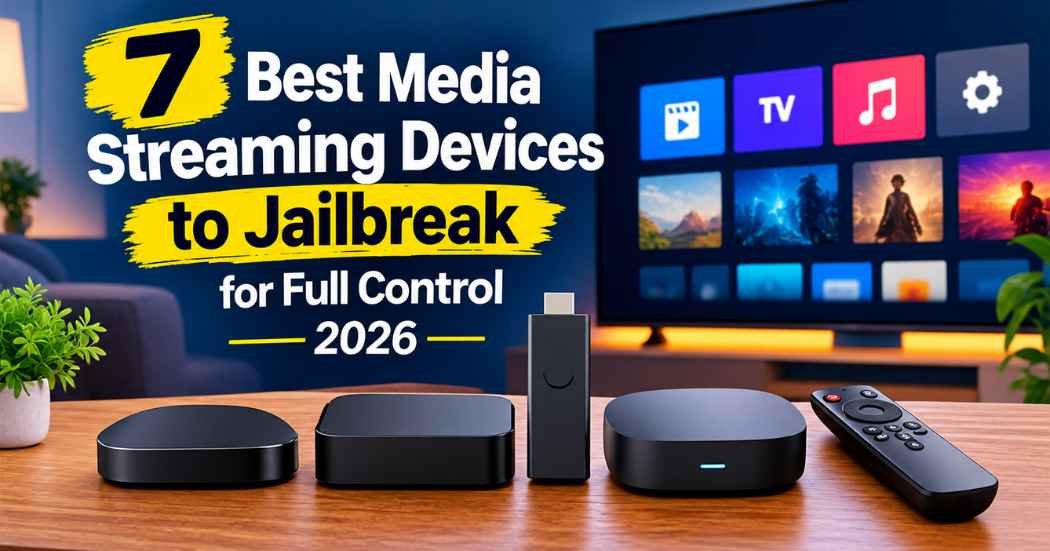
Finding the best media streaming device to jailbreak requires choosing between open operating systems and certified TV platforms. Open systems offer complete control over storage and direct app installs, while certified players provide official streaming licenses but restrict storage access. Here is how the top choices compare.
Best overall: EASYTONE Android 14 Box delivers modern system software, an octa-core processor, fast Gigabit Ethernet, and expandable drive support for running heavy local media files without stuttering.
Most powerful hardware: Ugoos AM6B Plus runs an Amlogic S922X-J processor with dual external antennas, offering dedicated processing muscle for demanding video tasks.
Best certified streaming: onn 4K Pro provides official Google TV software with licensed Dolby Vision, hands-free remote tracking, and reliable Wi-Fi 6 networking.
The rest of this guide covers options for buyers who want larger onboard memory, ultra-compact frames, or unified live TV guides.
How We Picked
We compared 16 Amazon listings to see which hardware handles open sideloading best. Every unit had to state its exact processor model, internal storage type, system memory, network speeds, and operating system build. We dropped listings that hid their internal parts, lacked basic wireless details, or skipped peripheral connection ports entirely.
The Picks
Choose the EASYTONE or R69 Max if you prioritize raw storage and high-resolution decoding; both offer up to 64GB of internal space and 8K support. For a stable, officially licensed ecosystem, the Infomir MAG555 or onn 4K Pro are superior, as they provide Google TV integration and consistent app compatibility. If you need maximum network speed for large file transfers, the EASYTONE’s 1000M Ethernet port is essential, as it reduces download times by nearly 90% compared to standard 100M connections. Avoid lower-tier 2GB RAM models if you intend to multitask, as 4GB is required for smooth performance.
1. EASYTONE Android TV Box 14.0 2026

Best for: High-speed network streaming and external storage power users.
This device runs Android 14 with an Allwinner H728 octa-core processor. It carries 4GB of system memory alongside 32GB of onboard storage. The inclusion of a 1000M Ethernet port means you get steady wired data transfer up to 125MB/s.
The box supports USB 3.0 alongside memory card expansion up to 128GB and hard drives up to 1TB. If you plan to play 4K@60fps video or 8K content, use the 1000M Ethernet or WIFI6 connection to prevent buffering. While the open system software makes sideloading utility tools simple, the lack of official streaming certifications means this unit isn’t for buyers who prioritize licensed 4K apps like Netflix.
Use the Bluetooth 5.0 feature to connect an Air Mouse or wireless keyboard for better navigation. You can also customize the home screen to pin your favorite channels for faster access. If you experience lag, ensure your external storage is connected via the USB 3.0 port to maintain high caching speeds.
Pros
- Fast 1000M Gigabit Ethernet port
- Modern Android 14 system software
- Large external hard drive support
- 8K video decoding capabilities
Cons
- Lacks official streaming service certifications
- Requires manual setup for personalized home screens
2. Ugoos AM6B Plus TV Box Amlogic S922X-J Android 9.0 DDR4

Best for: Advanced tinkerers wanting raw video processing strength.
The AM6B Plus is powered by the Amlogic S922X-J hexa-core processor and ARM Mali-G52 MP6 graphics. It pairs 4GB of LPDDR4 memory with 32GB of internal flash storage. Two large external antennas handle dual-band Wi-Fi 6 data transmission to keep continuous wireless streams stable. The inclusion of MIMO RSDB technology ensures efficient data output for demanding 4K 60fps H.265 video files.
You get specialized Ugoos system settings, over-the-air firmware updates, and USB 3.0 peripheral connectivity. Its heavy focus on enthusiast firmware tweaks makes it a poor match for casual viewers who want a simple plug-and-play streaming stick.
Pros
- Fast Amlogic S922X-J processing hardware
- Dual antennas for steady wireless
- Advanced brand system settings included
- Automatic OTA firmware updates
Cons
- Older Android 9 operating base
- Requires manual setup for optimal performance
3. onn 4K Pro Streaming Device

Best for: Everyday viewers wanting certified 4K media playback.
This player integrates official Google TV software backed by 3GB of RAM and 32GB of internal space. It decodes Dolby Vision picture formats and processes multidimensional Dolby Atmos sound for home theater setups. A built-in speaker supports remote finding with backlighting for dark viewing rooms.
The 3GB of RAM is a critical upgrade, providing 50% more memory than the previous 4K Plus model.
Network traffic moves through Wi-Fi 6 or a standard Ethernet connection port. Use the Ethernet port if you require the fastest, most reliable connectivity for high-bitrate 4K streams. While you can sideload apps through developer menus, this platform isn’t for users who need unrestricted root file access or heavy multi-terabyte external drive arrays.
Pros
- Official Dolby Vision and Atmos
- Google TV with voice assistant
- Backlit remote with finder feature
- 3GB RAM for seamless multitasking
Cons
- Fixed 3GB RAM system memory
- Not designed for power-user file server setups
4. R69 Max Android TV Box with 4GB RAM 64GB ROM

Best for: Users needing plenty of built-in storage space.
The R69 Max features an RK3528 quad-core processor running on Android 14. Its standout physical feature is the 64GB onboard storage drive, which provides double the room found on most media players. You can also slip a memory card into the side slot to gain up to 256GB of extra room.
If you prioritize local media, this storage capacity is essential. It prevents the common mistake of constant app deletion to clear space.
It supports dual-band Wi-Fi 6 wireless networking alongside Bluetooth 5.0 for connecting wireless controllers and mice. Because the wired internet jack stops at 100M speeds, this device isn’t for viewers who demand Gigabit wired streaming lines. If your router is in another room, rely on the WiFi 6 capability to maintain stable signal strength.
Pros
- Generous 64GB onboard internal storage
- Current Android 14 platform environment
- Card expansion up to 256GB
- HDR10 support for improved contrast
Cons
- Wired network limits to 100M
- Not optimized for Gigabit wired connections
5. Android 14 TV Box

Best for: Basic secondary room televisions and lightweight setups.
This compact player houses an RK3518 chipset running the latest available version of the Android operating system. It relies on 2GB of working RAM and 16GB of built-in flash storage for routine utility tasks. The wireless radio steps up to Bluetooth 5.4 to pair wireless accessories with low latency.
You’ll find dual-band wireless reception and a standard 10/100M Ethernet port on the back edge. If you find your local storage filling up, the unit includes a TF card slot to expand your capacity for media files.
Stick to single-task streaming to keep the interface fluid.
Pros
- Upgraded Bluetooth 5.4 radio hardware
- The device runs the most recent version of the Android operating system.
- Small footprint saves media space
- Expandable storage via TF card slot
Cons
- Limited 2GB system running memory
- Not suited for heavy background multitasking
Package contents: You’ll receive the TV box, an HD cable, a remote control, a user manual, and a power adapter. Note that you must provide your own batteries for the remote. Reach out to the manufacturer directly if you encounter any setup issues.
6. Infomir MAG555 4K Streaming Media Player Google TV™ GTV14

Best for: Clean living rooms wanting certified Google apps.
The MAG555 uses an Amlogic S905Y4-B chipset to deliver official Google TV 12 software. It’s fully licensed to pull high-definition video from authorized providers like YouTube, Netflix, and Disney+. HDMI 2.1 connectivity guarantees smooth video transfer at 4K resolution running at 60 frames per second.
The slim casing measures just 106x106x23.5 millimeters, making it easy to hide near wall mounts. If you prioritize a secure, licensed ecosystem, this device excels. However, because it’s built to uphold protected DRM standards, it isn’t for buyers who want custom third-party operating systems or unauthorized sideloading.
Connectivity is handled by dual-band Wi-Fi with 2×2 MIMO technology or a dedicated Ethernet port. This ensures high-bitrate streaming remains stable. If your router is far from the TV, use the Ethernet port to prevent buffering.
Pros
- Certified Google TV 12 system
- HDMI 2.1 video output hardware
- Slim compact chassis saves room
- Integrated Google Assistant voice control
Cons
- Restricted to licensed store ecosystem
- Limited to official software updates
7. TiVo Stream 4K

Best for: People who want live television integration.
The TiVo Stream 4K runs on Android TV and focuses on combining multiple apps onto one home screen. It supports Dolby Vision high dynamic range along with Dolby Atmos audio processing. Voice commands flow through Google Assistant directly from the included handheld remote.
The entire unit is a compact plug-in dongle powered by a small 5V power line using just 5W of maximum power.
The specialized home interface makes it a poor choice for power users who prefer clean stock Android desktop launchers. If you value a curated experience over customization, this is the right tool. However, if you prefer a minimalist interface, the proprietary TiVo layer may feel cluttered.
Pros
- Cross-app content search screen layout
- Dolby Vision and Atmos compatibility
- Very low 5W operating draw
- Centralized watch lists across all apps
Cons
- Proprietary TiVo home interface layer
- Not designed for users seeking stock Android
Also Worth Considering
- YouTube Certified Streaming Device TV: A media box built specifically around 4K YouTube playback certifications for general television use, featuring the latest Android software.
- ONN High Speed HDMI Cable: A straightforward Android TV streaming dongle bundled with an external high-speed cable and voice assistant remote control.
- Google TV: A dedicated streaming box offering 32GB of storage, built-in smart home control functions, and official HDR playback support.
Time Magazine recognized this device as one of their “2020 Best Inventions, Special Mention.” PCMag also hails it as an excellent media streamer for TV lovers. By eliminating the need to switch between individual apps, it simplifies how you find shows on Netflix, Prime Video, Disney+, and Peacock. Use the integrated Google Assistant to launch apps or even dim your smart lights.
Choosing the Best Media Streaming Device to Jailbreak
Which operating system should you pick for sideloading?
Choose stock Android if you want to install third-party files directly from thumb drives or web browsers. Stock Android treats the television like an open tablet, letting you run utility tools, alternate file managers, and custom launch screens without restrictions. Pick Google TV or Android TV if your household relies on certified services like Netflix in full high definition. Open boxes lack the security certifications required by major streaming platforms for full resolution playback, forcing those specific paid services into standard definition.
Does internal storage size affect media playback?
Storage space matters when you plan to store offline files, cache heavy streams, or keep dozens of sideloaded applications on the unit. Just ensure the model carries a memory card slot or a high-speed USB port so you can expand storage capacity later if your media needs expand.
Which network connection hardware do you need?
Look for a 1000M Gigabit Ethernet port if you stream large, uncompressed local video files over your home network. Standard 100M network ports cap your data transfer speeds around 12.5MB/s, which can cause playback pausing on large media files. If you stream using wireless networking, select a device with Wi-Fi 6 hardware. Modern wireless protocols manage data traffic better in busy households, according to technical wireless networking standards from the Federal Communications Commission. A stable connection prevents buffering regardless of whether you stream from local drives or online servers.
Related guides
- 7 Best Streaming Devices for Side Loading: Our Top Picks in 2026
- 6 Best Streaming Devices for Side Loading: Our Top Picks in 2026
- Best Roku Streaming Device: Top 7 Picks for Smooth TV Use
Frequently Asked Questions
What equipment is needed to make these devices work?
Every streaming box requires a television with an open HDMI port and an active internet connection through Wi-Fi or an Ethernet cable. The device plugs into a standard wall electrical outlet using the included power adapter. If you want to transfer external application files manually, you’ll also need a USB flash drive or a micro SD card formatted to standard file formats.
Why do some streaming applications refuse to play in 4K?
Certified streaming platforms require specific hardware keys to play high-definition video. Open Android players lack these certificates, causing subscription apps to default to standard definition. While local files and sideloaded apps can still play at 4K or 8K, you should buy a certified platform if your primary goal is watching commercial subscription apps in native 4K.
Is a simple streaming stick enough for basic sideloading?
Basic streaming sticks can handle light sideloading for one or two extra media tools. However, these compact devices struggle with complex libraries due to limited storage and memory. They also lack full-sized USB ports for external drives or wired networking. If you require a setup with external storage, a desktop-style media box is the better design.
Media streaming, in short
Choosing between the EASYTONE media player and the Ugoos AM6B Plus depends on whether you prefer modern system software or heavy processing hardware. The EASYTONE provides the latest Android software with fast Gigabit Ethernet ports for smooth data transfer. The Ugoos AM6B Plus offers raw processing power through its hexa-core chipset and external antennas. Check your television’s available ports and decide whether you need open file access or official app certifications before placing your order.