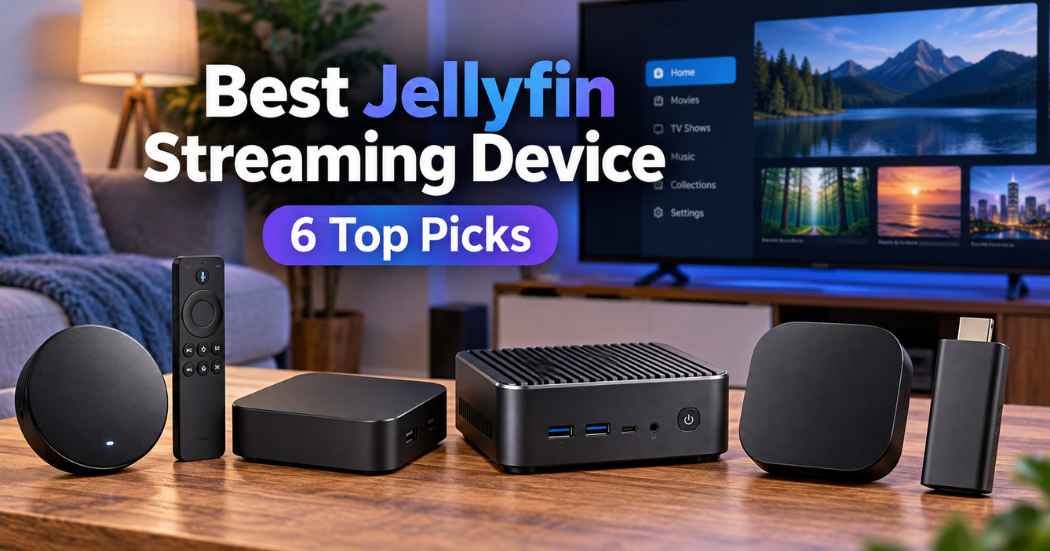
Choosing a media player for your home setup comes down to how much raw processing power you want at your TV. The best Jellyfin streaming device may be a dedicated streaming player with a simple voice remote, or a full mini PC built to handle heavy file transfers, local storage, and demanding media playback.
Best overall: Roku Ultra provides a fast quad-core processor, dual-band wireless, an enhanced voice remote with private listening, and direct USB playback connections for standard home setups.
Best for home lab flexibility: Beelink Mini S12 features an Intel Alder Lake-N95 processor, 480GB internal solid-state drive, dual gigabit Ethernet ports, and room to expand memory up to 16GB.
Best for high-bitrate playback: Ugoos AM6B Plus delivers an Amlogic S922X-J processor, 4GB RAM, gigabit wired networking, external antennas, and WiFi 6 for smooth 4K H.265 playback.
The rest of this guide helps you find the right hardware match for your home network and daily streaming needs.
How We Picked best jellyfin streaming device
Eleven Amazon listings were compared based on their listed specifications to identify the top hardware choices for running modern media platforms. Every selected product needed complete specifications regarding processor cores, networking ports, system memory, and display capabilities up to 4K resolution. Devices that lacked full details about wired Ethernet limits, included cords, or remote functions were cut immediately. We focused on clear hardware facts to separate compact plug-in units from powerful standalone media hubs.
1. Ugoos AM6B Plus TV Box Amlogic S922X-J Android 9.0 DDR4

Best for: High-bitrate video playback over fast networks.
The Ugoos AM6B Plus relies on an Amlogic S922X-J hexa-core processor built on a 12nm process, combining four ARM Cortex-A73 cores with two Cortex-A53 cores alongside an ARM Mali-G52 MP6 graphics chip. With 4GB of LPDDR4 memory and 32GB of built-in storage, it handles local file decoding without freezing or running out of operational headroom. For high-speed transfers, the unit integrates a gigabit Ethernet port and dual external antennas supporting WiFi 6 with MIMO RSDB technology.
Because this device runs regular Android 9.0 rather than a simplified television interface, it requires manual remote pointing or sideloading knowledge that might frustrate casual users. It includes an infrared remote, dual-band antennas, a high-definition cable, and a 12V 2A wall adapter in the package. If you want a basic consumer television experience with no technical tinkering required, this box isn’t the right choice for your living room.
Pros
- Hexa-core Amlogic S922X-J processor
- Fast gigabit wired Ethernet connection
- External antennas with WiFi 6
Cons
- Older Android 9.0 software system
- Requires basic technical sideloading knowledge
2. Beelink Mini S12 Mini PC

Best for: Flexible hybrid server and client setups.
The Beelink Mini S12 utilizes an Intel 12th Gen Alder Lake-N95 processor that features four cores, four threads, a 6MB cache, and speeds up to 3.4GHz. It includes 8GB of DDR4 memory and a 480GB SATA3 solid-state drive right out of the box, offering enough room for direct media files and background system software. For network stability, the machine provides a gigabit RJ45 port alongside dual HDMI outputs that push 4K resolution at 60Hz across two separate displays.
Internal room allows the single memory stick to expand up to 16GB, while the storage bay accepts M.2 2280 solid-state drives up to 2TB. The device features a high-efficiency cooling fan, large air duct, and quiet control chip design for improved heat dissipation. This product isn’t for buyers who want an included handheld remote control, as it operates entirely as a personal computer requiring external input peripherals.
Pros
- Four-core Intel Alder Lake-N95 CPU
- Includes 480GB internal storage drive
- Supports dual 4K screen outputs
Cons
- No handheld remote control included
- Requires separate mouse and keyboard
3. Roku Ultra Streaming Media Player 4K/HD/HDR

Best for: Easy voice control and smooth playback.
The Roku Ultra comes packed with a fast quad-core processor and enhanced wireless hardware built to manage continuous HD, 4K, and HDR video playback without dropped frames. The package includes an enhanced voice remote that features personal shortcut buttons, a lost remote finder button, and a headphone port for personal audio streaming. Users also receive a six-foot high-speed 4K HDMI cable and premium JBL headphones inside the bundle box.
Physical expansion ports allow you to connect external hard drives through the USB port or expand channel storage using an integrated micro SD slot. The simple interface provides direct access to hundreds of streaming channels alongside automatic background software updates. If you plan to run independent operating systems or custom local media background server tasks, this closed-system television device won’t work for your plans.
Pros
- Quad-core processor with HDR support
- Headphone jack for private listening
- Built-in USB and micro SD
Cons
- Closed operating system prevents modification
- Larger footprint than streaming sticks
4. ONN Android TV 4K UHD Streaming Device with Voice Remote
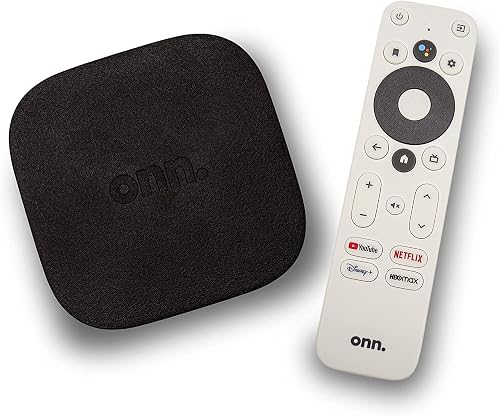
Best for: Clean Google Assistant television integration.
The ONN Android TV streaming device plugs directly into your television through an included high-speed HDMI cable to output clean 4K Ultra HD video. It runs on the official Android TV platform, granting access to apps on the Google Play Store along with built-in Chromecast features for mobile casting. The included remote includes a dedicated voice button to prompt Google Assistant for search queries and general media playback adjustments.
Its internal audio processing helps provide enhanced dialogue clarity and increased volume mixes across standard flat-panel television speakers. It works across various television brands like Samsung, Sony, Vizio, and TCL using standard HDMI inputs. However, this device isn’t suitable for users who demand high-speed wired gigabit Ethernet connections, as it relies on wireless networking for all of its data streaming.
Pros
- Official Android TV software platform
- Built-in Chromecast for mobile devices
- Google Assistant voice remote control
Cons
- Relies entirely on wireless connection
- Limited onboard storage for apps
5. Roku Streaming Stick+
Best for: Discreet mounting behind wall televisions.
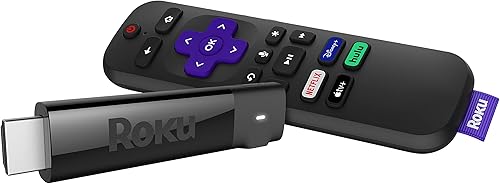
The Roku Streaming Stick+ features a long-range wireless receiver built directly into the power cable to pull strong signals in rooms located far from your primary router. It outputs 4K, HD, and HDR video formats with bright color reproduction and crisp image detail directly into your television port. The accompanying voice remote manages power, volume, and mute settings, saving you from juggling multiple controllers while watching television.
Setup takes only a few minutes by plugging the stick into an available HDMI port and connecting to your local wireless internet network. The free mobile app lets you route television audio through personal headphones for private listening without waking anyone else in your house. Because this compact stick lacks physical USB ports for wired media storage drives, it isn’t for users who want to play video files directly from thumb drives.
Pros
- Long-range wireless receiver cord design
- Controls television volume and power
- Compact form hides behind screens
Cons
- No physical USB media inputs
- Can’t connect wired Ethernet cables
6. Roku Premiere

Best for: Straightforward 4K playback on screens.
The Roku Premiere delivers clear 4K Ultra HD playback at 60 frames per second alongside vibrant HDR colors that enhance dark and bright visual contrast. It relies on a responsive quad-core processor paired with 802.11ac dual-band wireless networking to load media streams quickly. The package provides an enhanced remote control with an included headphone jack for private listening, letting you watch loud action scenes without disturbing nearby family members.
Pros
- Plays 4K video at 60fps
- Dual-band 802.11ac wireless built in
- Remote includes headphone private listening
Cons
- Lacks physical wired internet ports
- No external USB storage inputs
Also Worth Considering
The Beelink Mini PC ME Pro offers two internal hard drive bays, an Intel N95 processor, 12GB of modern LPDDR5 memory, and a 128GB solid-state drive for users who want extra physical drive bays.
The Beelink EQi Mini PC steps up internal performance with an Intel Wildcat Lake 304 five-core processor, 24GB of high-speed DDR5 memory, and a 500GB UFS 3.1 storage drive for demanding computing workflows.
How to Choose in Sixty Seconds
Which network connection type fits your home setup?
Wired gigabit connections provide steady speeds that bypass common home wireless drops. If you plan to stream heavy 4K files with high bitrates, pick a unit with a physical 1000Mbps RJ45 jack like the Ugoos AM6B Plus or Beelink Mini S12. Wireless options work well if your display sits close to your router. According to the Federal Communications Commission broadband speed guide, high-demand video streaming requires steady data rates to avoid buffering interruptions. Devices like the Roku Streaming Stick+ rely on extended wireless antennae to manage signal strength over long distances.
Do you want a handheld remote or full computer controls?
A dedicated streaming device like the Roku Ultra or ONN Android TV comes with an infrared or wireless remote that controls volume, power, and search commands. These units boot directly into visual home menus designed for quick family use. In contrast, a mini personal computer like the Beelink Mini S12 runs desktop software environments. It provides complete freedom over server settings and advanced network options, but it requires you to connect a separate mouse and keyboard to navigate basic folders and system menus.
How much local storage do you need on the device?
Streaming sticks carry minimal internal storage because they pull content strictly from online networks. If you plan to store media files directly on the player, select a machine with internal solid-state drives or physical expansion ports. The Beelink Mini S12 carries a 480GB drive that can swap up to 2TB, while the Roku Ultra provides standard USB and micro SD card slots for external drives. If you only watch streams through local network links, the smaller memory on the ONN Android TV will serve your daily needs.
The Roku Ultra is a media player for 4K/HD/HDR streaming, while the Beelink Mini S12 is a mini PC with an Intel N95 processor and storage expansion options. Take a look at your television area to verify if you have an open wired network cable or enough clearance for a full mini computer before placing your order.
Frequently Asked Questions
What television ports are required to use these media players?
Every player listed here requires an open HDMI input on your television to transmit digital picture and sound. Devices like the ONN Android TV and Roku Ultra include high-speed HDMI cables in their boxes, while the Beelink Mini S12 supports dual 4K displays. Note that these devices are not compatible with analog inputs.
What maintenance does a mini personal computer require over time?
A mini computer like the Beelink Mini S12 contains an internal cooling fan and active air duct that pulls room air through the case to cool its 25W processor. The listing mentions the device supports automatic software updates.
Can compact streaming sticks overheat during long viewing sessions?
Compact streaming sticks sit behind the television, where airflow is restricted. The Roku Streaming Stick+ uses a long-range wireless receiver to maintain a strong signal despite this placement. If your wall-mounted screen sits flush against the wall, a standalone player like the Roku Premiere allows for better positioning in open air.
Is the simplest streaming unit enough for local media playback?
A basic player like the Roku Premiere handles 4K video at 60 frames per second using standard wireless internet. It features a quad-core processor capable of decoding common streaming files for standard televisions. If your media library contains heavy, uncompressed files, the lack of a wired gigabit port may cause occasional buffering.
Final Thoughts
Once you’ve settled on a player that fits your needs, take a moment to organize your media library’s folder structure. You’ll find that a clean, well-labeled collection makes browsing your favorite shows much faster. It’s a small effort that’ll make your home theater experience feel truly professional and easy to enjoy.