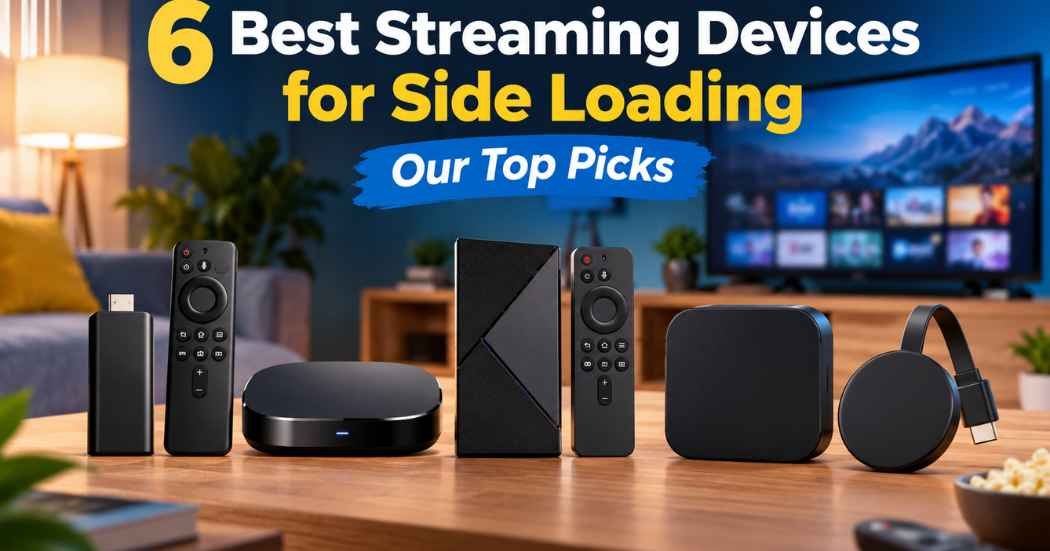
There’s no single device that suits every viewer who wants the Best Streaming Devices for Side Loading. Your choice comes down to how much local storage you want for extra files, which operating system matches your habits, and whether you prefer wireless connections or physical ports. Some streamers run Google TV with plenty of room for files, while others use Fire TV OS with voice tools and cloud gaming. The onn 4K Pro gives you built-in ports and 32GB of space right away, whereas the Amazon Fire TV Stick 4K focuses on cloud gaming and portable stick streaming.
1. onn 4K Pro Streaming Device

Buy on Amazon
Best for: someone who wants built-in ports and extra storage without buying adapters.
This streamer runs Google TV and comes with 32GB of onboard storage, which leaves plenty of room for downloaded tools and extra programs. You won’t have to fiddle with splitters or dongles because it has an Ethernet port built right into the body alongside Wi-Fi 6 wireless connectivity. It features 3GB of RAM, which is 50% more memory than the 4K Plus model, to keep system menus responsive when opening several applications back-to-back.
Audio and video formats match standard modern TV demands with support for 4K Ultra HD, Dolby Vision, and multidimensional Dolby Atmos sound. The trade-off is the physical tabletop shape, meaning you can’t just dangle it behind a flat wall mount like a compact HDMI stick.
Good if:
- You want 32GB of space for extra file storage.
- You need a wired Ethernet port directly on the device.
- You want a remote finder feature with backlighting.
Skip it if:
- You want a tiny plug-in stick to hide behind a flush-mounted wall TV.
- You prefer the Fire TV operating system interface.
2. Amazon Fire TV Stick 4K Max (newest model)

Check Price on Amazon
Best for: someone who wants a slim stick for cloud gaming and streaming.
This compact stick plugs directly into your display while delivering 4K Ultra HD playback with Dolby Vision, HDR10+, and Dolby Atmos audio support. It includes 16GB of storage—double that of the Fire TV Stick 4K Plus—which gives you room for entertainment downloads and secondary utilities. It supports Wi-Fi 6E networks and lets you stream cloud titles like Call of Duty: Black Ops 7 through an Xbox Game Pass subscription, though a separate game controller is required.
Navigating the updated Fire TV interface relies heavily on the Alexa+ voice remote to browse categories and manage smart devices.
Good if:
- You plan to stream Xbox titles through cloud gaming.
- You want a compact device that stays out of sight.
- You have a Wi-Fi 6E home wireless network.
Skip it if:
- You prefer the stock Google TV layout over Amazon’s interface.
3. Amazon Fire TV Cube

Check Latest Price on Amazon
Best for: a living room setup where you control multiple home theater components hands-free.
The Fire TV Cube runs on an octa-core processor that’s twice as powerful as the Fire TV Stick 4K Max, delivering rapid response times when launching software. It includes built-in microphones and speakers so you can issue Alexa+ voice commands from across the room without holding a remote. With support for Wi-Fi 6E, it helps maintain high-bitrate 4K streaming with Dolby Vision, HDR, and Dolby Atmos audio.
A central advantage is connectivity, allowing you to connect compatible items like cable boxes or game consoles directly so you can switch between hardware hands-free.
Good if:
- You want hands-free voice commands without picking up a remote.
- You want an octa-core processor for fast software starts.
- You connect game consoles and cable boxes through one hub.
Skip it if:
- You want a travel-friendly streaming stick.
- You want a basic interface without Amazon smart-home controls.
4. Google TV Streamer 4K

Buy on Amazon
Best for: a viewer heavily invested in the Google system and unified home-screen watchlists.
The Google TV Streamer brings movies and shows together onto one main screen, gathering personal recommendations across your subscriptions and live TV services. It comes equipped with 32GB of onboard storage, providing ample space for system utilities and offline software packages. The unit delivers 4K HDR playback with Dolby Vision alongside Dolby Atmos pass-through for surround sound systems.
Using this model requires an HDMI 2.1 cable, which is sold separately, so you can’t complete your physical setup using only the items in the box. Its software lets you curate watchlists from mobile devices or web searches so your saved titles stay synchronized. It isn’t for someone who wants an all-in-one package that includes every required display cable on day one.
Good if:
- You keep a central watchlist synced across mobile and search.
- You want 32GB of local room for your software.
- You watch free streaming TV channels like Pluto TV and Tubi.
Skip it if:
- You don’t want to purchase a separate HDMI 2.1 cable.
- You prefer the Fire TV software ecosystem.
5. Infomir MAG544w3 4K Linux Set-Top Box

Check Price on Amazon
Best for: an advanced user who specifically needs a dedicated Linux-based media box.
Running on Linux 4.9, this set-top box is built for authorized video services, high-bitrate network playback, and operator systems like Ministra PRO. It’s powered by an Amlogic S905Y4-B quad-core processor delivering 16,500 DMIPS, with support for modern AV1 and HEVC video codecs at 2160p resolution. For local connections, the box features an HDMI 2.1 port, dual USB 2.0 ports, a 100 Mbps Ethernet jack, and dual-band Wi-Fi.
Audio capability includes eight-channel Dolby Digital Plus alongside wide audio format support such as FLAC and APE containers. The strict trade-off lies in memory, as it carries 1GB of LPDDR4 RAM and 4GB of eMMC flash memory, severely restricting how many extra files you can hold internally. It isn’t for mainstream consumers looking for standard consumer app stores found on Android or Fire OS devices.
Good if:
- You need a dedicated Linux 4.9 system for specialized media services.
- You play high-resolution audio files like FLAC and APE.
- You want dual USB 2.0 ports for connecting external drives.
Skip it if:
- You want large internal flash memory above 4GB.
- You want standard commercial TV platforms like Google TV or Fire TV.
6. TiVo Stream 4K Best Streaming Devices for Side Loading

Check Latest Price on Amazon
Best for: a viewer who wants simple content discovery on an Android TV base.
The TiVo Stream 4K connects directly to your television’s display port and runs Android TV with a custom TiVo aggregation interface. This software pulls movies and shows from services like Netflix, Prime Video, and Disney+ into unified recommendation carousels so you use less time switching between services. The compact dongle handles 4K UHD video output while supporting both Dolby Vision HDR and Dolby Atmos audio formats.
Power consumption stays modest, pulling a maximum of 5W through its 5V/1.0A DC input port while operating between standard room temperatures.
Good if:
- You want an aggregated guide that blends streaming apps together.
- You prefer an ultra-compact dongle powered via a 5W input.
- You use Google Assistant voice searches to pull up entertainment.
Skip it if:
- You prefer the broader Fire TV smart home platform.
Also Worth Considering
The Amazon Fire TV Stick 4K Plus is another option that features Wi-Fi 6 wireless networking, AI-powered Fire TV Search, and the Alexa+ voice remote to access hundreds of thousands of streaming shows without needing a larger tabletop console.
Where These Overlap
Every single device here delivers 4K Ultra HD resolution, and most feature both Dolby Vision and Dolby Atmos compatibility for theater-quality living rooms. Where they split dramatically is internal storage and basic software environments. The onn 4K Pro and Google TV Streamer both give you a roomy 32GB of space running Google TV, making them close alternatives where physical ports decide the winner. The Amazon Fire TV Stick 4K and Fire TV Cube share the same Alexa+ interface and app store, yet the Cube adds an octa-core chip and hands-free mics. The Infomir MAG544w3 remains the lone Linux unit, sitting far apart from the consumer platforms.
Still Not Sure?
How much file storage do you actually plan to fill?
If you want to keep dozens of utilities and media files stored directly on your player, low memory becomes an issue quickly. Devices with 32GB of space prevent low-capacity warnings down the road. For maximum local space on a standard TV platform, look at the onn 4K Pro.
Do you prefer hands-free voice commands or standard remotes?
Holding a remote to speak commands works fine for most viewers, but controlling home gear from across the couch without touching hardware is a different habit entirely. If you want built-in room microphones that pick up voice instructions without holding any plastic accessories, select the Amazon Fire TV Cube.
Does your entertainment center rely on physical cables or clean wireless?
Plugging an Ethernet cable straight into your media unit guarantees stable network performance without extra splitters. If you don’t want to buy extra dongles or worry about spotty wireless signals dropping high-resolution 4K frames, the best wired solution out of the box is the onn 4K Pro.
The decision balances software preference against local capacity. If you want direct network ports paired with plenty of space on Google TV, pick the onn 4K Pro; if you want cloud gaming support and a discreet form factor, choose the Amazon Fire TV Stick 4K. Check your television’s available ports and place your order today.
Frequently Asked Questions
What regular software upkeep do these streaming boxes require?
Streaming players download periodic operating system patches to protect system security and maintain compatibility with media protocols. Reviewing your storage occasionally prevents downloaded installation files from filling up your memory. You can learn more about standard playback technology and profile handling on the official Dolby Laboratories website.
What extra accessories must you purchase to get started?
Most units come with standard hookup cables, but certain models leave critical accessories out of the package. The Google TV Streamer explicitly requires an ultra-high-speed HDMI cable sold separately.
What should you do when you run out of internal drive space?
When local memory gets tight, your device may freeze or refuse to update your existing software. You’ll need to remove unused programs or clear system cache pools from the settings menu. Choosing a model with 32GB of built-in capacity keeps you from managing storage so frequently.
Would a more powerful processor have served you better?
A faster processor, such as the octa-core chip inside the Amazon Fire TV Cube, mainly speeds up app launch times and menu navigation. If you switch between several demanding tasks constantly, the extra processing power helps, but basic 4K playback looks identical across all these units.