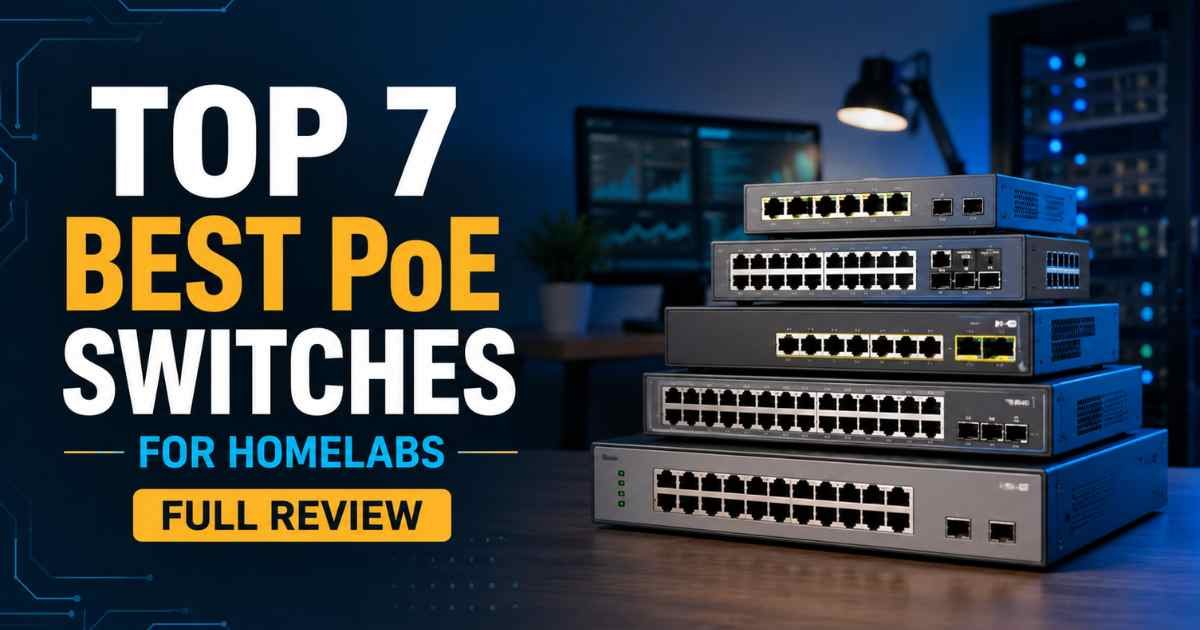
Setting up a homelab is fun, but power and cables can get messy fast. That’s why picking one of the best PoE switches for homelabs matters so much. A good switch feeds power and data through one cable. It keeps your cameras, access points, and small servers running clean.
PoE, or Power over Ethernet, sends electricity right through your network cable. You skip extra power bricks and wall outlets near each device. Some switches are unmanaged and simple. Others are managed, with more control over traffic and ports.
We looked at gigabit speeds, PoE power budgets, port counts, and build quality. We also checked real buyer feedback across each model. This guide covers PoE switches for homelabs at every budget, from small 8-port units to bigger 16-port options.
Here’s what you’ll find in this guide: full reviews of seven top switches, a comparison table, a buying guide, and answers to common questions.
What Is a PoE Switch?
A PoE switch is a network box that sends both power and data through one cable. You plug your camera or access point straight into the switch. No separate power adapter is needed at the device end.
This differs from a basic switch, which only handles data. A basic switch needs every device to have its own power source nearby. That gets messy fast in a homelab with several devices.
Most PoE switches for homelabs use the 802.3af or 802.3at standard. These set the rules for how much power each port can safely deliver. Some newer switches also add smart features like port priority and auto recovery.
Why You Can Trust Our Recommendations
We compared official specs, power budgets, and port counts across every switch on this list. We read through verified customer reviews to catch real-world issues. We also weighed price against build quality and long-term value.
We stayed neutral and didn’t rely on flashy marketing claims. Every pick here has strong ratings and a proven track record with homelab users. We didn’t run our own lab tests, but the numbers below come straight from manufacturer data and buyer feedback.
Quick List — Top 7 Picks
- TP-Link TL-SG116P
- TP-Link TL-SG1218MP
- NETGEAR GS108PP
- UGREEN 35372US
- REOLINK RLA-PS1
- Ubiquiti UniFi USW-Lite-16-PoE
- NETGEAR GS316P


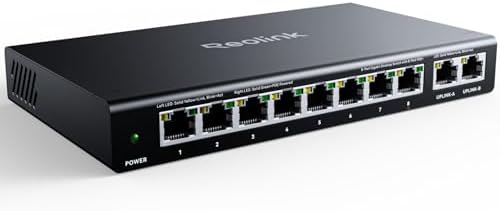


Comparison Table – Top 7 PoE Switches for Homelabs
Product Name | Type | Best For | Standout Feature |
TP-Link TL-SG116P | Unmanaged | Small camera setups | 120W budget, fanless design |
TP-Link TL-SG1218MP | Unmanaged | Larger homelabs | 250W budget with SFP slots |
NETGEAR GS108PP | Unmanaged | Compact 8-port needs | Lifetime warranty support |
UGREEN 35372US | Unmanaged | Security camera runs | Long-range extend mode |
REOLINK RLA-PS1 | Unmanaged | Reolink NVR owners | Smart power management |
Ubiquiti UniFi USW-Lite-16-PoE | Managed | UniFi ecosystem fans | App-based control |
NETGEAR GS316P | Unmanaged | Wall-mount setups | Dynamic PoE allocation |
At a Glance: Our Top Recommendations
Best Overall: → TP-Link TL-SG1218MP
Best Value: → NETGEAR GS108PP
Best Budget Pick: → UGREEN 35372US
Best Premium Pick: → Ubiquiti UniFi USW-Lite-16-PoE
Best for Beginners: → TP-Link TL-SG116P
Key Features to Compare Before Buying
When shopping for PoE switches for homelabs, it helps to compare a few key things first. Start with port count and capacity. Too few ports means you’ll outgrow the switch fast. Too many wastes money if you’ll never use them all.
Next, check the PoE power budget. This is the total wattage the switch can share across all ports. A small budget can’t handle several power-hungry cameras at once. Also look at whether it’s managed or unmanaged. Unmanaged switches are simple and need no setup. Managed switches give you more control but come with a learning curve.
Pay attention to build quality. Metal casing tends to last longer than plastic. Fanless designs run silent, which matters in home offices. Check for safety features too, like PoE auto recovery and overload protection.
Finally, weigh the warranty and support. A longer warranty often signals more confidence from the brand. Compare price against these features to find the best value for your setup.
Top 7 Best PoE Switches for Homelabs Reviews
TP-Link TL-SG116P – Simple and Steady for Beginners
Opening: This fanless 16-port switch gives your homelab silent, steady PoE power without any setup headaches at all.
Overview: The TL-SG116P offers 16 PoE+ ports with a 120W budget. It’s plug and play, with extend, priority, and isolation modes built right in.
Key Features
- 16 Gigabit PoE+ ports with up to 30W per port
- 120W total power budget for multiple devices
- Extend Mode reaches up to 250 meters for cameras
- Priority Mode on ports 1-4 for video and voice traffic
- Isolation Mode blocks broadcast storms for better security
- PoE Auto Recovery reboots stuck devices automatically
Performance: It handles gigabit speeds smoothly across all ports. The fanless build stays quiet, even under a steady daily load.
Pros
- Truly plug and play, no setup needed
- Fanless design runs completely silent
- Strong 3-year warranty backs the purchase
- Extend Mode is great for long camera runs
- Isolation Mode adds helpful network security
Cons
- No SFP uplink ports included
- 120W budget can feel tight with many cameras
- Lacks a full management interface
Best For: This switch fits beginners who want a simple, no-fuss PoE setup.
Bottom Line: The biggest strength of this product is its plug-and-play simplicity. It offers excellent value and dependable performance for smaller homelabs.
TP-Link TL-SG1218MP – Best Overall Power and Ports
Opening: If your homelab is growing fast, this rack-mountable switch delivers serious PoE power without breaking a sweat.
Overview: The TL-SG1218MP packs 16 PoE+ ports, 2 uplink ports, and 2 SFP slots. Its 250W budget handles demanding, larger homelab setups with ease.
Key Features
- 16 PoE+ ports with a 250W total power budget
- 2 Gigabit uplink ports plus 2 combo SFP slots
- Sturdy metal casing with strong heat dissipation
- QoS and IGMP Snooping for smoother video traffic
- Rack-mountable design fits standard server racks
- Plug and play setup with zero configuration required
Performance: This switch handles multiple high-power devices without any slowdown. The metal casing keeps temperatures steady during long, heavy use.
Pros
- Large 250W budget supports many devices
- SFP slots allow fiber uplink flexibility
- Rack-mount design suits growing homelabs
- Sturdy metal build feels very durable
- Strong customer ratings back reliability
Cons
- Larger footprint needs rack space
- Higher price than basic 8-port models
- No touchscreen or app-based management
Best For: Homelab owners scaling up to more cameras and access points will love this switch.
Bottom Line: The biggest strength of this product is its huge power budget and uplink flexibility. It’s our pick for best overall performance.
NETGEAR GS108PP – Best Value for Compact Setups
Opening: This 8-port switch proves that a smaller PoE switch can still pack a serious power punch.
Overview: The GS108PP offers 8 PoE+ ports with a 123W budget. It’s fanless, flexible to mount, and backed by NETGEAR’s lifetime warranty.
Key Features
- 8 Gigabit PoE+ ports with auto-negotiating speeds
- 123W total power budget for hungry devices
- Silent fanless operation with energy-efficient design
- Flexible mounting on desktop, wall, or rack
- Metal casing for durable daily use
- Limited lifetime warranty from NETGEAR
Performance: Speeds stay steady across all 8 ports under normal daily use. The energy-efficient design keeps power use in check too.
Pros
- Lifetime warranty offers long-term peace of mind
- Strong 123W budget for just 8 ports
- Multiple mounting options add flexibility
- Fanless build stays completely silent
- Excellent customer review scores overall
Cons
- Only 8 ports may limit larger labs
- No SFP or fiber uplink option
- Unmanaged, so control stays basic
Best For: This switch suits homelab owners who want strong value in a smaller footprint.
Bottom Line: The biggest strength of this product is its lifetime warranty paired with strong PoE power. It’s a smart value pick.
UGREEN 35372US – Best Budget Pick for Cameras
Opening: For budget-friendly camera setups, this compact 10-port switch punches well above its price point.
Overview: The UGREEN switch has 8 PoE+ ports plus 2 uplink ports. Its smart power management and extend mode make it great for cameras.
Key Features
- 8 PoE+ ports with a 60W total power budget
- 2 Gigabit uplink ports for router or switch connection
- One-touch mode switching between Standard, VLAN, and Extend
- Extend Mode supports PoE up to 820 feet
- PoE Auto Recovery restarts frozen cameras automatically
- Metal casing for better durability over time
Performance: It runs smooth 1000Mbps speeds for real-time camera monitoring. Extend Mode works well for far-off outdoor cameras too.
Pros
- Very affordable price for the feature set
- Extend Mode reaches impressively far distances
- One-touch mode switching is beginner-friendly
- Smart power cutoff prevents overload issues
- Solid customer rating for the price point
Cons
- 60W budget is lower than other picks
- Fewer ports than some competitors
- Best suited mainly for camera setups
Best For: Budget-conscious buyers running a handful of security cameras will appreciate this switch.
Bottom Line: The biggest strength of this product is its price-to-feature ratio. It’s our top budget pick on this list.
REOLINK RLA-PS1 – Best Match for Reolink Camera Systems
Opening: Reolink camera owners will find this switch is practically built just for their exact NVR setup.
Overview: This 10-port switch offers 8 PoE ports and a 120W budget. It pairs perfectly with Reolink NVRs and other PoE security cameras.
Key Features
- 8 PoE ports supporting up to 30W each
- 120W total power budget across all ports
- 2 Gigabit uplink ports for NVR or router connection
- Intelligent power management prevents device overload
- Auto detection of PoE versus non-PoE devices
- Metal casing for wall or desktop mounting
Performance: It delivers steady 1000Mbps speeds for smooth camera streaming. Power management keeps every connected camera stable and safe.
Pros
- Works seamlessly with Reolink NVR systems
- Auto detection protects non-PoE devices
- Metal build supports flexible mounting
- Strong customer review score overall
- Simple plug and play setup
Cons
- Best value mainly for Reolink users
- 120W budget limits very large setups
- No SFP or fiber uplink support
Best For: This switch is ideal for anyone running a Reolink security camera system.
Bottom Line: The biggest strength of this product is its tight integration with Reolink gear. It’s a dependable, focused choice.
Ubiquiti UniFi USW-Lite-16-PoE – Best Premium Pick
Opening: For homelab fans deep in the UniFi ecosystem, this managed switch offers control that unmanaged switches simply can’t match.
Overview: This 16-port switch includes 8 PoE+ ports with a 45W budget. It’s managed through the UniFi app for full network visibility.
Key Features
- 16 Gigabit Ethernet ports total for wired devices
- 8 PoE+ ports with a 45W power budget
- UniFi app management for full remote control
- Layer 2 switching with advanced features
- Wall-mount kit included in the box
- External power adapter rated at 60W
Performance: It runs smoothly within the UniFi ecosystem for monitoring and control. Managed features add helpful visibility into your network traffic.
Pros
- Full app-based management and monitoring
- Fits perfectly into existing UniFi setups
- Wall-mount kit adds installation flexibility
- Strong customer rating across reviews
- Great for advanced homelab tinkerers
Cons
- Lower 45W PoE budget than rivals
- Best value only within UniFi ecosystem
- Learning curve for switch management
Best For: This switch suits advanced users already using other UniFi networking gear.
Bottom Line: The biggest strength of this product is deep UniFi integration and app control. It’s our premium pick for power users.
NETGEAR GS316P – Best for Wall-Mount Flexibility
Opening: This 16-port switch is a smart pick when wall-mounting matters more than rack space in your setup.
Overview: The GS316P offers 16 PoE+ ports with 115W of dynamic power. It’s fanless, wall-mountable, and simple to set up.
Key Features
- 16 Gigabit PoE+ ports with auto-negotiating speeds
- 115W total power budget with dynamic allocation
- Fanless design for completely silent operation
- Wall or desktop mounting for flexible placement
- Metal casing built for long-term durability
- Energy-efficient Ethernet to help save on power**
Performance: It handles 16 devices smoothly with dynamic power sharing. The fanless build keeps things quiet during long daily runs.
Pros
- Dynamic PoE allocation shares power smartly
- Fanless design stays totally silent
- Flexible wall or desktop placement
- Solid 3-year warranty from NETGEAR
- Good customer review score overall
Cons
- No SFP or fiber uplink ports
- 115W budget can feel tight for 16 ports
- Unmanaged, with no app control
Best For: This switch fits homelab owners who need wall-mount flexibility with strong port count.
Bottom Line: The biggest strength of this product is its flexible mounting and dynamic power sharing. It’s a strong all-around pick.
How We Evaluated These Products
- Product features and specifications
- Customer reviews and feedback
- Build quality and durability
- Ease of use
- Value for money
- Overall performance
How to Choose the Best PoE Switches for Homelabs
Picking the right switch comes down to a few clear factors. Start by thinking about your port count needs. A small homelab with a few cameras needs fewer ports than a growing server rack setup.
- Size and capacity: Match port count to your current and future devices.
- Technology type: Choose managed for control, unmanaged for simplicity.
- Performance and speed: Gigabit ports keep video and data flowing smoothly.
- Power modes: Extend, priority, and isolation modes each solve different problems.
- Build quality: Metal casing tends to last longer than plastic.
- Ease of cleaning: Dust builds up fast, so open vents need occasional cleaning.
- Brand reliability: Established brands often offer better long-term support.
- Price versus value: A higher price can be worth it for more power and features.
Think about how many PoE devices you’ll run at once. Add up their wattage needs and compare it to the switch’s total budget. Leave some extra room for future devices too.
Consider whether you’ll manage the network yourself or want simple plug-and-play setup. Managed switches like the UniFi model give more control but need more learning. Unmanaged switches work great for most home setups without any fuss.
Finally, don’t ignore the warranty. A strong warranty often means the brand stands behind its build quality.
Benefits of Using PoE Switches for Homelabs
- Consistent, reliable power for every device
- Fewer cables and cleaner setups overall
- Hands-free power delivery through one line
- Energy-efficient operation saves on bills
- Better camera uptime with auto recovery
- Durable metal builds last for years
- Versatile mounting fits any room layout
- Excellent value compared to separate power supplies
Common Mistakes to Avoid
- Skipping the power budget math beforehand
- Using the wrong PoE standard for devices
- Ignoring total wattage capacity limits
- Not cleaning vents and ports regularly
- Buying too few ports for future growth
- Overloading the switch beyond its budget
- Ignoring the included user manual
- Choosing only the cheapest option available
Who Should Buy a PoE Switch for a Homelab?
- Homelab users running security cameras daily
- Beginners wanting simple, plug-and-play setup
- Growing labs needing more ports over time
- Users upgrading from basic, non-PoE switches
- Smart home fans wiring access points
- Small households with compact networking needs
- Gift buyers picking practical tech presents
- Power users wanting full app-based control
Frequently Asked Questions (FAQ)
What makes PoE switches different from basic models?
A PoE switch sends power and data through one cable. A basic switch only handles data, so devices need separate power.
Is TP-Link better than NETGEAR for a homelab?
Both brands make solid, reliable switches with strong warranties. Your choice really depends on port count and power budget needs.
How long does a PoE switch typically last?
Most quality PoE switches last five to ten years with normal use. Metal casing and good ventilation help extend that lifespan.
What size do I need for a growing homelab?
Start with at least 8 to 16 ports if you plan to expand. This leaves room for new cameras or access points later.
Can beginners set up a PoE switch easily?
Yes, most unmanaged models are truly plug and play. You just connect the cable, and the switch handles the rest.
Is it worth paying more for a premium PoE switch?
If you need app control or a bigger power budget, yes. For simple setups, a budget-friendly unmanaged switch works just fine.
Final Verdict
You don’t need to spend a fortune to get great results from your homelab. Any of these best PoE switches for homelabs will serve you well.
If you’re on a tight budget, the UGREEN 35372US gets the job done for camera setups. For everyday use, the NETGEAR GS108PP offers great value with a lifetime warranty. If you want the best performance and biggest power budget, the TP-Link TL-SG1218MP is a fantastic pick.
Advanced users deep into the UniFi ecosystem should look at the Ubiquiti switch instead. Pick the one that fits your life and budget. Check the Amazon links above for today’s prices before you decide.